






Table of contents
Today, most people expect to pay by card. If your business only takes cash, you’re losing out on sales. The good news? Accepting credit card payments is easier than ever—whether you run a physical shop, sell online, work on the go, or take phone orders.
Common ways to accept credit card payments
To accept credit card payments, you need a payment processor and compatible hardware or software to securely capture card details and process transactions. Common ways to accept card payments include:
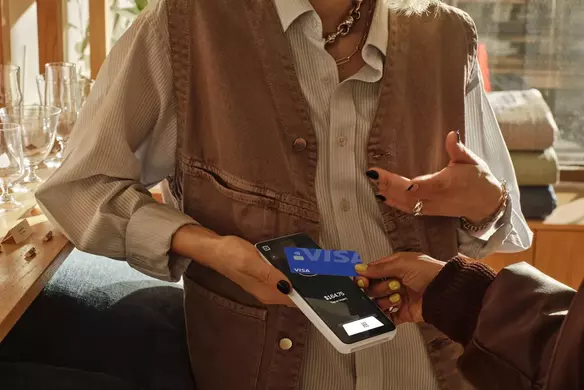
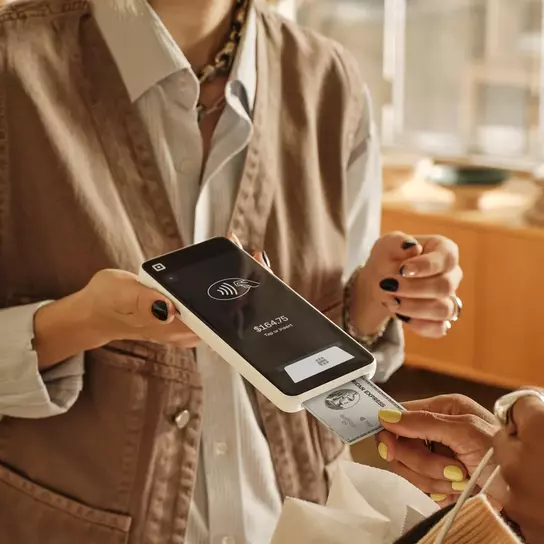
- In person: Use a point-of-sale (POS) system and compatible hardware so customers can tap, dip, or swipe their card, or use a digital wallet.
- Online: Accept payments through an online store, invoice, or payment link.
- Over the phone: Key in card details using POS software or a virtual terminal.

What are the benefits of accepting credit card payments?
According to Square’s 2025 Future of Retail report, over 80% of consumers surveyed prefer to pay with debit cards (89%) and credit cards (85%). Here are some reasons why you should take credit card payments at your small business:
- Your customers might prefer paying by card. Credit card usage has steadily increased, and it remains the most popular payment method, according to the Federal Reserve’s 2023 Survey of Consumer Payment Choice. Card payments also allow for contactless payment options, which many customers and staff prefer.
- Your customers will feel good about shopping with you. When customers see the logos of the major credit cards you accept, they see your business as more trustworthy and legitimate.
- Your customers can pay however is most convenient for them. Additionally, many customers look forward to earning rewards associated with paying via credit card, such as cash back or travel perks.
How to start accepting credit card payments
Once you’ve decided to accept credit cards, you’ll need to choose how you’ll process payments. One of the first decisions is whether to open a traditional merchant account or use a merchant services provider.
A merchant account is opened directly with a bank or financial institution and allows you to accept payments by credit card. When a business accepts a credit card payment, the payment transactions and funds are held in the merchant account until the payment is verified and the funds are transferred to the business bank account.
Note that you do not need a separate merchant account to accept credit card payments, as many modern processors (called merchant services providers, which we discuss below) use an aggregated model that allows you to accept cards under their master account. This eliminates a significant barrier to entry for small businesses.
Merchant services providers, like Square, manage the merchant account for you and handle the hardware, software, and financial services needed for a business to accept and process credit cards, debit cards, and other contactless payments.
Merchant services providers offer a lot of advantages for business owners:
- Faster and easier setup, so you can start taking card payments within hours or days, not weeks.
- Simplified pricing, typically with flat-rate fees instead of a bank’s complex and unpredictable cost structure.
- An all-in-one solution, where you get integrated hardware, software, and online payment categories in a single, easy-to-manage package.
- Seamless and simple integration with websites and online stores for eCommerce businesses.
- No long-term contracts, as most merchant service providers operate on a flexible month-to-month basis or transaction basis, unlike bank contracts, which often lock you in for years.
- Built-in tools, including valuable features like basic fraud prevention, invoicing, and reporting dashboards at no extra cost.
Next, you’ll want to decide how to take credit card payments for your small business. Depending on the type of business you have, you may want to have more than one option to take credit card payments.
Once you know your needs, you typically choose one of two main paths:
Option 1: Use a merchant services provider like Square
This is an all-in-one solution that can be faster and simpler.
- Sign up: Create an online account, often with instant approval.
- Get hardware/software: The provider supplies what you need, including a free or low-cost card reader for in-person sales and access to online tools, payment links, and virtual terminals.
- Start taking payments: You can begin processing payments immediately.
Best for: Most small businesses, especially those starting out, needing online sales, or wanting simple, predictable flat-rate pricing.
Option 2: Open a traditional merchant account with a bank
This is a more complex process best suited for businesses with high sales volumes.
- Apply: Undergo a formal bank application process, involving credit checks and business history reviews.
- Source hardware: Separately purchase or lease a compatible card terminal.
- Set up a gateway: If you’re selling online, you must also set up a separate payment gateway.
- Start taking payments: Once everything is approved and connected, you can begin.
Best for: Established businesses with large monthly sales volumes that can benefit from negotiating lower custom rates since fees with this model are typically more complex and vary based on the card brand, as well as whether it was swiped, tapped, or keyed in manually.
Once you’ve chosen how you’ll process credit cards, the next step is deciding how customers will pay. For online sales, there are several options depending on where and how you do business.
How to accept credit card payments online
If you complete some or all of your sales online, there are several ways to offer convenient credit card payment options to your customers. The best option depends on your business model, where customers discover your products or services, and how you want them to check out.
If you’re looking to process credit card payments online, consider these options:
- Payment links: Create a checkout link for a specific product or service. You can add these customizable payment links to your email newsletters, text message marketing, and social media to easily accept credit card payments from multiple online channels. With a virtual terminal, you can send a payment link directly to a customer to easily collect payment.
- Integrate with social media: Make Instagram, Facebook, and TikTok shoppable with “buy buttons” and shopping pages on your business profiles. You can create shoppable posts and set up purchasing experiences from within your social channels.
- Online store: If you offer many products or services or want to move your business online, consider setting up an online store. You can publish an eCommerce site without coding or connect your Square account to an existing website to start accepting payments.
- Invoices: Digital invoicing software allows you to send invoices, accept automatic payments, and track unpaid and paid projects from anywhere while streamlining your business operations.
How to add credit card payments to your website
To add credit card payments to your website, you’ll need to choose a checkout setup, connect it to your site, configure your payment settings, test the experience, and publish when you’re ready to accept payments.
- Choose your checkout setup. Decide where customers will complete their purchase, whether that’s directly on your website or through a hosted checkout experience.
- Prepare your business details. Have your legal business name, bank account, tax settings, product or service details, refund policy, and fulfillment rules ready.
- Connect payments to your site. Add your checkout experience to the appropriate pages or configure payments through your website or eCommerce platform.
- Test before launch. Confirm prices, taxes, confirmation emails, order notifications, and the overall checkout experience.
- Track payment status. Once you’re live, monitor paid, unpaid, refunded, and disputed transactions through your payment dashboard.

What to look for in a website payment system
A good website payment system should fit how you sell, keep payment data secure, and make checkout simple for your customers. When comparing your options, consider:
- Supported payment methods: Make sure customers can use the payment methods that matter to your business, such as credit and debit cards, digital wallets, ACH transfers, gift cards, or buy now, pay later options.
- Checkout experience: Consider how easily customers can complete a purchase and whether the checkout experience works well across desktop and mobile devices.
- Security and compliance: Look for PCI compliance support, encryption, fraud monitoring, and tools for managing disputes.
- Processing fees: Compare fees for the types of transactions you expect to process, including online and manually entered payments.
- Business operations: Consider whether the system can support refunds, receipts, order tracking, inventory management, and reporting.
- Ability to grow: Think about what you may need later, such as in-person POS, additional sales channels, remote payments, or support for multiple locations.
Credit card payment software and hardware
The tools you need will depend on how and where you accept payments. Here are the main software and hardware options to consider.
Software
- Point-of-sale software: Point-of-sale (POS) software will help you track your inventory and sales history. A POS system can also include a card reader or the option to manually enter credit card information.
- Virtual terminal: A virtual terminal, or computer POS, allows you to turn your laptop or desktop into a POS easily without the need to purchase any further equipment. This allows you to manually enter your customers’ credit card information to accept payments. Because it is hosted online, a virtual terminal can turn any computer into a credit card terminal, which means you can accept payments from anywhere at any time. This is a great solution for remote billing, taking payments over the phone, or when most of your day-to-day work is done at your computer or at a reception desk.
Hardware
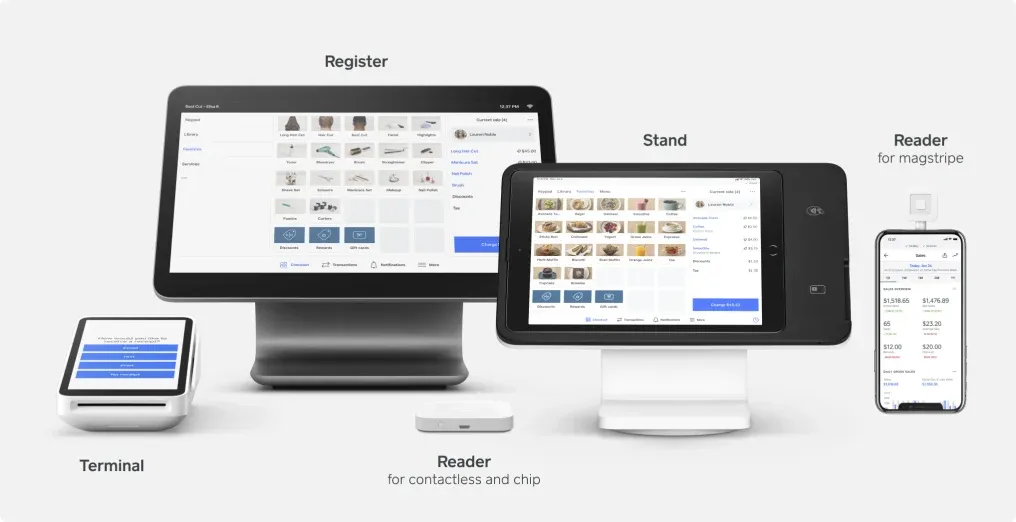
- EMV reader: To accept card payments today, you need a modern terminal that supports both EMV chips and contactless “tap-to-pay” methods like Apple Pay. This technology is essential. Businesses that cannot process a chip card and must swipe it instead become financially liable for any resulting fraudulent charges. Using a modern card reader protects your revenue from these chargebacks while also meeting customer expectations for a fast and secure checkout. For any new or upgrading business, this technology is the standard for secure in-person transactions.
- Mobile credit card terminal: If you’re a restaurant or salon owner or you work on the go, a mobile credit card terminal will allow you to take payments tableside or at the client’s chair for easy checkout. This allows you to take payments and print receipts from anywhere while still knowing every sale is securely encrypted.
- Countertop POS: Alternatively, if you would prefer to have payments taken at one permanent location within your business, you’ll want to invest in a countertop solution that handles everything in one place.
Understanding credit card processing fees
To process a sale, there are several types of fees and regulations that apply to each transaction. These fees are set by cardholder banks and credit card issuers, and it’s important to know how they can impact your profits.
- Interchange fees are charged by the cardholder’s bank. These fees will vary greatly depending on the type of card your customer uses. Your payment processor is required to give a percentage of the funds collected to the card issuer.
- Assessment fees are charged by the card associations, such as Mastercard or Visa, to process transactions through their payment networks. Again, your payment processor is required to give a percentage of the funds collected to these card associations.
- PCI compliance is a standard security measure with which all card-accepting businesses need to comply to safely and securely accept, store, process, and transmit their customers’ data during these transactions. Square complies with PCI standards, so there is no need for you to individually validate your compliance or pay associated annual fees when you process payments with Square.
While small business owners are often concerned with the costs of credit card processing, offering additional payment options to your customers can lead to more transactions, which can offset the costs.
Now that you understand your options for taking card payments as a small business owner, you’ll no longer have to miss out on those additional credit card transactions. With transparent flat fees, Square payment processing can help you give your customers the payment and security options that they’ve been looking for.
How to accept credit card payments FAQs
What is the best way to accept credit card payments for small businesses?
For most small businesses, a mobile card reader paired with a user-friendly payment app offers the simplest and most affordable way to get started accepting credit card payments.
How much does it cost to accept credit card payments?
Credit card processing fees typically involve a small fixed fee plus a percentage of each transaction. For instance, Square’s current rates are 2.6% + 15¢ per transaction for in-person payments and 3.3% + 30¢ per transaction for online payments. See Square’s fees for all current pricing.
Do I need a merchant account to accept credit card payments?
You do not need a separate merchant account to accept credit card payments, as many modern processors like Square use an aggregated model that allows you to accept cards under their master account. This eliminates a significant barrier to entry for small businesses.
How can I accept card payments on my phone?
You can accept credit card payments on your phone using a mobile point-of-sale (POS) app. Depending on your device and payment setup, you can use Tap to Pay on iPhone or Tap to Pay on Android to accept contactless credit and debit cards and digital wallets directly on your phone, without additional payment hardware. You can also connect a compatible mobile card reader to your phone to accept additional payment types.
How do I set up payments on a website?
To set up payments on a website, choose a payment processor, select an online checkout method, connect your business and bank information, test the checkout experience, and publish it on your site.
You can use a hosted checkout page, payment link, or online store for a simpler setup. For a custom website or app, you may need a developer to integrate payments using an API. Before launch, test prices, taxes, fulfillment options, receipts, refunds, and order notifications.
Can a business owner accept credit card payments without a website?
Yes, a business owner can accept credit card payments without a website by using a mobile card reader or a POS system to process transactions in person. For online sales, however, a website or a platform that generates payment links is necessary to facilitate taking card payments for small businesses.


