

Table of contents
These days, most people expect to pay by card or online. If your business only takes cash, you’re losing out on sales. The good news? Accepting credit card payments is easier than ever — whether you run a physical shop, sell online, work on the go or take phone orders.
Common ways to accept credit card payments
However you do business, there’s a simple way to take credit and debit card payments:
- In person: Use a point-of-sale (POS) system so customers can tap to pay with their card or phone.
- Online: Accept payments through an online store, invoice or payment link.
- Over the phone: Key in card details using POS software or a virtual terminal.
Every single transaction can make a difference to a small business, so missing out on credit card payments can have a big impact on your total sales.

Why should you accept credit card payments?
According to the Square 2025 Future of Retail report, 82% of Canadian retail leaders say accepting credit cards is convenient for them and their staff, and 76% report that their online checkout is driving orders for their business. Here are some reasons why you should accept credit card payments at your small business:
- Credit is the preferred way to pay in Canada, representing 51% of total card transaction volume and 72% total card transaction value, according to Payments Canada.
- Your customers will feel good about shopping with you. When customers see the logos of the major credit cards you accept, they see your business as more trustworthy and legitimate. For better or worse, cash-only businesses are sometimes regarded by customers as sketchy.
- It won’t cost you much. Credit card transactions won’t eat up your profits: In fact, in-person credit card payments taken with Square cost 2.5% per tap. You’ll pay 2.8% + 30¢ per transaction for online payments, 3.3% + 15¢ per transaction for manually entered payments and 6% + 30¢ per transaction for BNPL payments with Afterpay.
Now that you know all the reasons why you should accept credit cards, let’s go over what you’ll need to get started.
How to accept credit card payments in person
The first thing you’ll need to accept credit card payments in person is a modern point-of-sale (POS) system that can process a variety of payment methods, from contactless to mobile wallets. Here are the most common types of in-person credit card payments it should let you accept:
Types of in-person credit card payments
- EMV chip: A customer inserts their credit card and inputs their PIN to complete the payment.
- Contactless (NFC): A customer taps their credit card to pay. Contactless credit card payments make up the largest share of tap-to-pay transactions in Canada at 57%, according to Payments Canada. Each credit card brand has its own technology, like Visa payWave or Mastercard Tap & Go.
- Digital wallets: A customer taps their smartphone to complete a payment with a wallet like Apple Pay or Google Pay.
- Magstripe: A customer swipes their card. Magstripe technology has been largely phased out in favour of more secure payment types in Canada. It would only be used in rare cases, like when a chip is damaged.
Your exact POS hardware setup depends on your unique business needs and the provider you choose, but there are a few options that allow you to accept card payments in person:
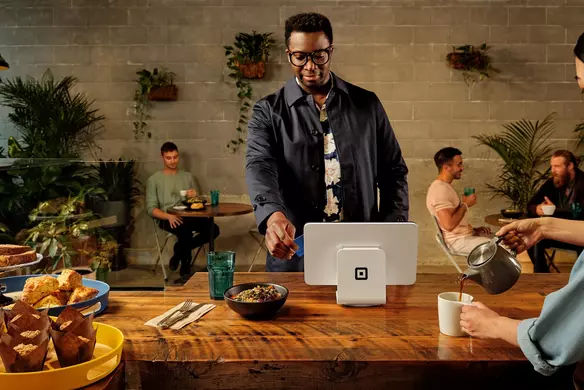
- Countertop card readers: A countertop card reader like Square Stand works well if you have a fixed checkout counter, whether you own a coffee shop or a brick-and-mortar retail store.
- Mobile card readers: Mobile card readers like Square Reader are great if you own a food truck, sell products at markets or offer services on the go e.g., if you’re a contractor. All you need is a smartphone to accept a credit card payment, wherever you are.
- Portable card readers: A lightweight, portable card reader like Square Handheld is ideal for restaurants, as servers can use it to accept tableside credit card payments and turn tables faster.
Your POS hardware is just one piece of the puzzle. Behind the scenes, your POS software and payment processor do the heavy lifting to process the transaction. They authenticate the card details and customer information, get authorization to proceed from the customer’s bank, keep payment data secure and route the funds into your bank account once the transaction is complete.
Some POS providers include payment processing, while others use third-party services to complete transactions. Square is an all-in-one solution that includes your POS hardware, software and payment processing, which is everything you need to accept credit card payments securely. Learn more about credit card processing and how it works.
Here’s a step-by-step guide to start accepting credit card payments in person with Square:
- Choose a reputable POS provider like Square, which takes care of payment processing and security standards like PCI DSS compliance for you.
- Order your hardware based on your business needs, whether that’s a countertop card reader, a mobile one or a portable POS terminal.
- Create your free Square account.
- Download the free Square app and link your bank account for fast deposits.
- Connect your card reader to your smartphone or tablet or use your POS terminal to start taking payments.
How to receive credit card payments online
Three in five Canadians have made an online purchase in the past month, according to Payments Canada. If your business includes both in-person or online sales channels (or if expanding by opening an online store is part of your plan), being able to accept online credit card payments is key. Modern POS providers give you the option to take credit card payments both in-person and online.
Types of online credit card payments
- Online checkout: A customer enters their credit card details at checkout (or has them stored in their browser for faster checkout).
- Digital wallets online: A customer uses their credit card through a mobile wallet like Apple Pay or Google Pay at checkout.
- Buy Now, Pay Later (BNPL): A customer uses a provider like Afterpay at checkout to split up a purchase over a period of time and funds the purchase with their credit card.
- Online invoices: A customer uses their credit card to pay for an online invoice sent by a service provider.
- Recurring billing/subscriptions: A customer signs up for a recurring service e.g., a laser hair removal package and accepts to store their credit card information securely for automatic payments.
To receive credit card payments online, you need an eCommerce website or the ability to send invoices with secure payment links, depending on your business model.
Whether you’re a beauty salon owner looking to connect your online store with appointment scheduling or run a quick-service restaurant and want to give customers the ability to place takeout orders on your website, Square Online integrates with your existing website or lets you build an online store from scratch. You can easily offer multiple payment options at checkout to help boost sales, including credit cards, mobile wallets and BNPL with Afterpay, which can be valuable if you sell high-ticket items like furniture or designer clothing.
If you’re a service provider who bills customers directly — say, a freelance graphic designer, Square Invoices helps you create branded invoices that customers can pay right away with their credit card.
Both Square Online and Square Invoices are free with your Square POS. Here’s a step-by-step guide to start accepting credit card payments online with Square:
- Create your free Square account.
- Download the free Square app and link your bank account for fast deposits.
- Set up your online sales channel:
- Create your online store by building one with a user-friendly tool like Square Online or integrate online checkout to your existing website. For example, you can turn Square Payment Links into buy buttons and embed them on your site. Enable different online payment options at checkout, including credit cards, digital wallets and BNPL. Create an online invoice with invoicing software like Square Invoices, which lets you accept various payment types, set up recurring invoices and even accept tips.
- Publish your website or send an invoice to start taking payments.
- For extra protection, set up Square Risk Manager to catch and manage online payments that pose a potential fraud risk.

How to accept credit card payments over the phone
In some cases, you’ll want to take credit card payments over the phone. This is called a card-not-present (CNP) transaction because the customer is not physically present at the time of the sale.
CNP transactions can be more vulnerable to fraud, so it’s important to be vigilant when making a sale over the phone. Breaking PCI DSS compliance rules is also a risk when taking phone payments, and it can be a costly one — non-compliance can lead to fines of over $100,000 per month, according to Doane Grant Thornton.
You’ll need to use specific tools and processes and train staff members to do the same to protect your business and customers, like taking payments with Square Virtual Terminal, which follows PCI DSS rules and keeps you protected with Square fraud-prevention and dispute-management features. Here are a few types of phone credit card payment methods:
Types of phone credit card payments
- Virtual terminal: You key in a customer’s credit card information with a tool like Square Virtual Terminal. This is useful if you need to take a payment urgently — think, a catering business taking a deposit for an event in three days.
- Repeat phone orders: You ask a customer for their permission to securely save their card information on file so that the next time they call, you can process the transaction without taking the card details again. Square Virtual Terminal can help you create customer profiles with notes, which is helpful if you have regulars who prefer speaking to someone instead of placing an order online.
- Invoice link over phone order: You make a sale over the phone but send the customer an invoice link to complete the payment online, which adds a layer of extra security because the customer keys in their own information.
Here’s a step-by-step guide to start accepting credit card payments over the phone with Square:
- Create your free Square account.
- Download the free Square app and link your bank account for fast deposits.
- From your online Square Dashboard, select Virtual Terminal > Take a Payment.
- Ask the customer to provide their card details.
- Complete all payment fields.
- Double-check the information with the customer.
- Select Charge to take the payment.
- Always ask for the customer’s consent to store card information for future use.
- Alternative: You can send the customer an online invoice and secure payment link through Square Invoice after the call.
Benefits of accepting credit card payments
Whether you do it in-person, online or over the phone, accepting credit cards is not only essential, but also comes with several business benefits.
Increased sales
If you only accept cash and debit, you risk missing out on sales, since credit is the favoured payment method in Canada. This is especially true if you plan on selling online, as credit cards are the preferred choice for eCommerce transactions at 57%, according to Payments Canada. People may also be more likely to spend more or spontaneously buy something when paying with their credit card, which can increase your average order value.
Smoother customer experience
The checkout experience matters. According to the Square Future of Commerce 2025 report, 58% of Canadian consumers wouldn’t return to a restaurant, retailer, beauty salon, or spa that doesn’t offer a convenient way to pay. Credit card payments can speed up checkout, reduce wait time and keep customers satisfied.
Enhanced security
A Payments Canada study revealed that Canadians experienced nearly three times more payment fraud experiences using cash versus credit cards. That’s because credit card processing involves several security measures, from authentication to payment gateways (a technology service that securely transmits information between parties during transactions). Then you also have the added security provided by your Square POS system, which actively monitors transactions for fraud and encrypts payment data.
Easier performance tracking
Once you accept a credit card payment, your POS system can capture the sales data and sync it with other performance metrics to give you an overview of how your business is doing. For example, Square Dashboard can show you that a specific product is selling faster than expected, which gives you the opportunity to restock and come up with promotions featuring that product.
Streamlined bookkeeping
Credit card payments also make bookkeeping easier, since sales data is automatically updated. Square seamlessly integrates with popular accounting tools to streamline bookkeeping and tax filing efforts, like collecting and remitting the GST/HST.

How to accept credit card payments FAQs
What is the best way for a small business to accept credit card payments?
The best way to accept credit card payments as a small business is to choose the right POS system. With zero monthly fees or long-term contracts, Square is built for the needs of small businesses. It lets you easily and securely accept a variety of credit card payments in-person, online and over the phone, and you only pay a small fee per transaction. There are several convenient, accessible hardware options to choose from, whether you’re looking to build a checkout counter or want to accept payments on the go with your phone.
How much does it cost to accept credit card payments?
It depends on the POS provider you choose. First, you’ll have to pay interchange fees to the credit card company on every transaction, though the Canadian government has recently negotiated with Visa and Mastercard to cap those fees at an average of 0.95% for in-person transactions and about 7% lower for online transactions (which are charged at a variable rate). Some POS providers also charge you extra fees for things like PCI compliance.
Square offers transparent, competitive pricing: you pay 2.5% per in-person credit card transaction, 2.8% + 30¢ per transaction for online payments, 3.3% + 15¢ per transaction for manually entered payments and 6% + 30¢ per transaction for BNPL payments with Afterpay.
Do I need a merchant account to accept credit card payments?
Traditionally, businesses had to have a merchant account to accept credit cards, butnot with Square. Since Square also acts as a payment processor, all you need is a linked bank account to receive your funds.
Can a business owner accept credit card payments without a website?
Absolutely. Having a website can be helpful to build brand credibility and run an online store. But there are plenty of ways to accept credit card payments without one, from using payment links and online invoices to card readers.