




Table of contents
We all know it’s been a challenging year for restaurant owners. The list of worries can be maddening – juggling food costs, retaining a productive and happy staff, integrating new technology, and meeting customers’ high demands are just the tip of the iceberg. With inflation and tariffs adding even more pressure, restaurant owners are feeling the heat. There’s no room for wasted money.
Given that food costs eat up 33% of every dollar made, finding the best deal has always been a priority. But up until now, business owners looking for a lower price had to spend precious time finding and comparing product lists and managing spreadsheets. All in an effort to avoid overpaying and eroding profit margins.
Square is introducing another way to procure food and beverage stocks, while increasing business efficiency. The Order Guide helps owners and buyers alike make informed, budget-conscious purchasing decisions about what to buy and from where. With these insights, businesses can spend wisely and build resiliency for the future.

Why is Square launching Order Guide now?
We’ve spoken to business owners of all sizes who have shared the same story: costs are up, margins are down, and they’re being squeezed on all sides. The numbers back up what they’re experiencing: The National Restaurant Association reports that food and labor costs for the average restaurant have both gone up 35% since 2020.
The pressure to pay the rent, staff, and utility bills is real, and the average 5% margin is razor-thin. Business owners need real-time solutions. They can’t wait two weeks to land a good deal on the ingredients needed to build the menu today.
To address these pain points, Square launched a comprehensive suite of vendor and financial management tools that give restaurant operators a clear, actionable view of their costs and business health.
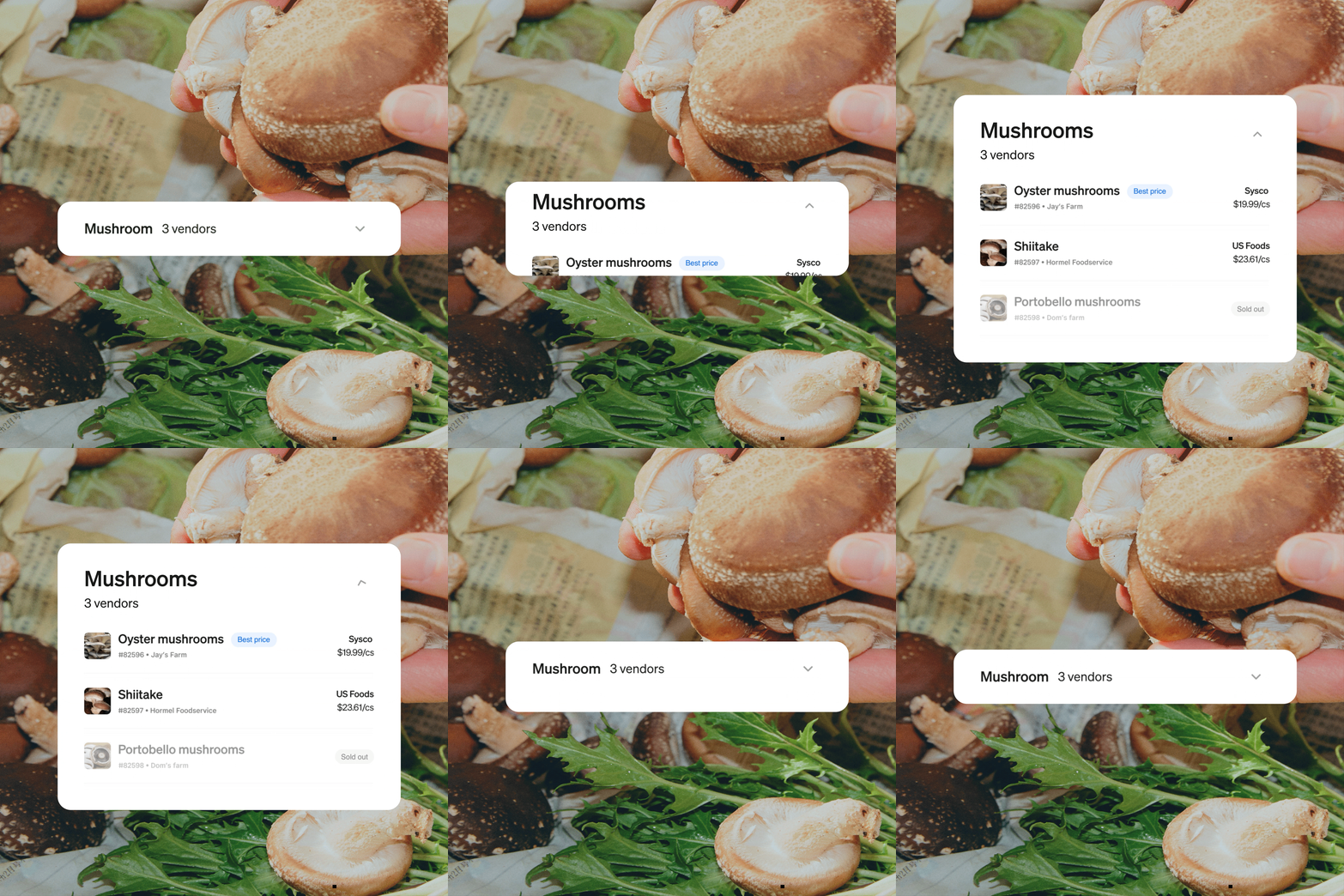
From a centralized location, restaurant owners can use Order Guide to manage their entire shopping process, including creating a shopping list of ingredients directly from the menu, comparing vendors’ prices, and tracking costs over time.
That kind of information improves profit margins and helps buyers see which vendors have a history of providing value. With long-term pricing trends, business owners are better equipped to make decisions about new products, anticipate transportation challenges, and improve their bottom line.
[Order Guide] is very helpful… looking at all the case quantities and sizes, it’s a lot of math to have to do… I’m super excited about this product, I think it has the potential to save us a lot of money. ”
Matt Kliegman → CEO of Black Seed Bagels
With Order Guide, buyers can:
- Track and analyze vendor pricing and trends on specific ingredients
- Streamline vendor communications
- View vendor lists per food entry and compare prices at a stocking level (i.e., price per dozen eggs or per pound of beef)
- Use the dashboard and auto-generated reports to see COGS trends, vendor spend, and cash flow impact.
For example, vendor A sells cheese at $2.55 per ounce and vendor B charges $109 per 2 pounds for the same item. With Order Guide, users can compare the vendor options at the same cost per unit and quickly identify a potential cost savings of $1.81 per ounce, which adds up when purchasing hundreds of pounds of Parmesan every year.
The Order Guide’s artificial intelligence (AI) can sort and present key information in seconds that would normally take hours to do – precious time that could be spent with staff and customers.
How does Order Guide work?
The Order Guide uses AI to remove procurement guesswork in a few straightforward steps. To get started:
- Upload vendor lists via .csv or .pdf file to create a centralized database of potential partners.
- Load a digital version of the menu so the AI can learn what ingredients are needed.
- Compare and choose. The Order Guide will go item by item down the ingredient list and display prices in the same cost per unit, making price comparisons easy.
- Track ingredient prices. Monitor trends or changes in prices over time. Learn who consistently offers the best price.
- Dashboards and reports create big-picture comparisons of the cost of goods sold, vendor spend, and personalized cash flow impact.
How can technology increase profits?
Armed with side-by-side price comparisons, business owners can make data-driven decisions quickly and with confidence. They can keep their ingredients in stock to meet demand while paying less for them. And Square accounting tools and reports provide a clear picture of costs and revenue drivers:
- Reduce the Cost of Good Sold (COGS) by securing the best price per ingredient.
- Track every dollar, whether it’s tied to fees, gift cards, refunds, or returns.
- Make proactive, intelligent decisions based on real trends and data
It’s just simplified, putting the price comparisons right in front of you and cutting out a lot of decision making or second guessing…that’s awesome.”
Carlo DiCicco → Co-Owner and General Manager of DiCicco’s Italian Restaurant
Minimize food expenses with data and insights
In a world of rising costs, business owners need clarity, control, and confidence. The Order Guide and Square accounting tools give them the power to make informed decisions that directly impact profitability.
Explore how Order Guide can help you run a more efficient, resilient business. And check out Square Releases to see all the latest features we launched to help you run your business.