






Table of contents
Running a business today means meeting customers wherever they want to buy — online, in person, over the phone, or through invoices. While that flexibility helps your business grow, it can also expose it to scams if you’re not careful.
Fraud is often associated with online or card-not-present payments, but many of the most disruptive scams business operators are facing right now happen in person: at the counter, on the floor, or directly on a mobile device.
Fraud isn’t always obvious. It often shows up as “too good to be true” payments, unusual requests or behavior, or pressure to move quickly outside of your normal process. The good news? Most fraud attempts follow predictable patterns, and with the right habits (and the right tools) you can spot red flags early and protect your business.
Here’s how to get smart when it comes to common buyer scams, best practices to avoid them, and how Square tools help you stay one step ahead.
Common buyer fraud scenarios to watch for
Fraudsters often rely on urgency, confusion, or generosity to push business operators into making mistakes. Some of the most common tactics include:
Overpayments and unusually large tips
A customer may “accidentally” overpay or leave a very large tip, then ask you to refund the difference or pay a third party in cash. Once the original payment is reversed or disputed, you’re left covering the loss.
Best practice: Don’t accept overpayments or oversized tips with the expectation that you’ll forward money elsewhere.
Requests to move money off-platform
Fraudsters often ask to send money via wire transfer, mailed checks, gift cards, or cryptocurrency. These payment methods are difficult (if not impossible) to recover.
Best practice: Keep payments and refunds within Square whenever possible, and avoid requests to move money outside your normal workflow.
Shipping address manipulation
A buyer may provide a shipping address that doesn’t match their payment details or ask to change the address after the transaction is complete. This can be a sign of stolen payment information.
Best practice: Always verify shipping details before sending goods, especially for higher-value orders.
In-person scams you should know about
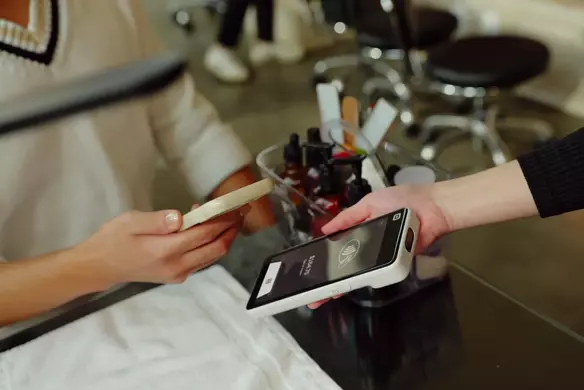
Not all fraud happens behind a screen. In fact, a number of scams we’ve seen involve quick distractions at the register or on a mobile device.
The “device grab” or transaction-switch scam
In this scenario, a customer briefly takes or turns your mobile device under the guise of tapping, signing, or reviewing the screen. They may back out of a card transaction and record it as cash, or cancel the transaction entirely, before handing the device back. If the employee isn’t watching closely, the payment may never go through.
Best practice: Keep control of your device at all times. Avoid handing over your POS device, and confirm the payment status on your screen before completing the interaction.
You can also enable settings that require a passcode before a transaction is canceled or changed to cash. These protections aren’t always auto-enabled, so review your device permissions and cancellation settings to ensure they match your workflow. You can also remove unused tender types as options later.
The distraction technique
A customer may create confusion by asking multiple questions, requesting change in complex denominations, or involving another person, while attempting to manipulate how a transaction is recorded.
Best practice: Slow the interaction down. Confirm payment type, confirm totals aloud, and check your screen before closing the sale. Fraudsters rely on speed and distraction.
Behavioral red flags that deserve a second look
Fraud isn’t just about payment methods. It’s also about behavior. Pay attention if a buyer:
- Refuses to meet in person or speak on the phone when that’s your normal way of doing business
- Pushes for urgency (“I need this handled today”) to bypass your standard process
- Avoids answering basic questions about their order, identity, or delivery detail
- Attempts to handle or redirect your payment device without clear reason
- Insists on unusual payment type changes at the last second (for example, switching from card to cash after the transaction has already begun)
If something feels off, it usually is. Trust your instincts and slow the transaction down.

How to verify buyer information
A few quick checks can help you validate whether a buyer is legitimate before you move forward.
Look up contact details
Search the customer’s phone number and email address online. Virtual phone numbers (such as those generated through cloud services) or emails tied to reported scams can be early warning signs.
Confirm consistency
Check that the name, email, payment method, and shipping address all make sense together. Mismatched details are a common fraud indicator.
Stick to your normal process
Fraudsters often try to pull business operators into exceptions. Sticking to your standard invoicing, payment, and delivery workflows helps reduce risk.
Using Square tools to spot fraud early
Square also provides built-in tools designed to help you identify suspicious activity before it turns into a loss.
Transaction alerts in your Square Dashboard
Square monitors payments for unusual patterns and may flag potentially suspicious transactions directly in your Dashboard under Transactions. These alerts help you pause, review, and decide how to proceed before fulfilling an order.
If you see a flagged payment, take time to:
- Review the transaction details
- Double-check customer information
- Delay fulfillment until you’re confident the payment is legitimate
Risk Manager for added visibility
Risk Manager helps provide additional visibility into potentially suspicious activity across both in-person and online payments, not just eCommerce transactions.
It allows you to monitor flagged payments, understand risk signals, and take action before fulfilling goods or services, whether the sale happened at your counter or through a checkout link.
Risk Manager allows you to:
- Review flagged payments in one place
- Understand why a transaction may be considered higher risk
- Take informed action before completing an order
What to do if you suspect fraud
If you believe a transaction may be fraudulent:
- Pause fulfillment immediately. Don’t ship products, deliver services, or issue refunds until you’ve reviewed the transaction.
- Review the payment in your Dashboard. Look for alerts, mismatched details, or unusual patterns.
- Avoid sending money elsewhere. Never forward funds, issue off-platform refunds, or send cash.
- Contact Square Support if needed. If you’re unsure how to proceed, Square Support can help you understand next steps.
Taking a moment to review can prevent much bigger headaches later.

Building fraud prevention into your daily workflow
If you’re currently typing in card numbers manually, taking photos of cards, or accepting payment details over text or social media, you’re increasing your exposure to fraud and disputes. These are examples of “ad-hoc payments” which are transactions that happen outside your standard, trackable workflow.
Consider building these habits into your routine:
- Using invoices or payment links creates a documented payment trail tied to the customer’s email, itemized order details, and timestamp
- Ship only to verified addresses
- Keep communication and payments within Square
- Regularly review transactions in your Dashboard
- Enable two-factor authentication on your accounts, which adds a layer of security on top of your password to help prevent unwanted activity
Fraudsters look for employees who are rushed, flexible, or willing to bend the rules. A consistent workflow protects both your revenue and your time.
Protecting your business starts with awareness
Scams can happen to any business, but most scams are preventable. By knowing the warning signs, verifying customer information, and using built-in tools from Square, you can confidently accept payments while minimizing exposure.
Your business works hard for every dollar it earns. Staying alert, and using the tools designed to protect you, helps make sure those earnings stay where they belong: with you.
For more detailed guidance, visit Square Support to learn how to protect yourself from scams and fraud.


