

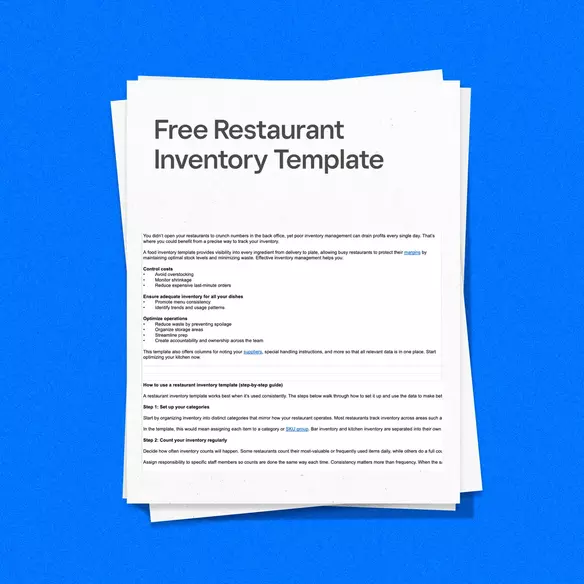


Running a restaurant means keeping a close eye on ingredients, beverages, and supplies as they move through your business. A restaurant inventory template gives you a simple, structured way to track what you have on hand, what you’re using, and what needs to be reordered, without having to build a system from scratch.
This free restaurant inventory template is designed for independent restaurants, bars, and small multi-unit operators who want a reliable starting point for inventory tracking. If you’re looking to improve how you track inventory, this guide walks through what an inventory template is, why it’s useful, what’s included, and how to use it effectively.

What is a restaurant inventory template?
A restaurant inventory template is a standardized worksheet used to record, track, and review the food, beverage, and supplies a restaurant keeps in stock. Instead of relying on memory, handwritten notes, or disconnected spreadsheets, a template provides a repeatable structure for inventory counts and cost calculations.
Regular inventory tracking plays a direct role in your restaurant’s performance. Knowing how much stock you start with, how much you purchase, and what remains at the end of a period helps you understand usage patterns and spot problems early. Without this visibility, issues like overordering, spoilage, and unexplained shortages can quietly drive up your food costs.
Inventory templates help by creating consistency. When counts are recorded the same way each time, it becomes easier to compare periods, identify variances, and improve ordering decisions. Over time, this improves accuracy, reduces waste, and supports tighter control over food and beverage costs, even when operations get busy.
Templates are especially useful for restaurants that are still managing inventory manually or transitioning away from informal systems. They offer structure without complexity, making them a practical first step toward more disciplined inventory management.
Download your free restaurant inventory template
You can download our free restaurant inventory template in multiple formats, depending on how your team prefers to work. Each version is built around the same core structure, with clearly labeled columns and multiple tabs that make it easy to switch between different areas of your operation.
The template is designed as an Excel-style spreadsheet with tabs at the top for easy navigation between sections. You’ll find a tab dedicated to the bar, another for the kitchen, and a final one packed with useful references to help you keep tabs on your inventory.
Available formats
- Excel (.xlsx) for offline use and more control over your spreadsheets.
- Google Sheets for access from anywhere and easy collaboration with your team.
- A bar-specific version, tailored for tracking beverages and alcohol.
- A kitchen-only version, designed specifically for food and ingredient inventory.
Each format follows the same layout, so counts and costs stay consistent no matter which version you use.
What’s included in this inventory template?
Our restaurant inventory template includes the essential fields needed to track inventory levels, costs, and usage patterns across both kitchen and bar operations. The goal is to keep inventory data consistent and easy to compare from one counting period to the next.
Here’s what’s included:
Basic Fields
Every tab in the template includes the following core fields:
- Item name to clearly identify each ingredient or product
- Brand to identify different sellers of similar inventory
- SKU or category to group items for reporting and analysis
- Unit of measure such as pounds, cases, bottles, or units
- Beginning inventory to record starting stock for the period
- Purchases to log incoming inventory
- Ending inventory to record what’s left after use
- Unit cost to track per-item pricing
- Total cost to calculate overall value of inventory
- Variance to highlight differences between expected and actual usage
- Supplier to identify the source of the inventory
- Supplier contact information for easy outreach
- Storage location to help staff locate the item
Together, these fields give you a better understanding of your inventory flow and helps you spot issues like waste or understocking.
Optional columns for advanced tracking
For restaurants looking for more detailed information, the template includes optional fields such as:
- Vendor information for ordering reference
- Expiration date for perishable items
- Storage location to streamline counts
- PAR levels to guide reordering decisions
- Loss or spoilage tracking to document waste
These columns are optional, allowing you to keep the template simple or expand it as your inventory process evolves.
How to use a restaurant inventory template (step-by-step guide)
A restaurant inventory template works best when it’s used consistently. The steps below walk through how to set it up and use the data to make better decisions over time.
Step 1: Set up your categories
Start by organizing inventory into distinct categories that mirror how your restaurant operates. Most restaurants track inventory across areas such as food, beverages, alcohol, packaging, and cleaning supplies.
In the template, this would mean assigning each item to a category or SKU group. Bar inventory and kitchen inventory are separated into their own tabs, making it easier to focus on one area at a time and reduce counting errors.
Step 2: Count your inventory regularly
Decide how often inventory counts will happen. Some restaurants count their most-valuable or frequently used items daily, while others do a full count weekly or monthly.
Assign responsibility to specific staff members so counts are done the same way each time. Consistency matters more than frequency. When the same items are counted using the same units and process, the data becomes more reliable.
Step 3: Input counts into the template
After counting, enter the results into the correct tab in the template. If you are using the Excel or Google Sheets versions, this can be done on a laptop or tablet. For printed versions, you can record the counts on paper and enter them into spreadsheets later.
Each item row captures beginning inventory, purchases made during the period, and ending inventory. Keeping these fields up to date ensures calculations reflect actual usage, not estimates.
Step 4: Calculate food cost and usage
With beginning inventory, purchases, and ending inventory recorded, the template helps calculate usage over the period. This is where key metrics like cost of goods sold (COGS) and variance come into focus.
COGS shows how much inventory was actually used, while variance highlights differences between expected and actual usage. Large variances can point to issues such as over-portioning, waste, spoilage, or missed counts.
Step 5: Analyze trends over time
Inventory templates become more valuable when data is reviewed across multiple periods. Comparing weekly or monthly counts can reveal patterns, such as recurring shortages, consistent overordering, or items that aren’t moving as expected.
Over time, this analysis can help you adjust ordering habits, establish periodic automatic replenishment (PAR) levels, and reduce unnecessary spending. While templates don’t offer real-time insights, they provide a clear historical record that supports smarter decisions.
Types of restaurant inventory templates
Different areas of a restaurant require different inventory approaches. While a general template can cover the basics, breaking inventory out by function, such as a kitchen tracker and a bar tracker, makes counts faster and more accurate. This is why the free restaurant inventory template includes dedicated tabs and versions designed for specific use cases.
Bar inventory template
Bar inventory requires tighter controls due to high per-unit costs and shrinkage risk. A bar inventory template focuses on tracking liquor, beer, wine, and mixers separately from food items.
In addition to standard inventory fields, bar templates often account for bottle-based measurements and pour tracking. Recording counts consistently helps operators calculate pour costs, spot over-pouring, and understand where losses may be occurring.
Food inventory template
Food inventory templates are designed for perishable items, prep ingredients, and raw materials used in the kitchen. These templates help separate items that are prepped in-house from raw ingredients received from vendors.
Tracking beginning inventory, purchases, and ending inventory for food items helps you make better food cost calculations and reduce spoilage. Over time, this data can inform portion control and ordering adjustments.
Kitchen equipment inventory template
Some restaurants use a separate inventory template to track kitchen equipment and tools rather than consumable items. This includes appliances, cookware, utensils, and specialty equipment.
While equipment inventory doesn’t change as frequently as food or beverage stock, documenting items, locations, and maintenance schedules helps prevent loss and supports long-term operational planning.
Multi-location inventory template
Multi-location restaurants often need inventory visibility across multiple stores while still tracking location-level differences. A multi-location inventory template supports centralized tracking while allowing each location to maintain its own counts.
This approach helps identify inconsistencies between locations, monitor usage trends, and maintain more uniform purchasing standards as the business grows.

When to upgrade from a template to restaurant inventory software
Inventory templates are a helpful starting point, but they aren’t designed to scale indefinitely. As your restaurant grows, inventory management can become more complex. More items, more locations, higher sales volume, and tighter margins all increase the cost of manual tracking.
Templates rely on manual input, which means inventory data is only as accurate as the last count. There’s no real-time visibility into stock levels during service, and errors can creep in when counts are rushed or inconsistent.
For restaurants managing multiple locations, templates also make it harder to maintain consistency. Each location may track inventory slightly differently, making comparisons and roll-up reporting more time-consuming. Over time, these gaps can lead to missed shortages, excess ordering, and unreliable food cost calculations.
If you find yourself spending more time updating spreadsheets, reconciling numbers, or reacting to shortages after they happen, it may be a sign that you’ve outgrown template-based tracking. This is where connected inventory software can reduce friction and give you clearer, more timely visibility.
How Square helps restaurants go further
With Square, inventory syncs automatically with your point of sale system. As items are sold, inventory levels update automatically, reducing the need for manual adjustments and helping keep counts aligned with actual sales.
You can enable low-stock alerts to get notified when ingredients or items fall below set thresholds, so you can reorder before shortages disrupt service. For menu-driven restaurants, Square also supports auto-86ing items, helping prevent staff from selling items that are no longer available.
If you manage more than one location, Square offers multi-location features that give you visibility across stores while still letting you review inventory at the location level. Instead of consolidating multiple spreadsheets, you can monitor inventory from a single system.
With real-time reporting, you can see inventory movement, usage, and costs as they happen, rather than relying only on historical counts. Square also integrates with over 400 vendors, allowing you to connect inventory data directly to ordering workflows. For example, when counts show that key ingredients are running low, you can use that information to place more accurate orders with suppliers instead of relying on estimates or last-minute checks.
If your restaurant has outgrown manual tracking and spreadsheets, connected inventory tools like Square can help you manage inventory with greater consistency and less day-to-day effort as your operation grows.

FAQ
What should be included in a food inventory template?
A food inventory template should include fields that help you track what you have, what you use, and what it costs. At a minimum, this includes item names, categories or SKUs, units of measure, beginning inventory, purchases, ending inventory, unit cost, and total cost. Many restaurants also add optional columns for expiration dates, storage locations, PAR levels, and spoilage to improve accuracy and reduce waste.
How often should a restaurant take inventory?
The right inventory schedule depends on your menu, volume, and operating style. High-value or fast-moving items are often counted daily or weekly, while full food and beverage inventory is commonly counted weekly or monthly. The most important factor is consistency. Taking inventory on a regular schedule helps you spot trends and catch issues early.
What’s the best format for a restaurant inventory template?
The best format is the one your team will use consistently. Spreadsheet formats like Excel or Google Sheets work well for most restaurants because they’re easy to update and support basic calculations. Printable PDFs can be helpful for manual counts during service or in storage areas without devices. Many restaurants use a combination of digital and printed versions.
How do inventory templates help reduce food costs?
Food costs are easier to control when inventory usage is documented consistently. When you consistently track beginning inventory, purchases, and ending inventory, patterns start to emerge. This makes it easier to spot overordering, waste, spoilage, and portion control issues. Over time, this visibility supports better purchasing decisions and tighter cost control.
Can I use this template for multiple locations?
Yes. You can use the template for multiple locations in a couple of ways. One option is to duplicate the tabs within a single file and label them by location, such as “Kitchen – Downtown” or “Bar – Uptown.” This works well when menus and inventory items are similar and you want everything in one place.
Another option is to use a separate copy of the template for each location. Some operators prefer this approach because it keeps files simpler and makes it easier to manage counts independently.
The key is keeping each location’s inventory data clearly separated. As your operation grows, managing multiple tabs or files can take more time, which is often when restaurants look for tools that offer centralized, location-level tracking. important.
Resources
- How To Manage Restaurant Inventory Across Multiple Ordering Channels
- Cut Food Costs, Boost Profits: How Order Guide Helps Restaurants Thrive
- Inventory Management 101: How to Manage Small Business Inventory
- Restaurant Operations: 5 Ways to Automate Time-Consuming Tasks
- What Is Cost of Goods Sold (COGS) and How Do You Calculate It?
- How to Reduce Food Waste in Your Restaurant