


Please update your browser.
Download the latest version of a supported browser below to get the most out of this website:
Appointments
Multi-location scheduling software
Manage bookings, team availability, services, resources, and payments across locations with multi-location scheduling software that syncs in real time.

Built to manage bookings across locations
See schedules in one place
View appointment calendars by location, team member, and service so you know what's booked and where your time is open.
Let customers book anytime
Give customers a 24/7 way to choose the right location, service, and team member without calling the front desk.
Reduce double-bookings
Sync staff availability, Google Calendar events, rooms, stations, and chairs in real time to keep calendars accurate.
Connect booking to payment
Take payments online, in person, or on the go, with appointment sales connected to your customer and business records.
Manage every calendar
Add unlimited staff schedules so customers can book with any available team member at any location.
View and update appointments from your calendar in bookings, with changes synced in real time.
Connect Google Calendar to block personal events and reduce double-bookings across work and personal schedules.
Set location-specific hours, services, and availability so customers only see times your team can actually serve.

Book the right resource
Assign rooms, stations, chairs, or equipment to services so shared resources are reserved with each appointment.
Offer single-session or recurring class bookings for workshops, fitness sessions, group services, and events.
Let customers choose a location, service, and team member from your online booking site.
Use service durations and processing time to help manage spacing between appointments across providers and locations.

Protect your time
Set cancellation policies to help reduce late cancellations and missed appointments.
Send automated confirmations and reminders so customers know when and where to show up.
Collect prepayments or keep cards on file where eligible to support no-show protection and smoother checkout.
Track customer notes and preferences so repeat visits feel consistent, even when customers book at a different location.

Get paid anywhere
Accept cards, digital wallets, QR codes, payment links, Cash App Pay, gift cards, and more with connected payments.
Check out customers at the front desk, at the chair, in the treatment room, or out in the field.
Connect sales to appointment, customer, and location records so reporting stays organized without extra reconciliation.
Use Square Point of Sale with compatible hardware or Tap to Pay on iPhone and Tap to Pay on Android to take in-person payments.

Coordinate your team
Schedule shifts and track attendance with staff management, included in Square Plus.
Give team members access to the tools they need while keeping sensitive business controls with owners and managers.
Compare booking, sales, and labor performance by location with analytics.
Use centralized records to spot open capacity, busy services, and location trends as you grow.

More than scheduling—one platform to run your business
Square connects scheduling with the tools that support the rest of your day. Your payments, customer records, team tools, and reports work together instead of living in separate systems.
Payments: Take payments online, in person, over the phone, or in the field, with sales tied back to your business records.
Customer directory: Keep customer profiles, visit history, notes, and preferences organized across locations.
Staff: Schedule shifts, manage team access, and track attendance as your team works across locations.
Payroll: Turn tracked time into payroll workflows that help you pay team members and manage taxes.
Marketing: Send email and text campaigns to bring customers back for repeat services and seasonal promotions.
Loyalty programs: Create rewards that encourage repeat visits and keep customers engaged across your business.

Built for businesses like yours


"Once we added Square Appointments, it was like night and day. We went from pen and paper to digital bookings. Artists had access to their schedule, they could check it remotely and look ahead at their week. Especially with multiple locations, and as we were growing, I couldn’t see all those paper appointment books at the same time. Now here I am, with a click of a button, I can see every store, every schedule."
Steel N Ink
Choose the value-packed plan that fits you best
For solo professionals taking payments and managing schedules
Processing fees
Top appointments features
Online booking site and integrations
Appointment reminders
Unlimited calendars
Invoicing
Details
Processing fees
Top appointments features
Online booking site and integrations
Appointment reminders
Unlimited calendars
Invoicing
For growing teams needing more advanced tools and features
Processing fees
Top appointments features
Everything in Square Free
Lower processing rates
Cancellation policy and no-show fees
Multi-staff appointment booking
Waitlist
Email and text message marketing
Details
Processing fees
Top appointments features
Everything in Square Free
Lower processing rates
Cancellation policy and no-show fees
Multi-staff appointment booking
Waitlist
Email and text message marketing
Square Pro
Get custom pricing
If you process over $250,000 per year, talk to our team to see if you’re eligible for custom pricing and processing fees. You can also ask about hardware discounts, onboarding and implementation support, technical specialists, and account management.
Tips for growing your service business
FAQ
What is multi-location scheduling software?
Multi-location scheduling software helps you manage appointments, staff availability, services, and resources across more than one location. It gives owners, managers, and team members a shared view of calendars so bookings stay organized as the business grows. For appointment-based businesses, it also lets customers book the right location and provider online.
How does Square handle multi-location appointments?
Square lets you manage appointment calendars, staff schedules, services, and locations from one system. Customers can book services with available team members at the location they choose, and updates sync in real time. You can also connect Google Calendar to block off personal events and reduce double-bookings.
Can customers book at different locations online?
Yes, customers can book online and choose from the locations, services, and team members you make available. Your booking site stays open 24/7, so customers can schedule without calling your front desk. Availability updates in real time based on staff schedules and assigned resources.
Can staff work across multiple locations?
Yes, you can add staff schedules and make team members bookable at the locations where they work. This helps you share providers across locations while keeping each calendar tied to real availability. You can also use staff management on Square Plus to schedule shifts and track attendance.
Can Square prevent double-bookings?
Square helps reduce double-bookings by syncing appointment availability, staff schedules, Google Calendar events, and assigned resources. If a room, station, chair, or team member is already booked, that time can be blocked from customer booking. Accurate setup matters: service durations, resource assignments, and staff availability should be kept current.
Does Square support rooms and equipment?
Yes, Square supports resource availability for rooms, stations, chairs, or equipment. You can assign resources to services so they're reserved when customers book appointments. This is useful for salons, spas, med spas, fitness studios, and service businesses with shared spaces.
Can I take payments with scheduled appointments?
Yes, you can take payments online, in person, over the phone, or in the field. Square supports cards, digital wallets, QR codes, payment links, Cash App Pay, gift cards, and manually entered payments. Appointment sales connect with customer and location records so reporting is easier to review.
What devices work with Square scheduling?
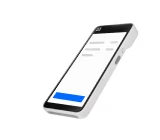
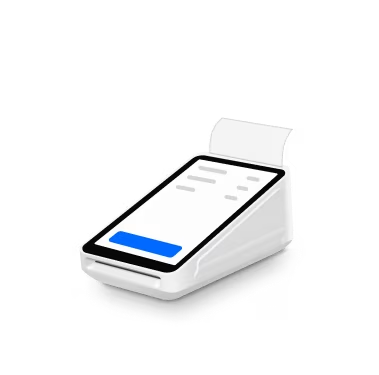
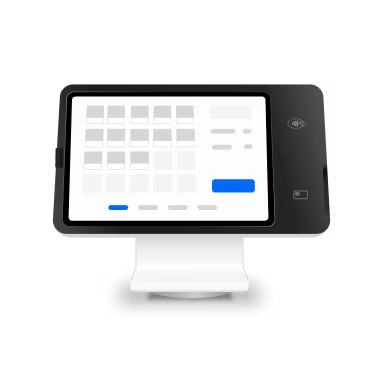
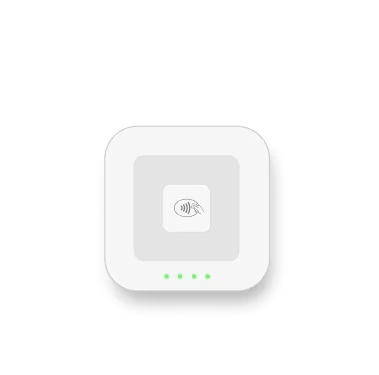
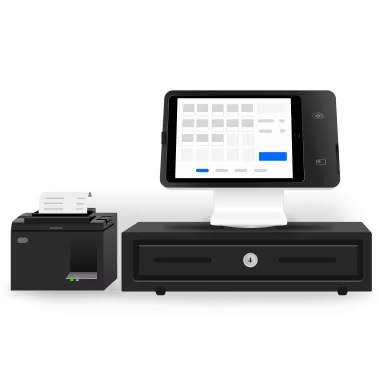
You can manage scheduling from Square Dashboard and compatible Square apps, and you can take payments with compatible Square hardware or Tap to Pay on iPhone and Tap to Pay on Android. Square Point of Sale works with devices such as Square Register, Square Stand, Square Terminal, Square Reader, and Square Handheld. Hardware availability and compatibility depend on device, software, and location setup.
Start scheduling every location from one place
Learn about new features and hear stories from other businesses.
Nice to meet you
We think businesses are as unique as the people who run them. Get individualized content on the topics you care about most by telling us a little more about yourself.