

Please update your browser.
Download the latest version of a supported browser below to get the most out of this website:
Square for Pizzerias Run your pizzeria with a POS system that keeps orders moving

Keep the lines moving and the pizza baking


Serve every order, anywhere
Run dine-in, takeout, and delivery from a restaurant pos built for speed, with orders, tickets, and payments all in sync.
Take fast payments, even offline
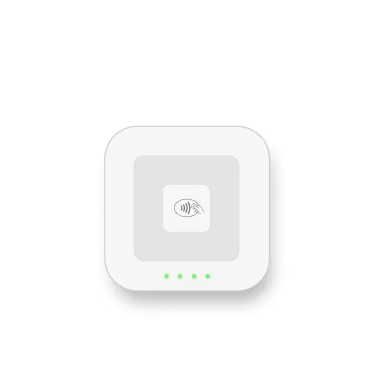
Accept tap, dip, and mobile wallets with handheld or countertop devices, while continuing to sell with offline mode1 if the internet goes down.
Help the kitchen move faster
Send tickets instantly to the right station, keep prep organized across the line, and reduce paper pileup during the rush with a KDS.
Bring in more orders online
Offer a convenient way for customers to order online and pay ahead for pickup or delivery while your team stays focused on prep, fulfillment, and service.
More tools to grow your pizzeria

100+ popular app integrations
Easily connect third-party marketplaces and get the integrations you need to keep your pizzeria flowing.

Self-service kiosk
Speed up ordering and reduce front-counter congestion by letting customers place their own orders.

Staff management and empowerment
Simplify payroll, shifts, and team management across the counter and kitchen.

Turn every customer into a regular
Encourage your customers to keep coming back (and recommending you to others) with an engaging loyalty program.


"We can do a schedule, we have our website, and shipping. Everything is still under Square"
Nick Baglivo, general manager
L’industrie Pizzeria
New York, NY
Hardware that keeps your pizzeria running


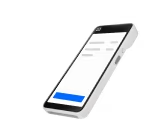
Square Handheld
Cut queues, take tableside orders and payments, and expedite checkout with a pocketable POS.

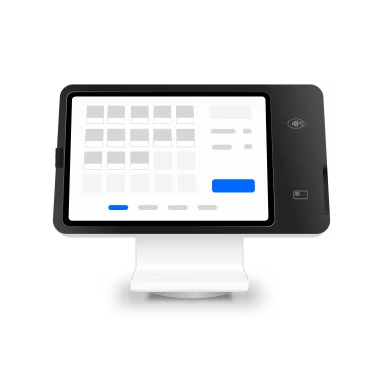
Square Stand
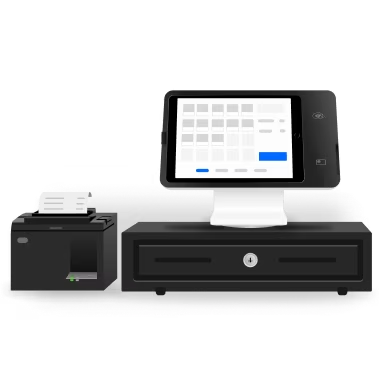
Simplify checkout in just one swivel with an iPad POS you already know how to use.

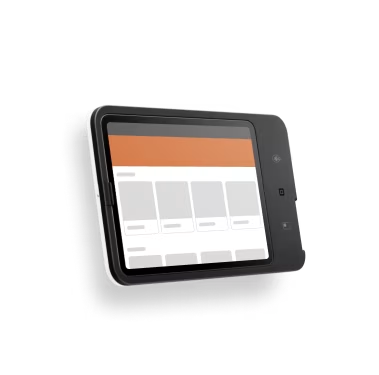
Square Kiosk
Bust lines and free up staff with an iPad-run kiosk that you can set up entirely on your own.
Square Handheld
Cut queues, take tableside orders and payments, and expedite checkout with a pocketable POS.
Square Stand
Simplify checkout in just one swivel with an iPad POS you already know how to use.
Square Kiosk
Bust lines and free up staff with an iPad-run kiosk that you can set up entirely on your own.
Get one plan to run your entire business
Top food and beverage features
Item and menu management
Operations, pickup, and local delivery
Branded online ordering page
Details
Top food and beverage features
Item and menu management
Operations, pickup, and local delivery
Branded online ordering page
Top food and beverage features
$30/mo. for the Square KDS app per device
$50/mo. for the Square Kiosk app per device
Close of day procedures and reporting
Details
Top food and beverage features
$30/mo. for the Square KDS app per device
$50/mo. for the Square Kiosk app per device
Close of day procedures and reporting
Square Pro
Get custom pricing
If you process over $250,000 per year, talk to our team to see if you’re eligible for custom pricing and processing fees. You can also ask about hardware discounts, onboarding and implementation support, technical specialists, and account management.
Tips to fuel the next steps on your pizzeria journey


FAQ
What is a pizza POS system?
A pizza POS system is software designed for how pizzerias work, fast-paced orders, custom toppings, and a mix of dine-in, takeout, and delivery. It connects your counter, kitchen, and online ordering in one place, so nothing gets lost during the rush. Square includes all of this, plus built-in tools for menu management, kitchen displays, team scheduling, and real-time reporting.
Can I take online orders directly from my own website?
Yes. Set up a branded online ordering page where customers can place pickup and delivery orders. Orders sync directly to your POS and kitchen display systems, so there's no manual re-entry. You can also connect and manage delivery partners, such as DoorDash and Uber Eats, from one place.
How does the kitchen display system work for a busy pizza line?
Square KDS replaces paper tickets with a digital screen that shows orders in real time from your POS, online ordering page, and delivery apps. You can customize ticket layouts, set prep timers, and auto-86 items when stock runs out. It helps your kitchen stay organized during peak hours and gives you a report on prep times so you can spot bottlenecks.
What hardware do I need to get started?
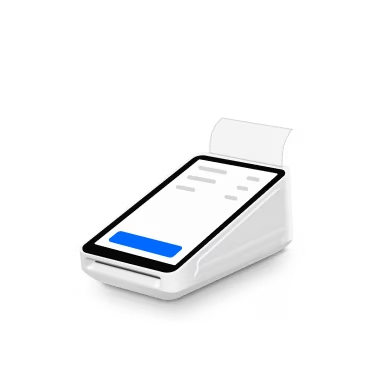
It depends on how you run your shop. Square Register is a two-screen countertop setup that works right out of the box. Square Terminal is a compact device for taking orders and printing receipts at the counter or table side. For high-volume takeout, Square Kiosk lets customers place their own orders on an iPad. All hardware connects to the same system, no extra software needed.
Can I customize my menu with modifiers and toppings?
Yes. Build out modifier groups, like crust type, size, and toppings, with step-by-step flows that guide your team through each order. You can set quantity controls, required selections, and smart sequencing to reduce errors during the rush. Menu updates sync instantly across your POS, online ordering page, hardware, and delivery apps.
How do I manage multiple locations from one account?
Your Square Dashboard gives you a single view across all locations. Compare sales, track inventory, and monitor labor costs side by side. Menu changes push to every location at once, and you can switch between sites from your phone. If you're on the Plus or Premium plan, you also get multi-location stock management and advanced reporting.
Take more pizza orders with a POS built for speed
1Offline payments are processed automatically when you reconnect your device to the internet and will be declined if you do not reconnect to the internet within 24 hours of taking your first offline payment. By enabling offline payments, you are responsible for any expired, declined, or disputed payments accepted while offline. Square is unable to provide customer contact information for payments declined while offline. Offline payments are not supported on older versions of Square Reader for contactless and chip (1st generation, v1 and v2). Learn more about how to enable and use offline payments here.