







Table of contents
As a business owner, you know you need a payment terminal that can process payments quickly and securely. But did you know that the right payment terminal can also help you run your operation more efficiently?
Read on to discover the key considerations when choosing a payment terminal, including how your customers prefer to pay, how and where you need to connect, and whether the terminal integrates with the tools you already use.
What are payment terminals?
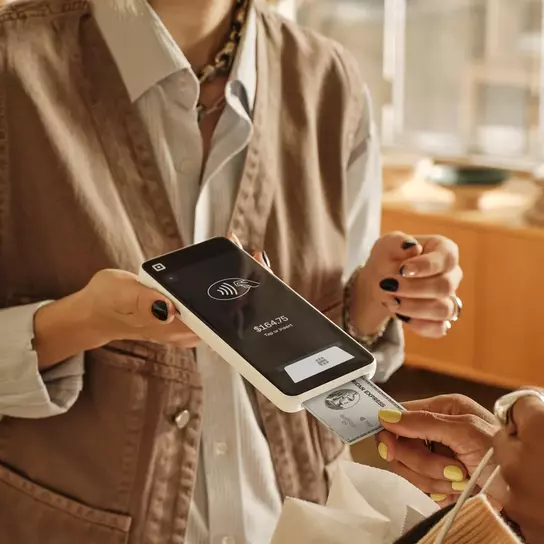
Payment terminals are devices that let you take card and contactless payments and print receipts. Most people know them as card readers – customers can insert a chip card, or tap a contactless card or mobile device against them to pay.
The best payment terminals do much more than process transactions. As part of an integrated point-of-sale (POS) system, a payment terminal can help you manage inventory and monitor performance. For small businesses, choosing the right payment terminal can simplify day-to-day operations, freeing you up to focus on your customers.

Considerations when choosing a payment terminal
If you need to choose a payment terminal, there are a few key things to consider.
Security and compliance
Keeping customer payment data safe isn’t optional – it’s a legal requirement. Look for a terminal with strong, built-in security features, and a provider who will help you stay compliant. Check for:
- PCI compliance: The Payment Card Industry Data Security Standard (PCI DSS) is the baseline for handling card data securely. Your terminal and payment provider should cover this for you. Square, for example, manages PCI compliance on your behalf, so there are no costs or paperwork to worry about.
- End-to-end encryption: Payment data should be encrypted from the moment a customer taps or inserts their card through to processing, so it can’t be intercepted.
- PIN entry: Chip cards with pin verification remains the most common verification method for in-person payments in the US. Make sure any terminal you consider supports it as standard.
- Signature capture: International customers’ payment cards may require a signature. Your terminal should let customers sign directly on the device, and should store it digitally with the transaction record.
Accepted payment methods
Your customers expect to be able to pay however suits them. When choosing a payment terminal, check that it can accept your customers’ preferred payment methods, whether that’s an Amex card or an Apple Watch.
Square has a comprehensive list of accepted cards, which includes all major US debit and credit cards, and most international cards. Square terminals can also accept payments with Apple Pay, Google Pay, and bitcoin.
Connectivity
Your payment terminal needs to work wherever you do, whether you’re at the counter or on the move – and even if there’s no internet. Ask the provider about:
- Wired and wireless flexibility: Some payment terminals, including Square, have both Ethernet and Wi-Fi connections, giving you a backup if one connection drops.
- Offline payments: Internet outages happen. A terminal that can process payments offline and sync them later means you won’t lose sales when your connection goes down. Square Terminal supports offline payments for up to 24 hours.

Integration and compatibility
To get the most value from your payment terminal, choose one that connects to the rest of your business. Here are the most important integrations and capabilities to consider:
- POS software: At minimum, your payment terminal should be able to integrate with POS software – but it’s simpler if it’s built in. Square Terminal comes with free POS software out of the box.
- Real-time reporting and analytics: Your payment terminal collects valuable data with every sale. The right terminal will turn this data into real-time reports of your sales trends, best-sellers, and inventory levels. Square Dashboard gives you access to these insights on the terminal screen or on the mobile app.
- Customizable software: Look for a terminal that lets you tailor the software to your business, with add-on tools to help you manage your team, run a loyalty program, or send marketing emails.
- Third-party tools: If you already use software for key business functions like accounting or inventory management, you need a payment terminal that works with them. Square has hundreds of integrations with third-party apps, from Acuity Scheduling to Xero.
- Scalability: Choose a payment terminal that can scale with your business. Square Terminal is an all-in-one device that connects directly with the broader Square ecosystem (including banking, payroll, reporting, marketing, and more) so you can expand checkout capacity, empower staff, and scale your operations without adding complexity.
Fees
The right payment terminal fits your budget as well as your business needs. When comparing your options, make sure you factor in the different types of costs:
- Hardware costs: Check if there’s an upfront purchase cost or a monthly rental for the terminal. Square Terminal costs $300 to purchase, with financing options available if you want to spread the cost.
- Transaction fees: Your terminal provider will take a percentage of each sale. With Square, that fixed percentage is deducted automatically, so there are no surprise bills at the end of the month.
- Monthly fees: There may be an ongoing cost for the service, depending on which tools and features your business needs. Square’s free plan covers all the basic POS functions to run a small business, with upgrades available if you need them.
For peace of mind, always double-check that there are no hidden fees that could catch you out once you’ve committed to a payment terminal. Square’s pricing is simple and transparent, with no additional fees or lock-in contracts.
Support
Your payment terminal should be straightforward to set up and run, but if something goes wrong, it’s good to know that support is on hand. Square offers phone support and live chat, along with a comprehensive online Support Center with guides and video tutorials.
FAQs
Do Square terminals offer real-time reporting and analytics?
Yes, Square Terminal connects to your Square Dashboard, where you can access real-time insights and advanced sales reports. It’s included for free with your Square account, so you always have a current view of how your business is performing. You can check reports on the terminal itself, your computer, or your phone.
Do Square terminals support PIN entry and signature capture?
Yes, Square Terminal supports both chip and PIN and signature capture. For chip cards, customers insert their card and enter their PIN directly on the terminal’s touchscreen. For international cards that require a signature, customers can sign on the touchscreen, and the signature is stored digitally with the transaction record.
Do Square credit card terminals offer software customization?
Yes, Square Terminal comes with free POS software that you can customize to suit your business. You can choose which tools to add on to your setup, including Team Management, Loyalty, and Email Marketing. You can also customize your POS through integrations with third-party apps.
Do Square terminals support both wired and wireless connections?
Yes, you can connect Square Terminal to the internet through a Wi-Fi network or an Ethernet cable. Wi-Fi is ideal for most businesses, while a wired connection can provide extra stability in locations where wireless signals are less reliable.


