




Please update your browser.
Download the latest version of a supported browser below to get the most out of this website:
Square for Electrical Contractors Manage electrical jobs from estimate to payment

Software for the office and the field


Take payment anywhere
Accept card and digital wallet payments at the shop or in the field. Use portable hardware to take payments when the work is complete and provide receipts on the spot.
Keep crews and calendars organized
Manage incoming requests, schedule jobs, and coordinate technicians from one calendar. Track upcoming work, follow-ups, and schedule changes without juggling multiple tools.
Send invoices and track what's outstanding
Deliver invoices by email or text, accept online payments, and monitor open balances from one place. Offer multiple payment options, including ¹ACH transfers for larger invoice amounts.
Track business performance
Track sales, payments, and customer activity from one dashboard. Use reporting and analytics to monitor trends and stay informed about day-to-day operations.
More tools to grow your electrical business

Manage business finances
Access banking tools designed to work alongside your payments, helping you manage money movement and day-to-day business finances from one platform.

Keep customer info organized
Store customer details, notes, and payment history in one place so you can follow up faster, handle repeat work, and keep every job aligned across the office and field.

¹Accept ACH payments
Give customers another way to pay invoices by accepting ACH payments directly from eligible bank accounts.

Keep contracts and estimates together
Send contracts alongside estimates for installs, maintenance agreements, and change orders, so scope and terms are documented before work starts.


"I knew that I didn't want to do things like Zelle or Venmo. To me, it felt like, oh, you're just some dude doing this on the side. But with Square it legitimized it. Because I could actually accept credit cards and I didn't need anything fancy."
1133 Studios
US
Hardware that helps you get paid on the spot

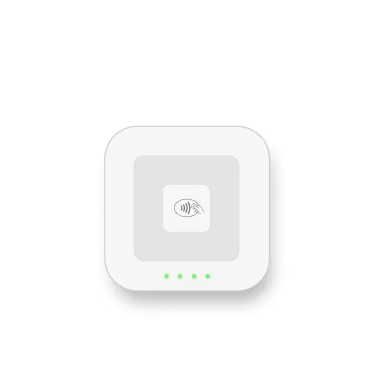
Square Reader
Be ready for any sale, anywhere, with a portable design that pairs with your device.

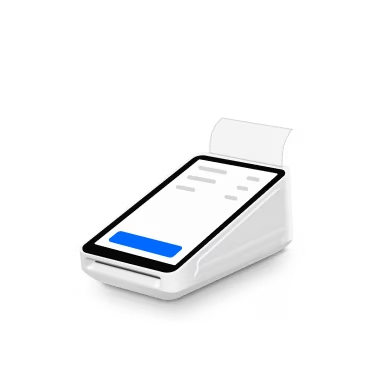
Square Terminal
Sell where it makes sense for you with a compact, all-in-one device that also prints receipts.

Square Reader
Be ready for any sale, anywhere, with a portable design that pairs with your device.
Square Terminal
Sell where it makes sense for you with a compact, all-in-one device that also prints receipts.
Get one plan to run your entire business
Top services features
Invoices and recurring invoices
Estimates and contracts
Projects
Details
Top services features
Invoices and recurring invoices
Estimates and contracts
Projects
Top services features
Payment schedule
Custom invoice templates
$10 cap for ACH transfers
$10 fee cap for ACH bank transfers
Details
Top services features
Payment schedule
Custom invoice templates
$10 cap for ACH transfers
$10 fee cap for ACH bank transfers
Square Pro
Get custom pricing
If you process over $250,000 per year, talk to our team to see if you’re eligible for custom pricing and processing fees. You can also ask about hardware discounts, onboarding and implementation support, technical specialists, and account management.
Tips for managing invoices and payments


Manage electrical work from one place
FAQ
What is electrical contracting software?
Electrical contractor software is a business management platform built for electricians. It brings together the tools you need to manage work, from the first customer inquiry to the final payment.
Most platforms include scheduling and dispatching, estimates and quoting, invoicing and payments, work order tracking, customer management, and reporting. Together, these features help streamline administrative tasks, support accurate record keeping, and keep teams organized in the field and the office.
What tools does an electrician need to run their business?
How do electricians get paid on a job site?
You can accept card payments anywhere you work, a client's home, a commercial site, or your shop, using Square Reader or Square Terminal. No Wi-Fi needed. ⁶Offline mode processes the payment and syncs when you're back online.
Payment methods you can accept on-site:
- Tap (contactless cards, ⁵Apple Pay, ⁵Google Pay, Cash App Pay)
- Chip (EMV insert)
- Swipe (magnetic stripe)
- Manual card entry (type in the number directly)
Does Square work as electrical scheduling software?
Yes—Square can handle scheduling for service work, follow-ups, and repeat jobs through appointments. Customers can book online, and you can manage your calendar so you know who's going where and when. For complex dispatching needs, many sellers pair Square with their operational tools and use Square for estimates, invoicing, and payments.
Can I send invoices and estimates from my phone?
Yes. Square Invoices lets you create and send a professional invoice or estimate from your phone right after finishing a job—or while you're still on-site scoping the work. What you can do from the app:
- Build custom line items for labor, materials, and permits
- Request a deposit upfront before starting work
- Set automatic payment reminders so you don't have to follow up manually
- Create recurring invoices for maintenance contracts or retainer clients
- Let clients pay by card, bank transfer, or Cash App Pay directly from the invoice
Clients see a clean, branded invoice with your business name and logo. You see when they've opened it and when they've paid.
How do I manage schedules for multiple electricians on my team?
Square's team tools let you manage your crew's availability, assign jobs, and avoid double-booking—all from one calendar view. What you can do:
- View each electrician's schedule side by side
- Assign specific jobs or service areas to individual team members
- Set custom permissions (apprentices see their schedule, you see everything)
- Track clock-in and clock-out with the Square Team App
- Send job assignment notifications so your crew knows where to be
This works whether you have two electricians or twenty. As your team grows, add new members without switching platforms.
How can I track revenue and job profitability?
Square Dashboard shows real-time reporting on revenue, payment trends, and top-performing services, accessible from your phone, tablet, or computer. Reports that matter for an electrical business:
- See which jobs (panel upgrades, rewiring, inspections) bring in the most revenue
- Spot seasonal patterns and plan for slow months
- Track which electricians generate the most revenue
- See repeat clients, average ticket size, and referral patterns
- Sync with QuickBooks or Xero, or download CSV for your bookkeeper
You don't need to build spreadsheets or wait for the month-end. The data updates as payments come in.
Does Square sync with accounting software?
Yes. Square integrates directly with QuickBooks and Xero, the two most common accounting platforms for service businesses. If you use a different accounting tool, Square also offers CSV exports and API access for custom connections.
Processing fees: 2.65% per tap or insert for in-person payments; 2.9% + 30¢ per online transaction; 3.4% + 15¢ per manually keyed-in transaction. Features, fees, and availability may vary by account, device, and payment type. No long-term commitments required.