


Please update your browser.
Download the latest version of a supported browser below to get the most out of this website:

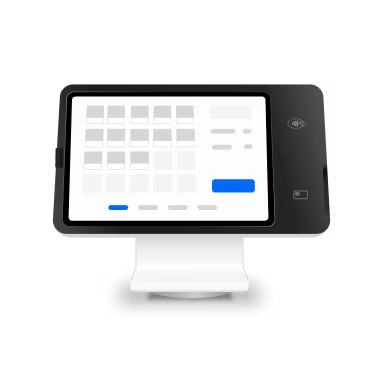
Square Stand
One device, endless possibilities. Accept payments, run your POS, enable self-service kiosks, and more—all from a single powerful device. Set it up your way with flexible mounting options.
iPad to POS in minutes
Slide in a compatible iPad and download a free Square point of sale app to get started. No pricey training or service visits needed.
Square Stand compatibility
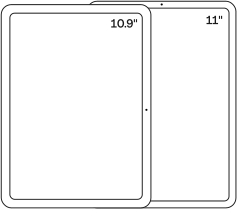
Compatible with 10.9-inch and most 11-inch iPads
iPad (A16)
iPad (10th generation)
iPad Pro 11-inch (1st, 2nd, 3rd and 4th generation)
iPad Air (4th and 5th generation)
iPad Air 11-inch (M2, M3)
Your entire business in one place
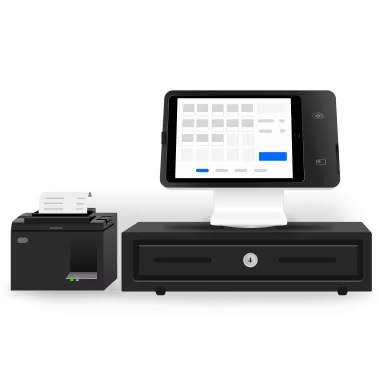
Power every part of what you do all on one device. That’s payments, your website, daily reporting, and so much more.
No extra readers required
Super fast built-in payments mean far fewer cords, a cleaner counter, and a seamless checkout experience from here on out.
Set it up your way
Stand can either come with a swivel base to place on your countertop or select one of our mounting options. Set it up as a POS, server station, or self-ordering kiosk exactly where it fits your space and the way you work. Plus, all the installation hardware comes in the box.
- Countertop mount
- VESA mount
- Angled wall mount
- Flat wall mount


The countertop mount uses the angled bracket to mount Square Stand neatly on your countertop.


One screen, double the ease at checkout.
A smooth 180º swivel means you just add items and then turn the screen to customers so they can do the rest.

In a swivel, customers can confirm their total, tip, pay, and even claim loyalty points.

Guiding LED lights make it clear where to pay.

Built-in contactless and chip payments let everyone pay their way.
Stress less with a reliable POS.

Keep selling, even offline.
Wi-Fi or connectivity disruption? Keep taking payments with offline payments.² Just reconnect to internet within 24 hours to upload transactions.
Stay powered even without power.
If you need to unplug or if you lose power, Square Stand can run off your iPad’s battery. iPad powered mode only on Square Stand (2nd generation, USB-C).
It’s all by Square.
Point-of-sale hardware, software, and payments, all by Square. That’s more safety, security, and peace of mind for you and your customers.
Choose the right software for your business.
All
All

Square Point of Sale is free and customizable for every business type, even ones that do a little of everything.
Sync orders on your POS with your online store, increase loyalty with customer data, and more.
Restaurant
Restaurant

Connect orders and operations in your front of house and back of house with Square for Restaurants.
Manage and empower your team, autocalculate tips, turn walk-ins into regulars, and more.
Appointments
Appointments

Schedule bookings, take payments, put your people first, and leave the admin to Square Appointments.
Engage clients and reach new ones, track commission rates across your team, and more.
Retail
Retail

Square for Retail is easy to personalize, speeds up checkout and simplifies exchanges and returns.
Keep regulars and attract new customers, easily pay employees with multiple rates, and more.
Self-service kiosk
Self-service kiosk

Square Stand can be paired with the Square Kiosk Lite iOS app to enable self-serve ordering.³
Pricing
Square Stand
Square Kiosk Lite
$50
per month per device with Square Plus
2.6% + 15¢
per tap, dip, or swipe
6% + 30¢ per Afterpay transaction.
Custom rates
Some businesses that process $250K+ in credit card sales can get a custom rate.

Pricing
One-year warranty
Square Stand gets up and running fast, but if you run into anything on the way, there’s a one-year limited warranty.
Works with your iPad
Square Stand is instantly intuitive. Use a compatible iPad you already own or add one to cart as you check out.
Help along the way
The Square Stand Guide has instructions and helpful FAQ. Or chat with customer support for help when you need it.
Accessorize and customize.
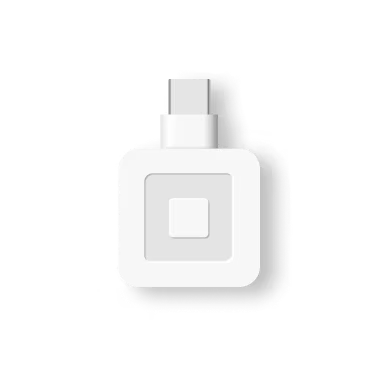
With the included USB hub and your iPad’s built-in Bluetooth and Network compatibility, growing your setup with accessories is effortless.³

Barcode scanner
Scan in seconds for faster stocking and gift card checkout.

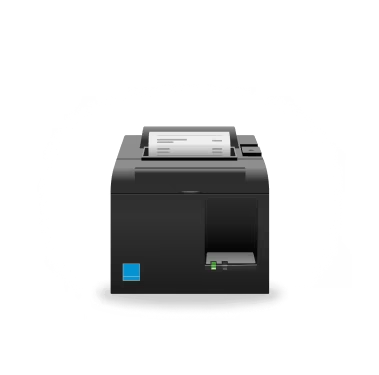
Receipt & ticket printer
Print receipts and kitchen tickets with a compact printer that fits anywhere.

Cash drawer
Secure your cash and access it automatically with every cash sale.

Bosstab Countertop Mount
Raise your customer display off the counter for additional space and stability.
Barcode scanner
Scan in seconds for faster stocking and gift card checkout.
Receipt & ticket printer
Print receipts and kitchen tickets with a compact printer that fits anywhere.
Cash drawer
Secure your cash and access it automatically with every cash sale.
Bosstab Countertop Mount
Raise your customer display off the counter for additional space and stability.

Hardware kits
Start with the essentials and add on extras when you’re ready.


“My customers love it. It’s clear, it’s concise, easy to read, and they know exactly what they’re paying for.”

Trina Gregory-Propst
Se7en Bites
Orlando, Florida
FAQ
Will my iPad work with Square Stand?
Square Stand is compatible with several iPad models with a USB-C connector. Before buying Square Stand, make sure you have a supported iPad.
iPad (A16)
iPad (10th generation)
iPad Pro 11-inch (1st, 2nd, 3rd, 4th generation)
iPad Air (4th, 5th generation)
iPad Air 11-inch (M2, M3)
Will printers, cash drawers, and other accessories work with Square Stand?
Square Stand is compatible with a range of third-party accessories, including a variety of models from different manufacturers and options for every type of business. From adding a cash drawer to transform Square Stand into a complete iPad cash register to connecting a barcode scanner to make checkouts even more efficient, you can customize your setup and seamlessly purchase everything directly from Square or start by seeing all the accessories that work with Square Stand.
How do I mount Square Stand?
Square Stand (Countertop) does not need to be mounted — it's ready to use out of the box. If you'd like to secure it to your counter, you can easily do so with the included hardware.
Square Stand (Mount) can be mounted to a countertop or a wall, either angled or flat. It's also compatible with 100 x 100mm VESA mounting systems, like a floor stand or swing arm.
Should I choose Square Stand (Mount) or Square Kiosk?
Square Stand (Mount) paired with the Square Kiosk Lite app is our affordable, iPad-based option ideal for businesses that want self-serve ordering or a space-saving point of sale without a large upfront investment. Square Kiosk is a premium, purpose-built device with a larger display, AI-powered software, and voice ordering — designed for high-volume quick-service restaurants.
Can I pair other Square hardware or readers with Square Stand?
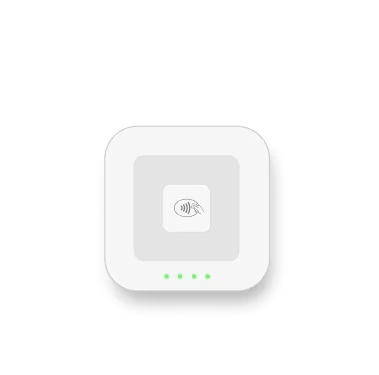
It’s simple to pair Square Stand with other Square hardware. You can easily connect an extra card reader, such as Square Reader for magstripe to take swipe payments or Square Reader for contactless and chip to take payments at a distance or extend your countertop. You can also add Square Terminal to your Square Stand setup to add a dedicated customer display or take payments wherever your customers are.
Can I use Square Stand (Countertop) as a customer-facing display?
Yes — Square Stand (Countertop) is designed to also be used as a customer-facing display when running Square Point of Sale software. Its built-in swivel lets you rotate the screen toward the customer to complete the transaction — including adding a tip, inputting a signature or PIN, and selecting their receipt — then rotate it back for staff use.
What do I need to set up Square Stand?
You'll need a compatible iPad, a Wi-Fi or Ethernet connection, and a power outlet. Square Stand includes mounting hardware and a built-in card reader — no additional payment accessories are required. Check our device compatibility page to confirm your iPad model is supported.
Add hardware wherever you need it

Square Register
$899 or $44/mo. over 24 months1
Two responsive screens for lightning-fast checkout

Square Handheld
$399 or $37/mo. over 12 months1
The POS that moves with you

Square Terminal
$299 or $27/mo. over 12 months1
The receipt-printing POS
Square Register
$899 or $44/mo. over 24 months1
Two responsive screens for lightning-fast checkout
Square Handheld
$399 or $37/mo. over 12 months1
The POS that moves with you
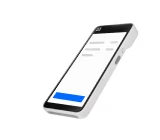
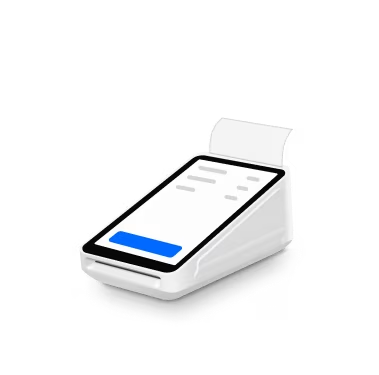
Square Terminal
$299 or $27/mo. over 12 months1
The receipt-printing POS

Need help choosing?

Get updates and insights.
Stay up-to-date with the latest releases from Square
1All credit sale plans are issued by Block, Inc. Not available to merchants in AL, DE, MS, MO, NH, and TN. Purchase amounts must be from $49 to $10,000. APR is 15%. Available plan lengths vary from 3, 6, 12, and/or 24 months installments depending on purchase amount. Sales tax, where applicable, will be due at checkout. All plans subject to credit approval and other factors.
2Offline payments are processed automatically when you reconnect your device to the internet and will be declined if you do not reconnect to the internet within 24 hours of taking your first offline payment. By enabling offline payments, you are responsible for any expired, declined, or disputed payments accepted while offline. Square is unable to provide customer contact information for payments declined while offline. Offline payments are not supported on older versions of Square Reader for contactless and chip (1st generation version 1 and version 2). Identify your Square Reader for contactless and chip. Enable and use offline payments. Offline payments are not available when running Square Kiosk Lite app.
3When running the Square Kiosk Lite app, Square Stand hardware cannot be connected directly to external accessories via Bluetooth, USB, or Ethernet.