

Table of contents
Mail Order Telephone Order (MOTO) payments are a type of card-not-present (CNP) transaction made over the phone, via email or by post.
In an increasingly contactless payment landscape, MOTO payments are one of the simplest, most cost-effective ways to start taking card payments and can benefit many businesses. Here’s how they work and what you need to know.
What is a MOTO payment?
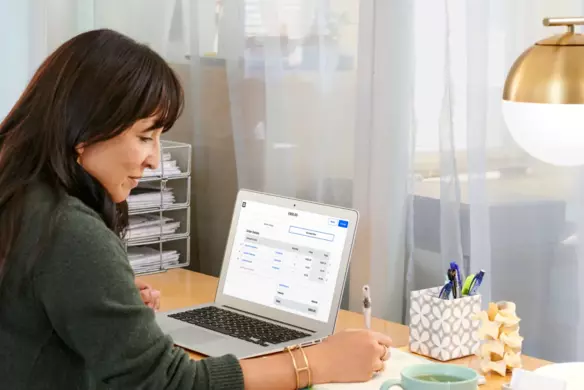
A MOTO payment is a remote transaction that works in a similar way to an online purchase made via a secure checkout form. The key difference is that the cardholder gives their card details remotely to the business via phone, email or in writing, and the merchant enters the card details manually into a web-based payment form called a virtual terminal. Payment processing and authorisation happen in the cardholder’s absence.
How do MOTO payments work?
Here’s a step-by-step process of how MOTO payments work:
- Customer provides details: The buyer provides their card information – name, card number, expiry date, CVV, and billing address – by phone, email, post or (occasionally) fax.
- Merchant inputs data: You manually enter these details into a secure payment portal, such as Square Virtual Terminal.
- Authorisation check: The terminal sends the details to a payment gateway, which contacts the card network and issuing bank to approve the transaction.
- Transaction approval: Once authorised, the payment is confirmed instantly. If it’s declined, you’re notified.
- Settlement and payout: Funds are transferred to your merchant account, where you can then withdraw them to your business account. With Square Instant Transfers, you can transfer funds to a linked bank account as soon as you make the sale.
What are the benefits of taking MOTO payments?
The ability to take orders and process payments remotely with MOTO offers small businesses and entrepreneurs a fast, flexible and affordable way to accept card payments, including eftpos, without an expensive online store setup.
Some specific benefits of using MOTO payments for businesses are:
- Convenience: MOTO payments give customers a quick, secure and easy way to make bookings and reservations remotely if paying in person is difficult or inconvenient. It also acts as an extra and flexible payment option for customers.
- Simplicity: A virtual terminal can be accessed from any internet-connected device, so businesses can take payments from anywhere without investing in additional hardware.
- Efficiency: Automating payments streamlines admin and allows you to focus on running and growing your business.
- Multi-user access: Authorised staff can log in from multiple locations to process MOTO payments, making it perfect for distributed teams or franchises..
- Expanded customer base: Accepting card payments over the phone, by email or in writing opens your business to a new customer base outside of your local region or those who prefer not to shop online.
- Faster payments: Returning customers’ details can be saved securely to your Square Customer Directory from your Square Dashboard and Square Point of Sale (POS) App, so repeat transactions are faster.
- Split payments: Accept multiple payment types, including card and eGift cards, or split bills between payment methods easily within the same transaction.
- Fast deposits: The customer’s bank authorises each MOTO transaction in real time, with funds appearing in 1-2 business days, or instantly with Square Instant Transfers.
- Recurring payments: MOTO payments can be used for subscription-type businesses such as gyms or therapy clinics to enable regular, repeat payments.
How much do MOTO payments cost?
Since card-not-present transactions like MOTO carry a higher fraud risk, payment processors charge slightly higher fees to process them in order to cover extra security and verification costs. These fees vary, so it’s worth comparing virtual terminal providers before you sign up.
Square fees for MOTO transactions are the same as for online transactions, at a flat rate of 2.2% per transaction. This fee includes everything you need to process CNP payments securely:
- Interchange fees set by card networks such as Visa, Mastercard and eftpos
- Assessment and processing fees
- PCI DSS compliance and security costs
Businesses are charged a predictable rate for every MOTO transaction made using Square Virtual Terminal, with no setup costs, monthly fees or surprise charges. Square simple and transparent pricing makes it easier for Aussie business owners to take remote payments confidently and grow their businesses.

How can I set up MOTO payments?
Setting up your Square Virtual Terminal to accept MOTO payments is quick and hassle-free. Once set up, it can be used by any member of staff you choose, and each transaction takes no more than a few minutes to complete.
Here’s a step-by-step guide to setting up MOTO transactions:
- Create a Square Merchant Account and complete the sign-up process.
- Complete the approval process for accepting payments by verifying your identity and connecting your bank account.
- In your main dashboard, go to Orders and payments and select Virtual Terminal.
- Follow the on-screen prompts and enter your customer’s card details, the transaction amount and billing information.
- The customer will automatically receive a digital receipt by email or text message. Payments appear instantly in your dashboard.
Once MOTO payments are set up, you can review and manage transactions in your dashboard, export reports to Xero, and track sales and performance in real time. Connect other Square tools such as Square Invoicing, Square Point of Sale or Square Register to manage payments in one place.
Are MOTO payments safe?
MOTO payments do carry some risk because the cardholder isn’t present when a transaction is being processed, which means the business can’t verify the cardholder’s identity. However, when processed through a trusted and compliant payment service provider like Square, they are a secure and reliable method to take remote payments.
As an end-to-end processor, Square hardware and software have built-in security features that meet strict compliance standards:
- PCI DSS compliance: Customer payment details are managed, transmitted and stored according to the global standard for handling cardholder data.
- Data encryption: Card details entered into the Square Virtual Terminal are encrypted immediately and converted into secure code before they ever touch your device or Square servers. This prevents unauthorised access and protects customer data as the transaction moves through the payment network.
- Built-in safeguards: Square is an end-to-end processor, which means you don’t need to manage compliance or install extra security software. We handle data protection, fraud monitoring, and chargeback management on your behalf, so every MOTO transaction is processed simply, securely and reliably.
Risks of MOTO payments
Businesses that use MOTO payments face the following risks:
- Greater fraud risk: MOTO payments are more vulnerable to fraudulent activity, theft or misuse of card details because the cardholder isn’t physically present to swipe or tap their card at an EFTPOS terminal.
- Risk of errors: Since they involve a manual component, MOTO payments are more susceptible to human error, such as keying in incorrect details.
- More chargebacks: Because card-not-present transactions are harder to verify, they may be associated with more chargebacks.
- Higher compliance burden: There are increased PCI DSS compliance requirements and complexity for businesses that store or process cardholder data.
- Limited tenders: Merchant accounts sometimes only allow one payment method per sale, meaning split or mixed payments aren’t always possible. That said, some providers, like Square Virtual Terminal, do support split and multi-card transactions.
- Higher fees: Payment service and merchant account providers usually charge higher transaction fees compared to physical card payments.
With the right procedures, like staff training and password protection, and choosing a PCI DSS compliant payment service provider like Square, these risks can be reduced significantly.
Best practices for safer MOTO payments
Implementing the following best practices helps businesses confidently accept MOTO payments, protect customer data and meet compliance standards:
- Use a PCI DSS-compliant virtual terminal: Square Virtual Terminal encrypts every transaction and automatically handles PCI DSS compliance on behalf of the business.
- Verify information: You can reduce buyer fraud by verifying details such as the cardholder’s name, address and contact information by cross-referencing the billing and shipping address or, in the case of large transactions, requesting a copy of their photo ID.
- Enter card data directly: Don’t write down or store card information manually in spreadsheets or books. Use the Square Customer Directory to store details for approved and repeat customers and prevent unauthorised use or access.
- Obtain consent: Ask for verbal consent for every charge and make sure the customer understands the nature of the transaction.
- Restrict staff access: Limit handling of MOTO payments to a small group of trusted, properly trained employees.
- Supply proof-of-purchase: Send digital receipts immediately to customers after every transaction to reduce potential disputes or chargebacks. Square Virtual Terminal handles this automatically.
- Monitor and review transactions: Check your Square Dashboard regularly for large orders or repeated declined transactions, which may indicate fraudulent activity.
- Reconcile accounts regularly: Match all MOTO transactions to sales records to flag errors and over- or under-payments early.

MOTO payments FAQs
Who uses MOTO payments?
MOTO payments are popular with businesses like:
- Retail businesses with no online store, or that wish to provide customers with the option to pay remotely.
- Professional service providers such as consultants and tradies who take deposits or final payments over the phone.
- Hospitality and food delivery businesses like cafes, restaurants and caterers that accept takeaway or event orders, or require booking deposits.
- Health and wellness businesses such as salons, clinics and therapists that require booking deposits.
What is an example of a MOTO payment?
A real-world example of a MOTO payment is a customer phoning a restaurant to place a takeaway order and making payment for their order over the phone ahead of collection.
The staff member enters the cardholder’s details into a secure virtual terminal, processes the transaction and a digital receipt is sent to the customer’s email. When the customer comes to collect their food, they can just grab it and go.
How to identify a MOTO transaction
In your Square Dashboard or reports, these transactions are automatically flagged as “MOTO”, making it easy to distinguish them from in-person or online sales. This is helpful for tracking and balancing payments.