

Table of contents
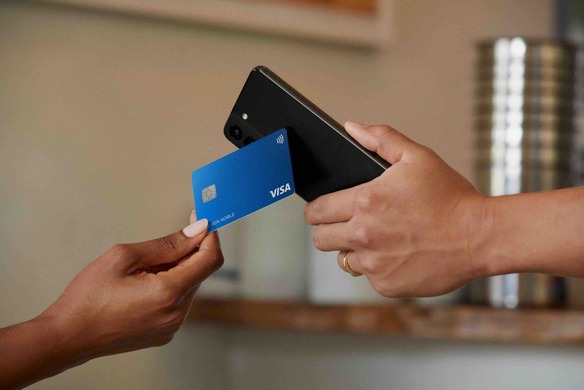
Running a business comes with plenty of moving parts, and one of the key considerations for any business owner is how to handle payments efficiently. Whether you’re using tap to pay at the counter, running an online store or offering professional services, merchant fees play a role. But what are merchant fees exactly, why do they matter and how can you manage them effectively? Let’s break it down.
What are merchant fees?
Merchant fees are the costs businesses pay to accept and process electronic payments. Whenever a customer pays with a credit or debit card, digital wallet or other online payment method, their payment goes through several steps to get from their account to yours. The payment processor verifies the transaction, transfers the funds and secures sensitive data – all in just a few seconds. Merchant fees cover the costs of the technology and systems that make all this possible. You can learn more about card processing fees here.
These fees vary depending on factors like the transaction type (e.g. in-person vs online), the payment method (e.g. credit vs debit) and which payment processing provider you’re using, as each has its own pricing structure.
Why understanding merchant fees is important for businesses
Merchant fees might seem small per transaction, but they add up. A percentage point either way on every sale adds up to real money over a year, and being proactive about it means more room to invest elsewhere in your business, whether that’s upgrading equipment, expanding inventory or services, or improving the customer experience.
Not all payment processing solutions are created equal, either. Being aware of the different fees and how they apply can help you choose the most cost-effective payment processing options that align with your business’ needs.
What’s inside a merchant fee
The percentage your provider charges, your merchant service fee, isn’t one cost. It’s three, bundled into one number:
| Part of the fee | Who receives it | Capped? |
|---|---|---|
| Interchange | Your customer’s bank, for approving the payment and carrying the fraud risk | Yes — the RBA caps it |
| Scheme fees | The card network (eftpos, Mastercard, Visa), for running the payment network | No |
| Your provider’s margin | Your payment provider, for processing, settlement, support and software | No |
Interchange is the biggest slice — around two-thirds of the fee on a credit card. It’s also the only part the RBA caps, and from 1 October 2026 those caps fall sharply, which lowers what providers pay to process your payments.
Scheme fees are the second cost, and the RBA has noted they’ve been growing faster than transaction values. They aren’t capped.
The catch: only one of the three components is being cut. We’ve broken down all three parts, what each one costs, and what to ask your provider.
Types of merchant fees
Merchant fees come in various forms, depending on how transactions are processed. Here’s a summary of the most common ones:
| Fee type | Description | Key details |
| Transaction fees | Costs applied to each payment processed, typically a percentage of the transaction amount |
|
| EFTPOS facility fees | Fees for setup and use of card terminals for in-person transactions |
|
| Other service fees | Additional fees for payment processing and related services |
|
Transaction fees
Transaction fees are charged every time a customer pays. They’re usually a percentage of the sale. What providers advertise is typically somewhere between 1.1% and 2.9%, depending on the provider, the type of card used, whether the payment is in person or online, and sometimes the card type. Online payments also tend to incur higher transaction fees than in-person transactions due to increased fraud risks. Some providers also add a fixed amount per transaction on top of the percentage, which makes a big difference on small sales – a 20c fee on a $4 coffee is another 5%.
EFTPOS facility fees
EFTPOS merchant fees are the charges associated with using card payment terminals for in-person transactions. These fees typically include either a rental fee for leasing a terminal or a one-time cost if you decide to buy one outright. Additionally, some providers may charge fees based on the volume or value of transactions you process.
Other service fees
Beyond transaction and EFTPOS-specific costs, you may come across other cumulative service fees associated with card payments. These can include monthly statement fees, which cover account management and reporting. You might also face chargeback fees if a customer disputes a transaction, as the process to resolve these disputes often incurs a cost. Some providers also charge refund fees for processing returns or refunds. If you’re running an online store, platforms like Shopify or Lightspeed may charge subscription fees for their bundled plans.

Understanding your merchant fees
To manage your costs effectively, it’s important to regularly check and review your merchant fees. A great way to do this is by going through your monthly statements, which typically outline all the fees you’re being charged. Take time to go through them and see exactly what you’re paying for. This can help you uncover any patterns or fees that might be higher than expected, along with any unexpected charges, billing errors or changes to your fee structure.
Another thing to keep an eye on is your transaction volume and the payment methods your customers prefer to use. Fees can often scale with the number of transactions you process, and the type of payment method can have an impact on your costs. For example, debit card transactions tend to have lower fees than credit card transactions, so you might consider encouraging customers to pay by debit card, such as through incentives or discounts, which can help lower your overall costs.
Do merchant fees have GST?
Most merchant fees in Australia include GST at the standard 10% rate. If your business is registered for GST, you can claim GST credits on these fees. Checking your statements or invoices helps confirm how much GST is included so that you can report it accurately in your BAS (business activity statement).
Ways to minimise merchant fees and costs
While merchant fees are inevitable, there are ways to reduce their cost or impact. These practical tips can help you keep more of your hard-earned profits.
- Negotiate rates with providers. Payment processors may have room to adjust their rates, especially if your business handles a steady or high transaction volume.
- Opt for value-added services. Some providers include extras like point-of-sale (POS) software, reporting, inventory management or customer insights, which can offset higher fees.
- Eliminate setup costs. Consider a payment processor that doesn’t charge for initial account setup or activation.
- Buy equipment instead of renting. Instead of paying ongoing rental fees for an EFTPOS terminal, consider buying one outright, like the portable Square Reader or Square Terminal, which can save you money in the long term and give you more control over your equipment.
- Choose transparent pricing. Opt for providers with clear, flat-rate pricing. These avoid unpredictable fees and make it easier to budget for transaction costs.
- Consolidate providers. Simplifying your setup by using one provider for all payments reduces the complexity – and costs – of juggling multiple accounts or systems.
Recovering your costs after October 2026
Until 30 September 2026, businesses can add a surcharge to card payments, as long as it doesn’t exceed what accepting that card costs them.
From 1 October 2026, card surcharging is being removed. If you currently surcharge, you have two options: absorb the cost, or build it into your prices. Most customers prefer a single all-inclusive price, and if you surcharge you’re already in the minority: the RBA found 85% of small businesses don’t surcharge at all.
What you can still charge:
- Weekend and public holiday service charges: not affected
- Booking fees, service fees, delivery fees: not affected, provided they’re genuinely for those things
- Minimum card spends: setting a minimum isn’t a surcharge. Charging a fee on payments below that amount is, so from 1 October you can’t add one to a card payment
- Discounts for other payment methods: you can offer a discount for cash or PayID, and the RBA points to discounting as the way to steer customers now that surcharging is going. One condition: the price you display must be the full price a customer pays, with the discount disclosed before they order.
Two things to avoid, both of which the ACCC has warned about directly:
Don’t rename a card surcharge. Calling it a “processing fee” or “card handling fee” doesn’t change what it is. The ACCC has said businesses that try to avoid the no-surcharge rules by describing a card surcharge as another type of fee “may be engaging in misleading conduct.”
Don’t attribute a broader price rise solely to the surcharging change. You can raise prices and recover card costs through them. But if you’re also passing on higher energy, rent or wage costs, you can’t tell customers the increase is only because of surcharging.
Choosing a payment processing provider
Choosing the right payment processor is an important decision for any business that accepts in-person or online payments. Start by comparing providers based on their fees – look for clear, upfront pricing and predictable costs, and check for hidden fees, cancellation penalties or long-term commitments. If you accept payments in person, an EFTPOS merchant fees comparison can help you see how different providers stack up and spot potential savings.
Flexibility and ease of integration are also important. Check whether the payment processor is compatible with your existing setup, like your POS system, accounting software or online store. Does it offer extra merchant services like reporting tools, POS software or inventory management? These can make your day-to-day operations easier and save you money and time.
And having reliable customer support is key – you’ll want to know you can get help when you need it. Finding the right combination of affordability, features and support will help set up your business for smooth sailing.
Square’s merchant fees
With Square’s transparent, flat-rate pricing, you’ll only pay for what you need and always know what you’re paying – no hidden fees or complicated tiers.
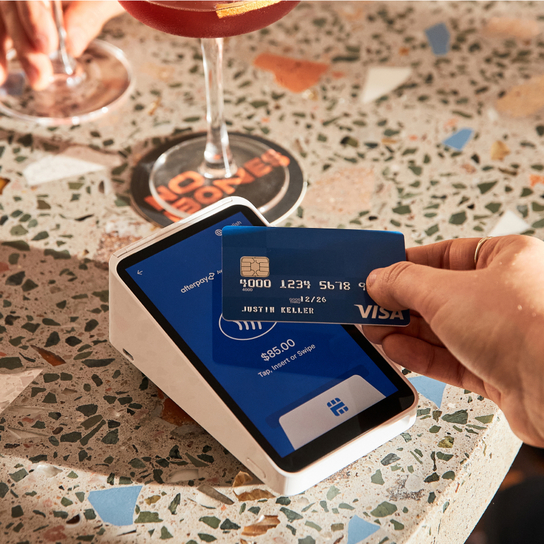
- For in-person payments, such as credit and debit card payments made via tap or insert (including digital wallets like Apple Pay and Google Pay), a simple rate of 1.6% per transaction applies.
- For online and remote payments, such as payments made through your Square Online store, Square Online Checkout, eCommerce API or online invoices, it’s a simple rate of 2.2%.
Helpful features like dispute management, fraud prevention, connected POS and live phone support are all included at no extra cost, offering peace of mind. With no setup or cancellation fees, it’s a flexible choice for small to medium businesses, helping you manage payments without the hassle. And as your business grows, Square grows with you – if you process higher volumes or larger transactions, you may qualify for custom rates, making it easier to scale with the right support.
Compliance
Whatever you charge, staying compliant matters as much as the strategy behind it. From 1 October 2026 you can’t add a card surcharge at all. The fees you can still charge, like booking or service fees, need to be genuinely for those things and disclosed before a customer commits. The ACCC publishes guidance on this and regulations change, so it’s worth staying current. Being open about fees also builds trust with customers.
This article is for informational purposes only and does not constitute legal, personal or tax advice. The information contained herein is subject to change and may vary from time to time. For specific advice applicable to your business, please contact a professional.
1.6% card present rate applies for Square Sellers who sign up on or after 30 May 2024, or who signed up prior to this date and subscribed to a paid software plan. The rate of 1.9% will apply for all other Square Sellers who signed up prior to this date when using Square Reader, Square Stand or Tap to Pay, as listed in the Square Fee Schedule.