




Table of contents
When you’re a small business owner, it’s key that your payment systems fit three criteria: quick, simple and secure. That’s why technology like Apple Pay needs to be on your radar. Not only does it tick all those boxes, but pretty soon, your customers will expect it: Square 2024 Future of Commerce data found that customer use of mobile payments increased by 5% from 2022 to 2023, with the highest usage among Gen Z and millennial consumers.
The next step? Understanding how to accept Apple Pay once customers are ready to buy. Here’s what you need to know about accepting Apple Pay at your business.
What is Apple Pay?
Before you start accepting Apple Pay in your business, let’s go over how it works. Apple Pay transactions are a type of contactless payment — like tap-and-go cards — that are enabled through a technology called near field communication, or NFC. NFC is what enables two devices, like a smartphone and a Square reader, to communicate with each other when they’re held close together.
How does Apple Pay work?
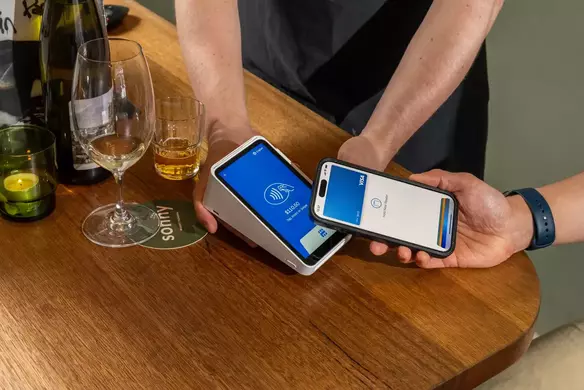
Apple Pay is Apple’s mobile wallet. In stores, Apple Pay allows you to check out and pay by holding your phone over a NFC-enabled payments reader or EFTPOS terminal that can accept Apple Pay. In apps, Apple Pay allows you to trigger a payment from just a tap on your phone. On a website, click the “Buy with Apple Pay” button on the checkout page and then confirm the payment with a tap on your phone or the button on your Apple Watch.
Apple Pay utilises NFC (near field communication), which enables two devices to communicate wirelessly when they’re close together. Increasingly, NFC is being used to power contactless payments like Apple Pay.
Apple Pay also uses a technology called tokenisation, which helps to safeguard bank details. After you take a picture of your credit or debit card and load it into your iPhone, Apple sends the details to your card’s issuing bank or network. The bank or network then replaces your bank details with a series of randomly generated numbers (the token). That random number is sent back to Apple, which then programs it into your phone. This means that the account details on your phone can’t be cloned into anything valuable to fraudsters.
During a transaction, NFC transfers a token from your iPhone to the payments processor, securely and quickly. It’s as simple as that!

Is Apple Pay free for merchants?
Apple Pay is free for consumers but comes with a few costs for merchants. Square charges a processing fee of 1.6% for contactless payments, in addition to any hardware costs the merchant may incur.
Why accept Apple Pay and other mobile payments?
There are two main reasons to accept mobile payments like Apple Pay at your business, which are coincidentally why customers love it as well: it’s fast, and it’s secure.
Mobile payments are processed in an instant, with a device that’s already likely to be in the palm of the customer’s hand. This means a serious dent in wait times at the cash register (and, as a result, improved customer satisfaction). When it’s the lunchtime rush and you’ve got a line out the door, you need to ring up customers as quickly as possible. If the line isn’t moving fast enough, customers might go somewhere else. In other words, the faster you serve customers, the more money your business makes.
What’s the gist? Your line moves a lot faster with Apple Pay and that’s better for your business.
Even more important than speed, Apple Pay transactions are very secure. The card data is tokenised, encrypted and constantly changing, which makes it way more difficult for fraudsters to do anything with it. Apple Pay has an added layer of security, requiring fingerprint verification or authentication from your phone password. That means even if thieves are able to unlock your phone, they still won’t be able to access your Apple Pay account. Accepting Apple Pay means your business is better protected against fraud, and that’s better for everyone.
Is Apple Pay secure?
Yes, Apple Pay is secure. Here’s why:
- In order to authenticate a payment through your phone, you have to hold your finger on the Touch ID button to have your print scanned and verified. The entire transaction is complete in just a few seconds.
- Beyond fingerprints, the data associated with your cards is encrypted and always changing, so even if your phone is stolen, thieves wouldn’t be able to do anything with the information. That makes the technology more secure than traditional credit or debit card payments, or even cash for that matter.
What hardware do I need to accept Apple Pay?
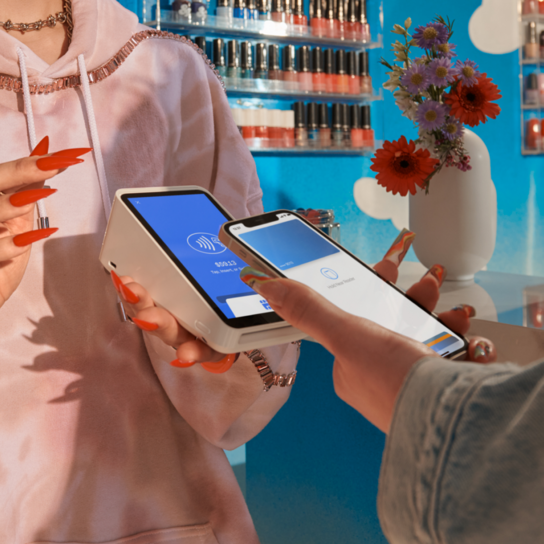
Most NFC-enabled card readers and EFTPOS terminals (for example, Square Reader, Square Register, or Square Handheld) accept Apple Pay. Customers simply hold their Apple device over the terminal and complete the transaction with their Touch ID, or fingerprint.
Apple Pay isn’t just accepted in stores — now you can use offer it within certain apps and websites, like Square Online. Customers using Apple Pay at the checkout page can authenticate their purchase with Touch ID, Face ID, or a passcode.
How do I accept Apple Pay at my business?
Accepting Apple Pay at your business is easy. Here are some best practices for setting up your Square Reader and Apple Pay marketing kit:
- Get a new NFC-enabled payment terminal that accepts contactless payments like Apple Pay. Square Reader for contactless and chip + PIN, Square Stand, Square Terminal and Square Register all accept contactless payments.
- Set up your new reader. Square Reader for contactless and chip + PIN connects to your device wirelessly as long as you have a compatible iOS device. If you’re setting it up with Bluetooth LE (Low Energy), make sure Bluetooth is enabled on your mobile device. Then open the Square app and connect the reader. Make sure the reader is facing your customers and is within their reach so they can make Apple Pay payments easily.
- To accept payments, have customers hold their iPhone, iPad or Apple Watch near the reader until four green lights appear and a chime sounds. When you see the tick mark on your screen, the transaction is complete.
You can also accept Apple Pay on your website. Square Payment Links, a hosted checkout and online payment option that allows consumers to easily pay with a single link, accepts Web Apple Pay. In addition, Square eCommerce API supports Web Apple Pay and makes it easy for developers who are building their own checkout flow to include an option for Apple Pay at checkout.
Finally, you can also take contactless payments from contactless cards, Apple Pay and other digital wallets in person with just your iPhone using Tap to Pay on iPhone.
How do I let customers know I accept Apple Pay?
Once your business is ready to accept Apple Pay, let your customers know about it.
Placing Apple Pay decals throughout your store is an easy way to let customers know that you accept Apple Pay — and they’re included free in your Square Retail Marketing Kit. It’s a pretty low-tech way to get the message out, but surprisingly effective.
To make sure you reach people who haven’t been in your store lately, post on your social media accounts that you’re all set for mobile payments. Maybe post a picture of your new Square Reader to show your most tech-savvy customers that you’re ready for mobile payments.
Ready to use Apple Pay at your business? Order a Square Reader for just $65.


