

Table of contents
Mobile payments are transactions made through a smartphone, tablet or wearable device, letting people pay for goods and services without cash or physical cards. They’re fast, convenient and becoming an increasingly popular way to pay. ABC News figures show mobile wallet transactions surged from $746 million in 2018 to more than $93 billion in 2022 – a rise of over 120 times in just four years.
Some key features of mobile payments are:
- Mobile payments are made using mobile wallets like Apple Pay, Google Pay or Samsung Pay.
- Mobile wallets can be used in person, via mobile payment apps or online through a mobile web browser.
- In-person transactions typically use near-field communication (NFC) or QR codes for contactless checkout.
- Each transaction is verified by the customer using biometrics (e.g. face or fingerprint scan) or a passcode for added security.
As more customers shift to digital wallet usage and contactless checkout, understanding mobile payments helps your business keep up with the crowd. Learn how mobile payments work, the tech that powers them, commonly used mobile wallets and how to accept them at your business.
How do mobile payments work?
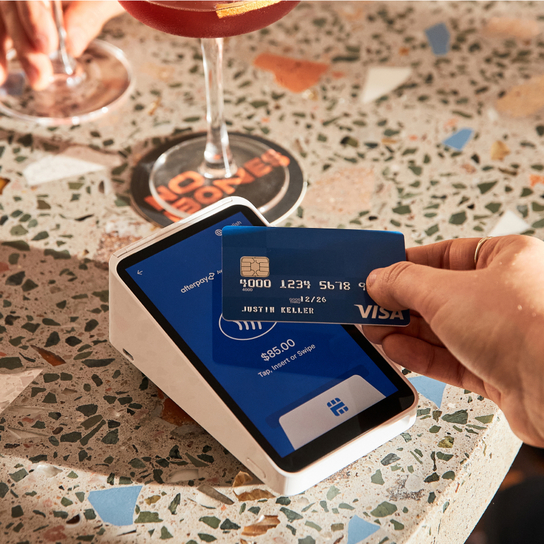
1. Payment: A customer visits a cafe and orders their coffee. Instead of reaching for their wallet, they tap their phone – which has a mobile wallet on it – on a point-of-sale terminal. Almost instantly, the payment goes through. That quick moment happens thanks to clever technology called NFC (more on this later).
Because there’s no physical contact between the phone and the POS terminal, it’s known as a contactless payment. When the phone is held near the reader, the two devices ‘talk’ to each other using encrypted signals to pass payment details back and forth. This exchange lasts less than a second – faster than inserting a card or fishing out notes.
2. Tokenisation: Security plays a big part here. Mobile wallets don’t send the customer’s actual debit or credit card information. Instead, they use tokenisation, which swaps the card details for a one-time digital ‘token’ that only works for that purchase. Even if someone managed to intercept it, it would be useless to them. At the same time, encryption protects this sensitive information as it travels, scrambling it so no one else can read or alter it.
3. Authorisation: Finally, the customer authorises the payment using a passcode or biometric authentication, such as face recognition or fingerprint scanning. Once approved, the transaction is complete, and funds start moving to your account automatically.
Not all mobile payments happen in person. Customers can also make a mobile payment through mobile payment apps (e.g. a food delivery app) or mobile websites (e.g. shopping online). They typically select a digital wallet at the online checkout, then confirm the payment using a passcode or biometric authentication. The transaction works much like an in-person mobile payment, just without the physical tap.
What is a mobile wallet?
A mobile wallet is essentially a digital version of a physical wallet. It stores debit and credit card details securely on a phone, tablet or smartwatch. Users access a wallet app on their mobile device (for example, Apple Pay on iPhone) and add their card details. The app encrypts this information so it stays protected. Once set up, customers can pay using their device instead of their physical card – either by holding it near a contactless POS reader in-store, or by selecting the wallet as a payment method in an app or mobile browser.
To accept mobile wallets, businesses need a POS system that can process these payments, enabling customers to use them at checkout.
Mobile wallet technology
The technology that underpins in-person mobile wallet payments is near-field communication (NFC). This lets two devices communicate wirelessly when they’re very close together, typically within four centimetres. NFC is a type of radio-frequency identification (RFID), which has been used for decades for things like scanning items in supermarkets or luggage at airports.
When a customer taps with their mobile wallet, NFC securely transfers a one-time token from their device to your POS reader, enabling the transaction to occur almost instantly and without physical contact.
Mobile wallet adoption
Our phones do it all. They’re our cameras, maps, calendars, health trackers and more. It’s no surprise that they’ve also become our wallets. The use of mobile payments has surged as people seek easier ways to pay, especially among tech-savvy Gen Z. From buying groceries with a quick tap to paying for public transport, mobile wallets are becoming part of everyday life, thanks to their convenience and speed.
In 2024, the Reserve Bank of Australia (RBA) reported that mobile wallets made up 44% of in-person transactions and 15% of online or remote payments. In an RBA survey taken five years earlier, only 5% of participants said they tapped to pay using a mobile device. The jump highlights just how quickly Australians have embraced mobile payments in recent years.
Mobile wallet companies
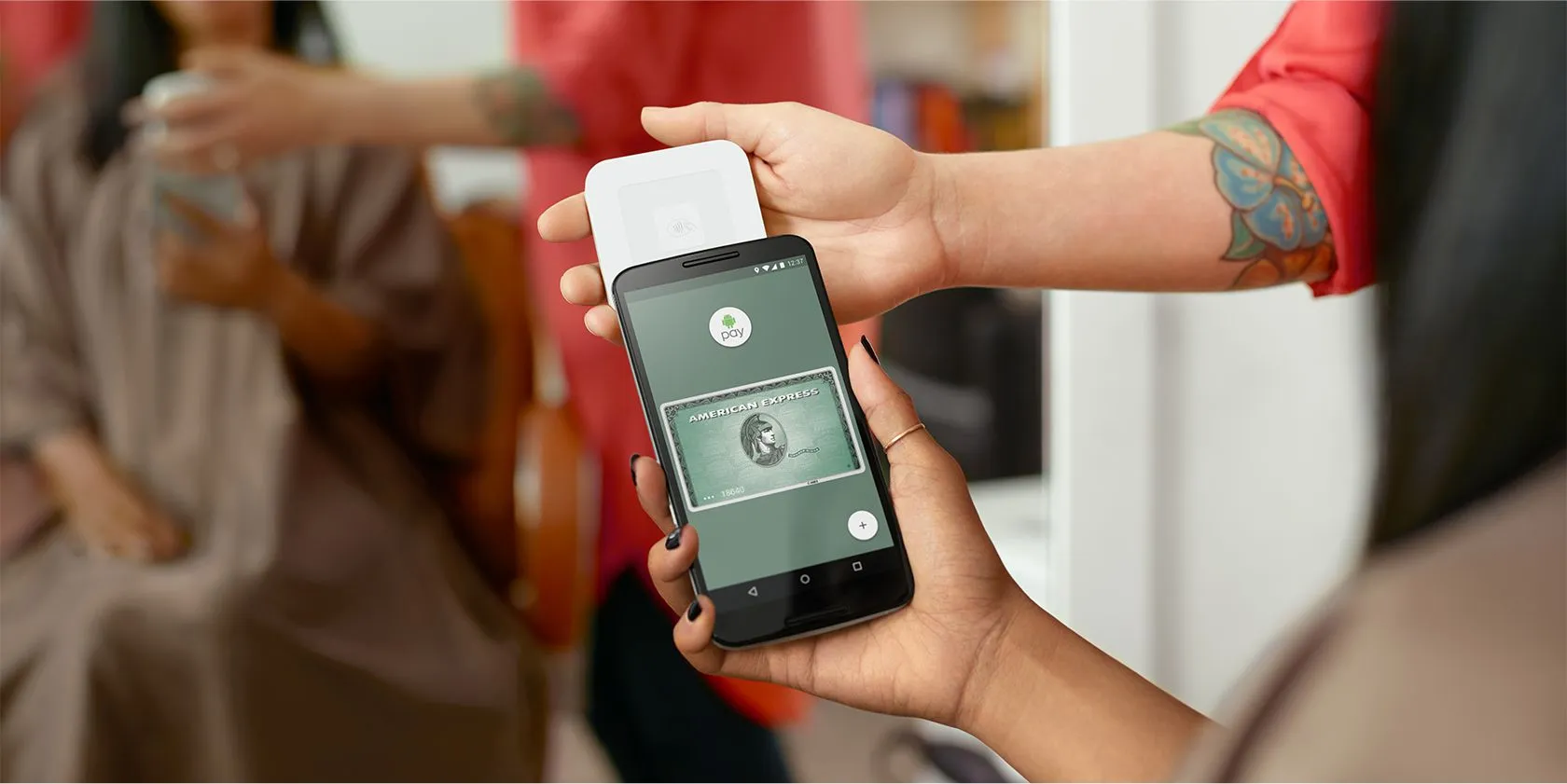
Most of today’s mobile payments are powered by three main providers – Apple, Google and Samsung. Each offers its own mobile wallet app.
- Apple Pay works on iPhone (6 or newer) and Apple Watch. To pay, customers hold their device over your NFC reader and confirm with Face ID or Touch ID.
- Google Pay works on phones running Android 9 or higher, and on watches with Wear OS 2.18 or higher. Customers simply unlock their phone and hold it near the reader.
- Samsung Pay works on most Galaxy devices since the S6 series and uses fingerprint or facial authentication.
Most newer smartphones come with one of these wallet apps built in, so customers can start setting up and using them right away without downloading anything extra.
Types of mobile payment systems
People can pay using their digital wallet in different ways. The main types include:
- NFC/contactless payments: Customers pay in person by holding their device near your POS reader.
- QR code payments: People use their phone camera to scan your QR code, which takes them to your mobile payment app or website.
- Browser-based payments: Customers pay via a mobile web browser on their device.
- In-app payments: If your business has its own mobile payment app, customers can pay for products or services directly inside the app.
- Peer-to-peer (P2P) mobile payments: Individuals can send money to each other using apps that function as digital wallets, such as PayPal or Beem. These payments work instantly from one mobile device to another.
Types of businesses that use mobile payments
Mobile payments aren’t just for big or busy stores – they can work for any business size and type. For example:
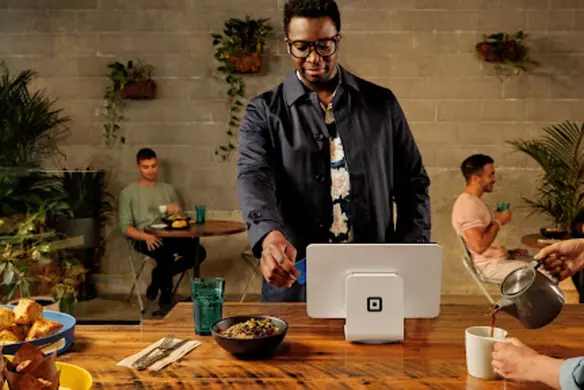
- Cafes, bars and quick-service restaurants (QSRs): Mobile payments let customers tap and go, reducing queue times and keeping service flowing during peak hours. Staff spend less time handling cash and more time focusing on customers.
- Trade, handyperson and home services: Accepting payments on-site means you get paid as soon as the job’s done, without carrying change or chasing invoices. This makes your day more efficient.
- Pop-up shops and market stalls: Portable POS readers allow you to take mobile payments anywhere you’re set up. Customers enjoy the convenience of fast payments, and you don’t need bulky equipment.
- Delivery services: Collect payment at the door easily using a phone or tablet. It speeds up handoffs, reduces cash handling and ensures transactions are secure.
- Freelancers and creatives: Offering mobile payment options lets clients pay immediately, whether you’re meeting them in person or sending an invoice. This reduces the need for follow-ups and helps you get paid faster.
- Other small businesses: Mobile payments reduce manual admin, streamline bookkeeping and give customers a convenient way to pay. They’re ideal for beauty salons, personal trainers, florists, babysitters, pet groomers, tutors and a wide range of other businesses.
Customers increasingly expect to tap and go, so accepting mobile payments helps small businesses stay competitive.

How can I accept mobile payments at my store?
To accept mobile payments at your business, you need POS software that supports mobile wallets at checkout. For in-person payments, you additionally need POS hardware that lets customers tap to pay. Square covers both, so you can start accepting Apple Pay, Google Pay or Samsung Pay, whether customers do business with you face-to-face or online.
Running a stall at Second Life Markets in Sydney, Joely Malcolm discovered just how easy taking mobile payments can be:
“It’s so easy to process my payments with Square! I didn’t even have to think (which was great considering how busy we were all day!). I could just pop in the amount, and the customer could tap and run. I ended up completely selling out before the day was done.”
How to accept mobile payments in person with Square
- Sign up for a free Square account.
- Link your bank account and verify your business details when prompted.
- Purchase a POS reader. All Square hardware accepts mobile wallet and card payments.
- To accept payments, have the customer hold their mobile device near the reader to complete the sale.
How to accept mobile payments in an online store with Square
- Connect Square to your existing eCommerce store to enable Square as a payment option in your checkout. If you don’t have an online store, you can quickly build a free Square Online store.
- Sign in to your Square Dashboard.
- Go to Online > Settings > Checkout.
- Under Square, toggle on Accept Apple Pay and Accept Google Pay.
- Customers can now select Apple Pay or Google Pay at your online checkout.
Mobile credit card payment processing fees are simple with Square: It’s 1.6% per in-person transaction, and 2.2% per online and remote transaction. These fees cover end-to-end encrypted payments, PCI compliance, active fraud protection and live phone support, with no hidden charges. You’ll also get paid fast, with funds typically landing in your bank account the next day.
Why use mobile payments?
Mobile payments come with advantages for both you and your customers.
- They’re fast. Tap-and-go transactions take seconds, keeping queues short and service flowing.
- They’re convenient. Customers almost always have their phone with them, so they can pay anytime, anywhere.
- They’re preferred. People appreciate the speed and simplicity of tapping to pay – a smoother checkout means happier customers.
- They’re secure. Tokenisation, encryption and biometric authentication make them safer than cash or cards, which are more prone to theft and fraud.
- They offer insights. Digital payments can integrate with reporting tools, giving you a clearer view of sales trends, such as what sells best and when.
- They reduce admin. No more counting tills or managing cash flow manually.
The future of mobile payments
Payments are reshaping how we handle money, and they’re quickly becoming the default way to pay for many Aussies. Research predicts that mobile payments in Australia will grow by 16.9% between 2025 and 2034, nearly reaching about $156.9 billion.
Mobile wallets do more than store payment cards – they can hold digital IDs, loyalty cards, event tickets, boarding passes and digital car keys. With artificial intelligence already making waves across industries, it’s set to take digital wallets further, potentially bringing stronger fraud protection, more personalised payment experiences and even AI-powered cryptocurrency wallets.
For businesses, now’s the time to future-proof your checkout. Adopting mobile payments not only speeds up transactions but also shows customers that your business is keeping up with how they live and shop today. Wherever and however you operate, you can accept mobile payments with Square. Its regular software and device updates mean you automatically get the latest features and security improvements – keeping your checkout reliable and ready for whatever comes out.
FAQs about mobile payments
What are mobile payments?
Mobile payments are transactions made using a smartphone, tablet or wearable device instead of cash or a physical card. They let people pay in-store, in apps or online using mobile wallets such as Apple Pay, Google Pay or Samsung Pay. These payments rely on technologies like NFC or QR codes to make the process fast and safe, whether a customer is tapping at a checkout or making a purchase through a mobile app or web browser.
What are the benefits of mobile payments?
Using mobile payments comes with several advantages.
- Security: Payment details are encrypted, tokenised and require authentication, making them hard to intercept or steal.
- Speed: Tapping a phone or paying in an app is quicker than using cash or cards.
- Convenience: Customers can pay in-store, online or in apps without carrying multiple cards.
What is the difference between mobile payment and online payment?
Mobile payments happen through a mobile device. This could be paying in person by tapping with an NFC-enabled phone or wearable device (also known as a ‘contactless payment’), paying in an app, or sending money directly to someone else.
Online payments take place through websites or web apps, usually with saved card information or a mobile wallet in a browser. In short, all mobile payments can include online purchases, but not all online payments are mobile payments – some are completed on a desktop or laptop without a mobile device.
Is it safe to use mobile payments?
Mobile payments are highly secure thanks to multiple layers of protection. Encryption scrambles payment information so it can’t be intercepted. Tokenisation replaces card numbers with a one-time code that’s useless if stolen. And biometric authentication, like a fingerprint or face ID, ensures only the authorised person can approve the payment. These features make mobile wallet transactions safe for everyday use in Australia.

What are NFC mobile payments?
NFC (near-field communication) payments happen when a customer pays in person by holding a smartphone or wearable device near a compatible payment terminal. The mobile wallet on their device securely sends the payment details to the business’s NFC-enabled reader, such as Square Reader. It lets customers complete a purchase in just a few seconds.
Are mobile payments the same as contactless payments?
Contactless payments are a type of mobile payment, where a smartphone, smartwatch or other device is tapped at a POS terminal using NFC. However, not all mobile payments are contactless. Mobile payments also include in-app purchases, browser-based transactions and peer-to-peer transfers, so people can pay or send money in a variety of ways beyond just tap-to-pay.
Which apps can I use for mobile payments?
Popular mobile wallet apps used by Australian customers include Apple Pay on iPhone and Apple Watch, Google Pay on Android devices, and Samsung Pay on Galaxy phones. Many Australian banks also offer apps that let customers pay directly using their bank account through a mobile wallet.
For businesses, mobile payments can be accepted easily through the Square Point of Sale app, which works with all major mobile wallets. Paired with Square Reader or your own mobile device, you can quickly and securely take payments from customers who pay with a mobile wallet.