

Table of contents
Is your business still cash-only? Then you’re probably missing out on sales. Research from the Reserve Bank of Australia revealed that three-quarters of payments in 2022 were made by card; up from 63% three years earlier, and likely still rising. If you’re thinking about how to take credit card payments in your business, it’s never been easier. Whether you run a physical shop, sell online, work on the go or take phone orders, there’s an option for you.
Common ways to accept credit card payments
If you’re starting to think about how to accept credit card payments in your business, there are three main options:
- In person: Use a point-of-sale (POS) system (most commonly via an EFTPOS terminal) so customers can tap to pay with their card or phone. Perfect for restaurants, cafes or shops with a physical location.
- Online: Accept payments through an online store, digital invoice or secure payment link. A flexible choice for eCommerce, bookings or remote services.
- Over the phone: Key in card details using POS software or a virtual terminal. Ideal for businesses that take phone orders or bookings.
Choosing how to accept card payments depends on how and where you serve your customers. The table below explores the key features and benefits of each payment method.
| Method | How it works | Best for | Examples of tools |
|---|---|---|---|
| In person | Customer taps/swipes card or phone on a POS terminal with EFTPOS | Shops, cafes, restaurants, salons | Card reader, Square POS |
| Online | Payments made through checkout, invoice, or link | ECommerce, service providers, online bookings | Online store, payment gateway |
| Recurring | Customer card is stored securely for automatic billing | Subscriptions, memberships, regular services | Direct debit, subscription platform |
| Phone | Business keys in card details into a virtual terminal | Phone orders, catering, take-away bookings | Virtual terminal, POS software |
Each method is easy to set up and helps you get paid fast and keep your cash flow stable. Here’s more detail on each of the card payment options available to businesses.
How to accept credit card payments in person
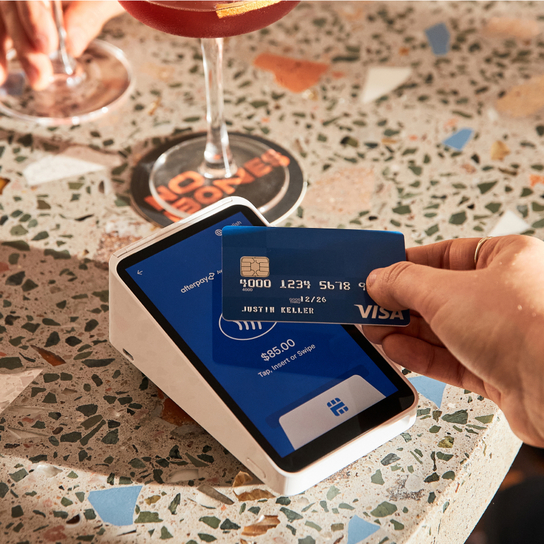
If you sell face-to-face, the easiest way to get started is with a POS system, which includes POS software and a physical card reader. Most card readers support contactless payments, so customers can tap or insert their card, or use mobile wallets like Apple Pay or Google Pay. Here are some of the most common in-person payment setups for small businesses in Australia.
An integrated POS system
For a complete setup, you can use an all-in-one POS solution (like Square Register) or turn an iPad into a full POS system (with Square Stand). Both options include a built-in card reader, touchscreen and POS software – plus helpful tools like sales tracking, inventory management and customer insights. An integrated POS system is ideal for cafes and busy retail stores because it combines payments and operations in one system.
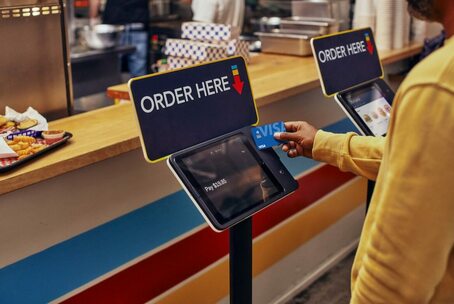
Adding a self-ordering kiosk speeds things up by letting customers skip the queue, place and pay for orders themselves.
An EFTPOS terminal
If you just need a simple way to take card payments, an EFTPOS terminal (such as Square Handheld) is a compact device that does the job perfectly. It combines the hardware and software to process card transactions securely without the extra features of a POS system. It’s a great fit for restaurants, small retailers, or tradies who want reliability without complexity.
A portable card reader
Need to get paid on the go? A portable card reader connects wirelessly to your phone or tablet via a POS app, allowing you to accept card payments anywhere. This setup is popular with mobile businesses like tradies, food trucks, market stalls, and pop-up shops that need quick and easy payments without being tied to a specific physical location.
How to receive credit card payments online
Selling or doing business online and need to set up secure card payments? Whether you run an eCommerce store, manage a website, or work as a freelancer or tradie, here are some options for how to receive credit card payments online.
Through an online store
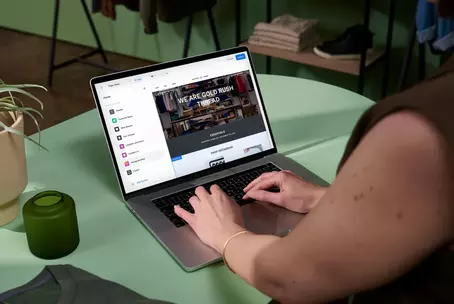
Need a dedicated online shopfront to sell your products or services? An eCommerce site with a built-in payment function allows customers to browse, add items to their cart and pay securely by card at checkout. With Square Online, you also get tools like inventory tracking, customisable store designs, and integrated shipping options – all in one, easy-to-use platform. This setup works best for retailers and hospitality businesses that want to sell directly online.
Through your existing website
Already running a self-hosted or custom-built website? Use developer tools to integrate an online payment gateway directly into your site, so customers can check out and pay without being redirected elsewhere.
This option is perfect for established businesses that want to offer a seamless online shopping experience to their customers.
Sending an online invoice
Don’t have a website? No problem. You can send an online invoice directly to customers, allowing them to pay with their card in just a few clicks. Invoicing software makes it easy to add due dates, set up recurring payments and send automatic reminders. It’s especially useful for freelancers, tradies, and service-based businesses that bill clients regularly and want to save time on admin.
Sending a payment link
For a one-off card or a custom payment, send a payment link by email, SMS or even social media. Customers click the link, enter their card details and complete the payment instantly. It’s a flexible setup for businesses that don’t need a full online store but still want fast payments.

How to take credit card payments over the phone
If you take orders, bookings or deposits by phone, you can process payments remotely using a POS system or a virtual terminal. These tools allow you to enter the customer’s card details manually and complete the payment instantly. Use secure processing tools to reduce fraud risk and protect customer data.
Using POS in-store
If a customer calls to pay but can’t be present in person, staff can manually enter their card details directly using Square POS. You can ring up the items on your POS display, key in the card information and process the payment. A quick and convenient setup often used by retailers, cafés, and service businesses to accept remote orders.
Using a virtual terminal online
A virtual terminal turns your web browser into a payment terminal, letting you enter card details securely without needing a card reader. Payments are processed in real-time, making this method suitable for phone orders, catering services or trades that take deposits.
While card-not-present payments carry a higher fraud risk since the customer’s card isn’t in front of you, using built-in secure payment tools protects your business. Here’s how to accept phone payments securely and safely.
Compliance and surcharges in Australia
While credit card payments are quick and easy, there are some important rules around compliance and surcharges that you need to be aware of.
Compliance requirements
To keep customer data secure, businesses must comply with PCI DSS (Payment Card Industry Data Security Standard), a global standard for technical and operational requirements to protect payment data. Modern payment processors, including virtual terminals and POS systems, typically include built-in PCI compliance and fraud protection, reducing the risk for your small business.
You also need to display prices correctly. The ACCC’s rules require the price you show customers to be the full price they’ll pay, including any fee they can’t avoid, and any payment-method discount has to be disclosed before they order or pay.
Credit card surcharges
When you accept a card payment, your payment service provider charges a fee to process it. How much depends on the card network, the card type, whether the sale was in person or online, and what else your provider offers alongside payments.
Until 30 September 2026, businesses can pass that cost on to customers as a surcharge. From 1 October 2026 that stops, following the Reserve Bank of Australia’s decision, and you can no longer add a surcharge when a customer pays by card.
If you’re setting up card payments for the first time, this actually simplifies things: build your card costs into your pricing from the start, the way 85% of small businesses already do.
What you can still charge:
- Weekend and public holiday service charges
- Booking fees, service fees and delivery fees, provided they’re genuinely for those things
- Minimum card spends (a minimum isn’t a surcharge): charging a fee on payments below that minimum is a surcharge, so from 1 October you can’t add one to a card payment.
- Discounts for other payment methods: you can offer a discount for cash or PayID, and the RBA points to discounting as the way to steer customers. The price you display must be the full price though.
Two things to avoid, both flagged by the ACCC: don’t rename a card surcharge as another kind of fee (it “may be engaging in misleading conduct”), and don’t tell customers a price rise is only because of the surcharging change when other costs are also involved.
Benefits of accepting credit card payments
Still wondering if it’s worth setting up card payments for your business? Here’s why it’s a smart move for Australian small businesses:
- Convenience drives sales. Around three-quarters of Aussie shoppers say paying by card is the most convenient option, according to 2025 Square data. The easier you make it to pay, the more likely customers are to buy.
- Faster transactions. Tap-and-go and mobile wallets speed up checkout, keep queues moving, and, most importantly, keep customers happy.
- Builds customer trust. Accepting credit cards and tap-and-go payments shows your business is modern, professional and reliable, which helps win repeat customers.
- Boost revenue. Customers tend to spend more when paying by credit card. Accepting cards can increase your average transaction value and overall sales.
- Smarter insights. With a digital dashboard tool, you can easily track sales, monitor payment trends and make data-driven decisions in real-time.
- More secure payments. Handling less cash reduces theft risk. Plus, modern payment processors like Square include built-in PCI DSS compliance and fraud protection to protect customer data.
- Expand customer base. Accepting credit card payments helps businesses expand into international markets and reach more customers.
- Automatic currency conversions. Credit card payment processors make it easier to sell overseas because they take care of currency conversions.
How much does it cost to take credit card payments?
Each payment provider charges different fees for processing card payments, but Square’s costs are simple:
- For in-person payments, you’ll pay just 1.6% per transaction.
- For online and remote payments, the fee is 2.2% per transaction.
- The core POS software is free to use, and the hardware costs as little as $65. No setup, lock-in or hidden fees – you only pay when you take a payment.
Whether you need in-person, remote or online payment processing, Square’s transparent pricing means you know exactly what you’re paying. Unlike other payment processors, you don’t need a separate merchant account with Square. All the tools you need for credit card processing and merchant services are in one platform – simplifying how you manage your payments and business.
Credit card payment FAQs
What’s the easiest way to take a credit card payment?
The easiest way to take a credit card payment for small businesses is by using a portable EFTPOS card reader connected to a POS app. Customers tap or insert their card or a mobile wallet like Apple Pay or Google Pay for instant payments. The card readers are affordable, quick to set up and perfect for cafes, market stalls, tradies or mobile services. It’s a simple and reliable way to take payments.
Can I use my phone to accept credit card payments?
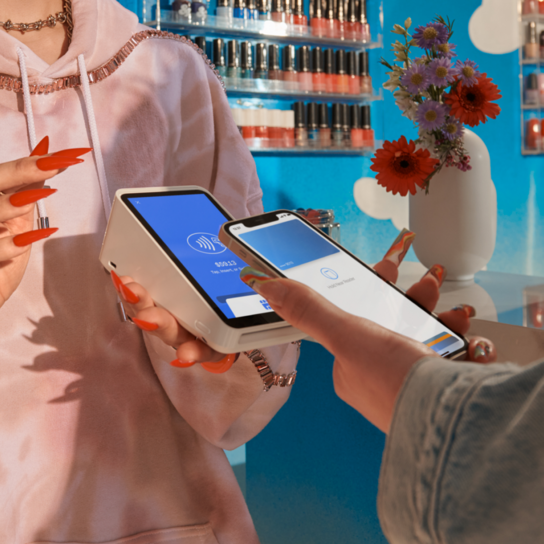
Yes. You can use your phone to accept card payments wherever you are by pairing it with a mobile card reader or directly through a Tap to Pay app (without extra hardware).It’s a great choice for mobile businesses, events or tradies.
Can you take card payments without a card reader?
Yes, you can accept card payments without a card reader using:
- Payment links via email, SMS, or social media, so customers can pay securely online.
- Online invoices that allow customers to pay in a few clicks.
- Virtual terminals that accept card details on the web and process payments instantly.
Businesses that make it easy for customers to pay mean more sales, smoother operations and a better overall experience. If you’re ready to start taking credit card payments, Square makes it simple with affordable, secure and user-friendly solutions.