

Table of contents
What is an integrated POS system?
An integrated point-of-sale (POS) system is a combination of hardware and software that helps businesses process sales, handle payments and manage inventory, employees and customers. Compared with traditional cash registers, integrated POS systems enable businesses to run more efficiently by reducing manual data entry and errors, improving inventory control and providing real-time data and reporting.
An example of an integrated POS system is Square Point of Sale, which allows businesses to manage all their operations from a single POS – including taking payments, managing sales and inventory, connecting with an online store or online ordering, managing customer information, accessing real-time sales reports, managing employees and more.

How does a POS integration work?
POS integration connects your POS system with other business platforms, from inventory management and accounting software to customer relationship management (CRM) tools. This allows all data to sync in real time in a central hub, which streamlines processes and gives you a bird’s eye view of your business’s performance.
If you’re wondering how different apps and tools can ‘talk’ to each other in that way, it’s thanks to APIs and middleware. These technologies connect software systems. They perform similar roles, but they’re slightly different.
APIs allow two compatible systems to instantly connect and exchange data – a bit like when you pair two Bluetooth-enabled devices. Middleware acts like a bridge. It allows systems that weren’t designed to be compatible to exchange information and data – think of it like a universal adapter. Most modern business tools use APIs for integrations, but middleware often helps integrate older, legacy software with newer applications.
These behind-the-scenes processes are the backbone of POS integration. And they turn your POS system into a business powerhouse. With everything connected, your sales data is always up to date and synced with other aspects of your business, such as your inventory. All data feeds directly into your reporting tools, and your customer information is automatically updated as well.
What are the benefits of an integrated POS?
- Faster checkout: Implementing an integrated POS will speed up your checkout process, allowing you to serve more customers. Whether you use a barcode scanner or touchscreen, with prices pulled automatically from the backend, there’s no need for manual data entry and less chance of pricing errors.
- Access real-time reporting: An integrated POS lets you view valuable real-time data and assess your business’s performance at a glance. Whether you’re accessing a customer’s sales history to create a targeted promotion or want to see which staff are selling the most of a certain product or special offer, an integrated POS will let you make informed decisions.
- Better customer experience: An integrated POS allows you to serve your customers faster while providing them with a more personalised experience. With real-time access to customer information and sales histories, your frontline staff can engage with buyers and provide a differentiated customer experience that results in great word of mouth and increased sales.
- Fewer payments vendors: When one solution combines the services of POS software and managed payments, there are fewer invoices to manage and fewer numbers to call when you need support. Square also offers a range of other integrated payments solutions – including Square Online, self-serve ordering using QR codes and Square Invoices.
- Improved stock control: A POS that integrates with your inventory management software will give you better visibility and control. You’ll be able to view stock levels across your store(s) at a glance and set up alerts for when stock levels of a particular SKU are running low, giving you confidence that you’re always holding enough stock.
- Reduce costs: Streamlining your checkout and inventory management processes will save you time and money. Faster transaction processing and less data entry reduce labour costs, and stocktake becomes more efficient and less time-consuming with your POS syncing automatically with your inventory management software.
What are the features of an integrated POS system?
POS systems include both hardware and software components. The right POS hardware and software for your business will depend on factors such as your size, sales model (brick and mortar, online, or a combination of the two), the number of locations you operate from and more.
When comparing POS systems, look for a solution that will be able to grow with your business. While you might not need every piece of hardware or software on this list initially, integrated POS systems often include a number of key components.
Common hardware components for an integrated POS
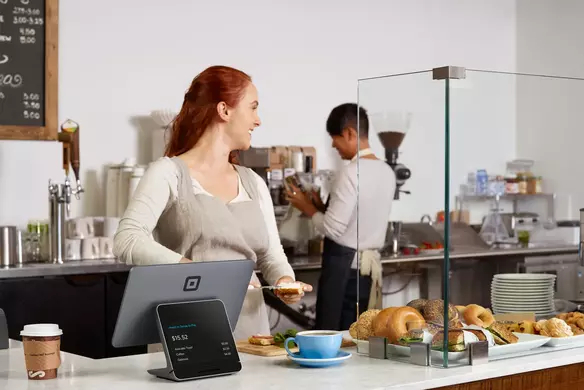
- Display: You might choose to manage sales from a countertop monitor or opt for a tablet to give you mobile flexibility. Standalone displays are one option – for instance, POS systems like Square Register come with two screens; one for the employee and the other for customers, while mobile POS options like Square Handheld allow staff to move around and use the POS system on the go.
- Barcode scanner: A barcode scanner will help reduce transaction times if you sell a variety of physical products.
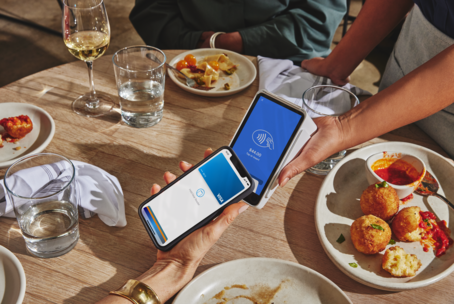
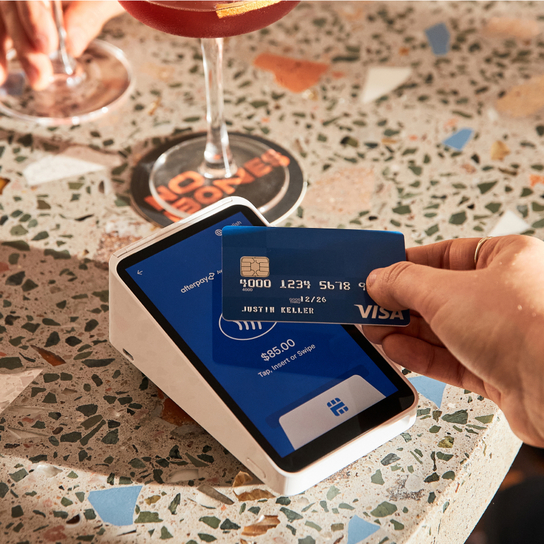
- Card reader: In a study of Australian purchase behaviour by the Reserve Bank of Australia in December 2022, only 13% of payments over a seven-day period were made with cash. With card and mobile wallet payments now the most common ways to pay, you’ll need a credit card reader that supports fast, contactless payments.
- Receipt/order printer: Sending digital receipts via email or SMS saves you the cost of receipt paper rolls, but some customers still prefer to receive a paper receipt. Kitchen order printers are a popular addition to integrated POS systems at restaurants.
- Cash drawer: Many startups don’t have a cash drawer initially, but it’s something you may want to add to your integrated POS in the future.
Common software components for an integrated POS
- Website integration: A POS system with website integration will allow you to sync online orders with your inventory in real time.
- Flexible payment options: Make it easy for your customers to pay you by setting up your POS to accept payments by card, Apple Pay, Google Pay or gift card.
- Inventory management: A POS that integrates with your inventory makes managing stock easy. Square POS lets you view stock levels, manage vendors, send purchase orders, create low-stock alerts and more.
- Customer relationship management: An integrated POS can give you valuable customer insights and help you to create and manage a tailored customer loyalty program via your POS system.
- Employee management: Use your integrated POS to manage staff clocking in and out, monitor sales performance and assign system access.
- App integration: An integrated POS should streamline your operations from the sales counter to the back office. A POS that integrates with your accounting, appointment scheduling and delivery software will support you as your business grows.
Who needs an integrated POS?
So, do you need an integrated POS for your business? If you’re juggling different tools, operate more than one location or have an online store, the answer is yes. Here’s how different types of businesses benefit from POS integration:
Retail stores
Running a retail store involves many moving pieces, from ringing up sales to managing inventory and building relationships with customers. An integrated retail POS system connects sales data with inventory-management tools, customer profiles and reporting. You can easily spot trends and act on them.
For example, you might notice that you always sell more essential oils on Saturdays. This insight can enable you to restock before running out and send a special offer to customers who have purchased them in the past to drive even more sales.
Restaurants
Whether you own a fine-dining establishment, a quick-service restaurant or a food truck, restaurant POS integration can help you work smarter by streamlining front- and back-of-house operations. Orders are sent straight from the table or cash register to the kitchen display system (KDS), and payments are quick and easy.
These efficiencies speed up service, as owners Mark and Laki Papadopoulos found after implementing Square KDS at Vegie Bar. “The KDS is wonderful, it’s made communication between the FOH and BOH seamless, as tickets are easily organised in order of priority, making service a lot smoother.”
eCommerce businesses
Do you run an eCommerce business? POS integration syncs sales with inventory, fulfilment and reporting. It helps you stay on top of all orders placed through your website, even if you dropship products through a third-party supplier. With real-time data at your fingertips, you can also optimise your digital marketing efforts. And with everything connected behind the scenes, you have the foundation to scale.
Omnichannel businesses
If you sell both online and in-store, your business may be more complex, but an integrated POS keeps things simple for both team members and customers. A customer can purchase a product on your website, return it in-store and use their loyalty points toward another purchase, with everything updated in real time through a centralised system.
How to choose the right integrated POS
Choosing the right integrated POS system depends on your unique needs. It needs to fit your current operations, be able to grow with you and make sense from a budget standpoint. Here are some key factors to consider when making a decision.
Consider business size and type
A brick-and-mortar store has different needs from a multi-location restaurant. Look for an integrated POS that aligns with the way you sell. For example, if you own a restaurant and want customers to be able to place takeaway orders on your website, Square POS integration allows you to set up an online store that syncs with your POS and kitchen workflows, which can help you manage everything from one system.
Identify must-have features
Make a list of what you want your POS system to do. In an ideal world, would it help you manage your staff? (Square Shifts does just that.) Would it allow you to set up a loyalty program? (Square Loyalty takes the guesswork out of doing so.) Do you need it to be compatible with specific apps, like your accounting software? Take the time to consider which features will save you time and make your day-to-day smoother.
Map out your budget
Some POS providers charge monthly fees and other premiums. To avoid surprises, map out your budget and compare different options. Square offers transparent, competitive pricing: 1.6% per transaction for all in-person card payments, and 2.2% for online purchases and manually entered card payments.
Look for a scalable solution
It’s important that an integrated POS system can support your needs right now and is also flexible enough to grow with you as your needs expand. Consider whether a POS system allows you to easily add sales channels, business locations and team members without needing to spend a fortune or change your entire tech stack.
Prioritise support and ease of use
Regardless of your industry, you want a user-friendly POS that doesn’t come with a big learning curve. Even the least tech-savvy team member should feel confident using it. Look for a provider that offers accessible support and tools built with small business owners in mind.
How do I get started with Square Point of Sale?
Square POS is a customisable POS system built to support businesses of all shapes and sizes. It’s simple to set up and use, offers advanced integration with a range of software and hardware solutions, and there are no setup or monthly fees. It’s free to create a Square account and start selling in minutes.

POS integration FAQ
What does POS integration mean?
Integrated point of sale (POS) refers to a POS system that directly connects with other tools in your business. It centralises processes like accounting, inventory management and customer relationship management, and syncs data.
What’s the difference between integrated and traditional POS systems?
A traditional POS system handles sales and payments. An integrated POS system goes further and streamlines operations across your entire business.
Does an integrated POS system work offline?
It depends on the POS provider. Some systems, like Square, let you take payments offline. But in general, you do need an online connection to make the most of all the features of an integrated POS.
Is an integrated POS system expensive?
Not necessarily. Some providers charge monthly fees and extra costs for added features. Others come with setup or training fees. Square offers free POS software without any of that – you only pay when you take a payment. An integrated POS can also reduce overall costs by eliminating the need for other tools.
How secure is an integrated POS?
Reputable POS systems such as Square are built with security in mind to keep data secure and reduce the risk of fraud. Square also takes care of PCI compliance for your business.
Do I need technical skills or training to use an integrated POS system?
No, integrated POS systems are usually user-friendly and intuitive to use. Look for a system that includes step-by-step setup guides and free support if you get stuck.