

Please update your browser.
Download the latest version of a supported browser below to get the most out of this website:
Feature log
All the things we’ve updated
Choose the cart's side of the checkout screen on Point of Sale
Sellers choose whether the cart sits on the left or the right side of the checkout screen. Each mode keeps its own choice, so Bar and Quick service, for example, can each have the cart on a different side. The setting is available in Quick service, Full service, Bar, and Drive-thru modes. In Square Point of Sale, go to More > Settings > Checkout > Cart.
Edit items with the check in view on Point of Sale
Item details open next to the check on Square Point of Sale, and the check updates with each choice as staff edit. Edits save automatically. A tap on a check item opens its details, and a long press opens bulk edit mode. Real-Time Check View is on for food and beverage sellers, replaces the previous item details layout, and can't be turned off.
Nest modifier sets for follow-up choices
When a customer or cashier picks a modifier, only the choices that go with it appear next. A single catalogue item can support up to three levels of choices. Nested modifier sets work on Point of Sale, Square Kiosk, Kitchen Display System (KDS), Ordering Profiles, DoorDash, Grubhub, and Uber Eats. They also work in third-party apps such as Fresh KDS and MarketMan, and through the Catalog API.
See open bills in the Sales report on Square Point of Sale
The Sales report counts sales on bills that haven't closed yet alongside completed sales. Open bills are included by default, and a banner on the report confirms this. To show only completed sales, sellers turn off the Open Checks filter.
Set up enterprise single sign-on (SSO) with Okta or Microsoft Entra ID
Team members sign in to Square with the company credentials they already use. The organisation connects its identity provider, Okta or Microsoft Entra ID, to Square through OpenID Connect (OIDC). A Square Premium subscription is required. Sellers set up the connection in the identity provider first. Then, in Dashboard, they go to Settings > Account & Settings > My business > Security.
Build combos in Real-Time Check View on Square Point of Sale
A full combo is built and reviewed in one place in Real-Time Check View. Staff move directly to a combo member that still needs an option chosen, or back to one that's already set, and each selection lands on the check as it's made. Combo building uses the same navigation and layout as the rest of Real-Time Check View. Real-Time Check View is on by default for sellers who use combos, with no setup required.
Close of Day reports run on a location's reporting hours.
The report window starts at the reporting day start set for the location and ends when the close-out begins. Sales and tips taken inside that window appear on the report, whether or not they fall within posted business hours. The report header prints the covered time range, and locations without a reporting day use the business-hours window.
Item edits limited to a team member's assigned locations
In the Square Dashboard Item Library, shared item details like name, description, and category are read-only for team members assigned to only some of an item's locations. Availability, location price, and sales channel assignment stay editable at the locations a team member is assigned to. Team members can see an item's complete location information either way.
Multi-Account Suite for franchises and multi-location organisations
Square Multi-Account Suite helps businesses stay in control as they scale. Operator teams manage linked Square accounts from Square Dashboard, including shared catalogues, menus, point-of-sale layouts, organisation permissions, and a single gift card programme. Organisation-level reports cover sales performance, gift card reconciliation, and royalties by member account and location. To get started, reach out to a Square account manager or the sales team.
Pool tips by percentage for each transaction
A transaction's tip divides among the team members who worked that sale. Sellers choose the calculation period in Square Dashboard under **Staff**, then **Tips settings**, alongside the existing work day and work week options.
Pool unattributed tips when tipping directly
A tip goes unattributed when a sale is taken on a shared team passcode, with no personal passcode signed in, or by a team member who isn't tip eligible. Square splits those tips equally across every team member clocked in for that work day. Pooling is on by default for sellers new to Square and can be turned on under **Staff** > **Tips settings** in Dashboard.
Receive stock in cases or pallets
Sellers pick the unit a delivery arrives in from the quantity field in the Stock Adjustment window. Square converts that amount into the unit the item is counted in, so a case received still shows the right number of single units on hand. Available on Dashboard for sellers using Square for inventory.
Reuse an existing printer profile when setting up a printer
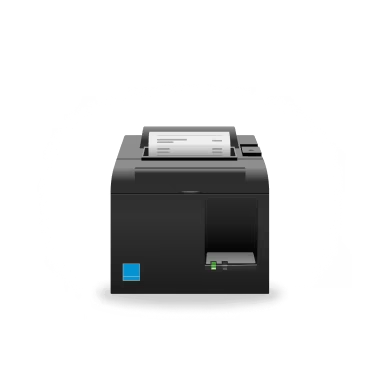
Printer setup offers the profiles that already work with a connected printer, and only creates a new profile when there's nothing suitable to reuse. Creating a profile, choosing job types, and selecting which Square Point of Sale devices print to a printer all happen on the printer's details screen. Each assigned profile row lists that profile's devices and job types.
Scan barcodes with the iPhone or iPad camera
The camera reads a barcode and either adds the item to the cart or fills in its details when creating or editing an item. In Square Point of Sale, sellers turn on **Camera Barcode Scanner** in hardware settings, then tap **Tap to Scan** on a supported screen. No separate scanner is required.
Connect Apple Business to manage Apple Maps place cards
Business information including hours, logo and contact details stays in sync across Apple Maps, Siri, Wallet and more. Connected sellers manage supported place card features in Square Dashboard under Channels, including action links that send customers to ordering, menu or booking. Available globally to payments-activated sellers with a fixed, physical location or shopfront.
Create revenue centres to group and compare sales
A revenue centre represents one part of a business, such as a bar, patio, or delivery channel. Sellers map devices, floor plan sections, and channels to each one, then group the Sales summary report by revenue centre to see how each performed.
Dark mode in the Square Retail app
The Square for Retail app follows the device's system appearance setting, so it appears dark whenever the device is set to dark. A dark mode override keeps the app dark or light independent of the device setting.
Draft tickets on Kitchen Display System before orders are sent
Items appear on a Kitchen Display System ticket as staff add them to the cart in Point of Sale. The ticket is marked as a draft and updates with each item added. To use draft tickets, turn on the setting in both Point of Sale and the Kitchen Display System.
Pre-orders for sold-out items
Sellers set a reset date and time when marking an item variation sold out in the Item Library. The variation stays on the menu as available for pre-order, so customers can order it for fulfilment windows after the reset time. Available to sellers taking orders through Neighborhoods and Ordering Profiles.
Sales report on Point of Sale matches Dashboard totals
The Sales report uses the same gross sales, product sales, and net sales definitions as Square Dashboard, so figures from either report will agree. The payment methods section breaks down payment types in more detail.
Ticket layouts up to 10 columns on Kitchen Display System
Sellers arrange tickets across four to ten columns, set per display. The setting indicates which column counts suit which screen sizes — four for small devices and ten for large displays. You can set column counts in Layout settings on the Kitchen Display System or in device profile settings in Square Dashboard.
Customise barcode label layouts on Point of Sale for iOS
Sellers choose which fields print on a label, including item name, SKU, price and supplier information, then adjust sizing and rearrange the content. Layouts are set and printed from the barcode printing options in Square Point of Sale on iOS. Available to sellers on Square Plus and above.
Dark mode in Invoices
Square Invoices follows the device's system appearance setting, so the app displays in dark mode when the mobile is set to dark, with no setup required. Sellers who want the app to differ from the rest of their device can set an override in **Settings > Appearance**, and that choice holds regardless of the system setting.
Drag tickets into a new sequence on Kitchen Display System
Kitchen staff set the prep sequence themselves instead of working tickets in the order they come through. A custom sequence holds until that ticket is completed, and manual ordering applies across main, expo and station views. On the Kitchen Display System device, go to **Settings** > **Layout**, then set **Ticket sequence** to **Manual**.
Refund a card with no original sale on record
Staff can issue refunds from Transactions in Square Point of Sale, even when Square has no record of the original sale. Refunds can be processed by amount or against selected items, and the refunded card can be inserted, tapped, or keyed in manually. Sellers set access per team member permission, and refunds are capped at a configurable amount per transaction.
Square, the Square logo, Square Financial Services, Square Capital and others are trademarks of Block, Inc. and/or its subsidiaries. Square Financial Services, Inc. is a wholly owned subsidiary of Block, Inc.
Block, Inc. is a financial services platform and not an FDIC-insured bank. FDIC deposit insurance coverage only protects against the failure of an FDIC-insured deposit institution. If you have a Square Savings Account, up to $250,000 of your balance may be covered by FDIC insurance on a pass-through basis through Sutton Bank, Member FDIC, subject to aggregation of the account holder’s funds held at Sutton Bank and if certain conditions have been met. See Terms and Conditions.
Other trademarks and brands are the property of their respective owners.