

Please update your browser.
Download the latest version of a supported browser below to get the most out of this website:
Printers
Printer types
Find the printer that’s right for your business.
POS printers
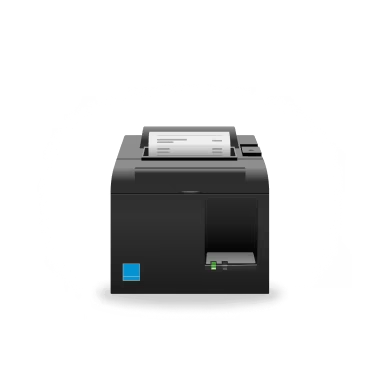
Countertop receipt printers
A stationary printer that sits on your counter near the point of sale you are using.
Mobile receipt printers
Printers that are carried on a person for mobile receipt printing (e.g. festivals or queue busting).
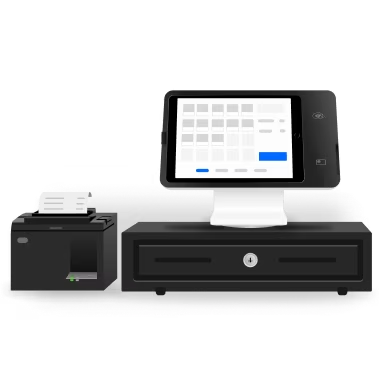
Dual cash drawer and printer
Integrated all-in-one cash drawer and printer for countertop businesses with very limited space.
Kitchen printers
Kitchen impact printers
Stationary printers to print and send order tickets right to your bar or kitchen. Ideal for environments prone to grease, heat or requiring multi-ply paper and/or colours for modifiers.
Kitchen thermal printers
Stationary printers to print receipts in environments that are not prone to grease or heat, or do not require multi-ply paper or colour for modifier.
Label printers
Barcode label printers
Stationary printers for linered, permanent barcode labels up to 5 cm. For Square for Retail Plus. Not compatible with sticky or shipping labels.
Sticky label printers (linerless)
Stationary printers for linerless, repositionable labels up to 7.5 cm that adhere to any surface without residue. Ideal for food & beverage orders and delivery. Not compatible with shipping or barcode labels.
Connection types
To successfully connect accessories to your hardware, check that both support the same connection type.
USB
USB accessories plug directly into the compatible device and generally offer the most reliable connection. If you are using Square Stand, Square Register or Square Terminal, you can plug your USB accessory directly into the USB hub on the power cable. For Android devices, you’ll need to connect a USB OTG (on-the-go) adapter. Be sure to check that your Android device supports USB OTG or USB Host mode.
Network: Ethernet
Ethernet accessories plug into your router using an Ethernet cable. Once connected to your router via the Ethernet cable, your hardware accessory will connect to your device through the Wi-Fi connection. You won’t be able to use an Ethernet connection in Offline Mode.
Network: Wi-Fi
Wi-Fi accessories connect wirelessly to your router. Once connected to your Wi-Fi, your hardware accessory connect to your device through the shared Wi-Fi connection. Ensure that both your device and your hardware accessories are connected to the same Wi-Fi network. If they are on different networks the connection will not be successful.
Bluetooth
Bluetooth accessories connect to your hardware device wirelessly using the Bluetooth connection. Bluetooth only works when in close proximity and in environments where there aren’t too many devices interfering with each other. Ensure your hardware and your accessory are within three metres of each other. For mobile printers only, a Bluetooth connection is recommended.
Printer-driven
Some cash drawers connect directly to a compatible receipt printer in order to open automatically. You can manually open your cash drawer with a key if they are unplugged.
Square hardware works with a variety of printers to support all kinds of businesses. Find everything—from impact kitchen printers to sticky label printers—to make what you do even easier.
Countertop receipt printers


Kitchen impact printers
Kitchen thermal printers
Sticky label printers (linerless)
Barcode label printers
Mobile receipt printers
Dual cash drawer and printer
¹Combined printer and cash drawer.
²Manual configuration may be required for compatibility.
³Portable printer can’t power a cash drawer.
⁴When running the Square Kiosk Lite app, Square Stand cannot be connected directly to external accessories via Bluetooth, USB, or Ethernet.
More accessories

Printers

Cash drawers

Barcode scanners

Scales
