

Table of contents
An invoice is a document that requests payment for goods or services provided to a customer or client. It records what was sold, how much it cost, and how and when payment should be made.
What is an invoice made up of? Typically, it includes:
- An invoice number
- Your business name and contact details
- Your Australian Business Number (ABN)
- The customer’s name and contact details
- The issue date and payment due date
- A description of the goods or services provided
- Quantities, item prices and total cost
- Fees or discounts applied (if any)
- GST (if any)
- Payment terms
Invoices play a key part in keeping your business running smoothly. In addition to getting paid for your work, they also help you maintain sales records and meet tax obligations.
What is an invoice number?
An invoice number is a unique code assigned to each invoice you issue. It acts like an ID, helping you and your customers track and reference payments easily. Giving every invoice its own number avoids confusion or duplication between similar jobs or repeat clients, and makes it easier to find transactions if you need to later.
Invoice numbers can follow any sequence that works for you – numeric, alphanumeric or by date – as long as each one is unique (e.g. INV-001, INV-002 or 2025-10-001). Some invoicing software can automatically generate invoice numbers to save time and reduce errors.

What is required on an invoice in Australia?
In Australia, the Australian Taxation Office (ATO) sets out what must appear on your invoices to make them valid for tax and record-keeping. So, what is needed in an invoice for it to be legal?
To comply with ATO requirements, each invoice must clearly state:
- The title ‘Invoice’ or ‘Tax Invoice’
- Your business identity and ABN
- The date of issue
- A short description of what was provided, including quantity (if applicable) and price
- Which items have GST applied and the GST amount payable (if any)
Every Australian business requires an ABN, and this should appear on all invoices you issue. If you’re registered for and charging GST, title your invoice as ‘Tax Invoice’ – if not, simply use ‘Invoice’. Show the GST amount for each taxable item, or if GST applies to all items, include the amount in the total price and add the wording ‘Total price includes GST’.
For sales over $82.50 (including GST), a tax invoice must be issued if a buyer requests one. If the sale total is $1,000 or more (including GST), the tax invoice also needs to clearly show the buyer’s identity or ABN. For more info on tax invoices, read the ATO explainer.
How is an invoice different from a receipt?
An invoice is a request for payment. It’s sent to a customer after goods or services have been supplied, but before payment has been made.
A receipt, however, is proof of payment. It’s provided after the customer has paid the invoice and acts as evidence of the completed transaction.
In short – invoices are used to request money, and receipts confirm it’s been received.
Why it’s important to invoice
Clear, timely invoices help you get paid on time, which keeps your cash flow steady and predictable. They also show customers exactly what they’re paying for, helping avoid confusion and encouraging prompt payment.
Invoicing supports your accounting by documenting payments made and money owed. Having a clearer view of your expected income enables you to plan ahead and forecast cash flow. Invoices are also important for tax compliance. They provide a required record of all sales and any GST charged. You’ll have accurate evidence of your business income, which you (or your accountant) will need to prepare your tax reporting.
Consider also: what is an invoice revealing about your business? Issuing well-structured invoices shows customers you take your business seriously and builds trust. They may be more likely to work with you again or recommend you to others.
Types of invoices
Businesses might use different types of invoices depending on the goods or services they provide. Common forms of invoices include:
- Quotation: Also known as a pro forma invoice, this is a proposal provided to a potential customer before a job starts, detailing your expected costs to complete the work. If you’re providing an estimated cost, make it clear it’s an estimate only and not the final charge.
- Split invoice: Used to break payments into parts (e.g. a deposit and progress payments for larger jobs). This lets customers pay smaller amounts in stages rather than a large lump sum. It also helps you cover ongoing costs as the job progresses rather than waiting until the end to be paid.
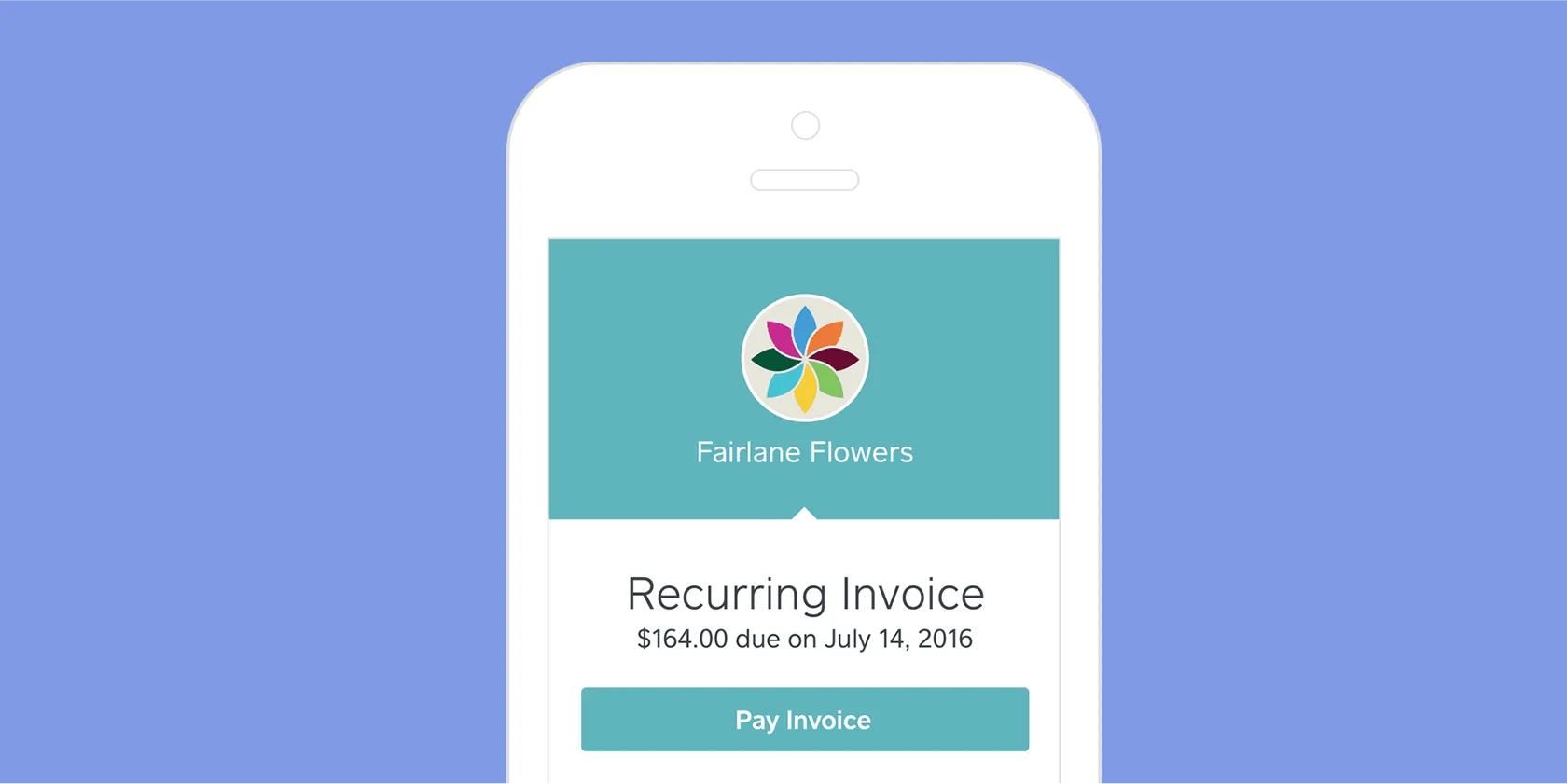
- Recurring invoice: Sent at regular intervals for regular, ongoing work (e.g. if you run a cleaning, dog walking or subscription business). Automating recurring invoices saves you from manually reissuing them each time payment is due.
- Final invoice: Provided at the end of a project to summarise all the products or services provided for a job, total costs, payments made to date and the final amount outstanding.
- Past-due invoice: A reminder sent when payment hasn’t been made by the due date.
Online invoicing vs. paper invoicing
Still using or considering paper invoicing? It may be time to switch to online invoicing. Here’s why:
- Quick to send and pay: Digital invoices can be sent from your desktop or while on the road using your phone, and customers can pay directly with a single click. Providing convenient payment options is crucial: 2 in 3 Aussies said they’re unlikely to return to a business that doesn’t offer it.
- Better cash flow: A 2025 Cebr and Avalara report found that e-invoicing reduced payment times in Australia by an average of 2+ days, compared with manual invoicing. Faster payments help keep money moving through your business and reduce cash flow gaps.
- Easier to manage: All invoices are stored digitally, making it easy to see what’s outstanding, paid or overdue.
- Eco-friendly: No paper, envelopes, printing or postage needed – saving money, time and the environment.
What to include on your invoice templates
An invoice template helps streamline your invoicing process by keeping layout, details and formatting consistent across every invoice. Start by choosing a clean, professional invoice template layout that fits your brand. Clearly separate sections for your business details, client info, line items, GST, totals and payment terms. Pre-fill details that don’t change, like your logo, ABN, contact info, standard payment methods or late fees.
You can also include optional sections that suit your industry. For example, tradies might add material costs used to complete a job. Dentists often include treatment procedure codes to help patients claim reimbursement from their health fund. Consultants might list their hourly rate and time spent per project. Check out more invoice examples for different business types.
Whether you create a template from scratch or use an existing one, ensure it includes what is legally required in an invoice’s format to be clear for customers and compliant with ATO requirements.

How to keep track of your invoices
Having a handle on your invoices saves headaches down the track. Below are some ways to stay on top of invoicing:
- Send invoices quickly. The sooner you send an invoice after finishing a job, the less likely you’ll forget to bill for your work and the sooner you’re likely to be paid. Quick turnaround also shows professionalism and keeps work fresh in your customer’s mind.
- Send invoices to the right contact. If your client has a bookkeeper or finance team who handles payments, send your invoice to both them and your client to avoid delays in processing or approval.
- Use online invoicing tools. These help you send out invoices, monitor payment status, and automatically remind customers when payments are due or late – cutting down on manual work and errors.
- Have an organised system. Store and manage all invoices in one place to simplify compliance and bookkeeping. Invoicing software that links with accounting tools can sync payment data automatically, helping you maintain clear records throughout the year and making tax time smoother.
How to get paid quickly
Based on trends and data from the billions of dollars paid through Square Invoices around the world, these tips can help your invoices get paid fast.
- Avoid sending on Sundays. People are least likely to pay an invoice received on Sunday – it’s a lazy day, after all.
- Customise the due date. Add a polite message to your invoice to encourage prompt payment, e.g. ‘Payment is due upon receipt of this invoice. Thank you for your prompt attention.’
- Use reminders. Sending friendly follow-ups near or on the due date can help nudge customers and reduce delays.
How to deal with late payers
Even with the clearest invoices, customers and clients sometimes forget to pay on time.
Keep close tabs on which invoices are overdue, and if you need to send an invoice reminder, keep your message polite and professional. Online invoicing software simplifies this by automatically tracking and sorting invoices by status, so you can see what’s outstanding at a glance. With Square Invoices, you can resend an invoice in one click or set reminders to go out automatically, saving you time on manual admin.
By staying organised and following up promptly, you’re more likely to get paid quickly while maintaining good relationships with your clients.
Invoice FAQs
What is an invoice?
An invoice is a formal document that a business sends to a customer to request payment for goods supplied or services provided. It outlines what was sold and for how much, as well as a method for the customer to pay for those items.
How do you create an invoice?
To create an invoice, use a clean layout that includes your business and customer details, a list of goods or services, the total price, any GST, the date of issue and payment instructions. You can manually create invoices using ready-made, professional-looking invoice templates, or use digital invoicing software to quickly customise, send and manage invoices and payments from your computer or phone.
How do you send an invoice?
Invoices can be emailed, sent via an app, printed or mailed. Digital delivery is often fastest – for example, using Square Invoices to quickly send invoices to customers from anywhere. Your customer receives it instantly via email or SMS, and they can easily and securely pay online using card, Apple Pay or Google Pay with one click.
How do you manage invoices?
Managing invoices effectively means keeping track of which invoices have been sent, paid or are are overdue. Maintain consistent invoice numbering, set clear payment terms, send reminders for overdue invoices, and regularly reconcile invoices with your accounting records. Smart invoicing software can automate these tasks, helping you stay organised and reducing time spent on admin work.

How do you select the right invoice system?
Choose an invoicing system that makes it easy to quickly create, send and track invoices, and also makes it simple for customers to pay you. Look for features like the ability to accept multiple payment types (e.g. card, mobile wallets, Afterpay), automated reminders for overdue invoices, recurring billing, and integration with popular accounting software to streamline bookkeeping and tax time prep.
Does an invoice mean you’ve paid?
Receiving an invoice doesn’t mean payment has been made. It simply shows the amount owed for goods or services provided and acts as a formal request for payment. You’ve only paid once the amount has been settled and a receipt or payment confirmation has been issued.
How do people pay you with an invoice?
Customers can pay using the methods you list on your invoice, such as bank transfer, card payment or an online payment link. With Square Invoices, customers can pay instantly from their phone or computer by clicking the ‘Pay now’ button in their invoice – making it faster and easier for you to get paid.
Can an invoice be used as proof of payment?
An invoice itself isn’t proof of payment – it’s a request for payment. Once your customer has paid, you should issue a receipt or payment confirmation to show that the transaction is complete. The invoice and receipt together form a clear record of the sale, which helps with bookkeeping, accounting and tax reporting.