




Table of contents
Behind every great dining experience is a smart system that keeps things humming in the background. Your point-of-sale system is a big part of that. Picking the best restaurant POS system early on can set you up for smoother service, better team workflows and more time to focus on your guests – no matter if you run a quick-service restaurant or full-service restaurant. With the right tech, you can cut down on labour costs, boost efficiency and keep your business moving in the right direction.
In the face of business challenges such as labour shortages or increased economic uncertainty, the tools you choose can have a real impact on your restaurant’s success. So, it pays to understand what’s out there – and what’s worth investing in.
What is a restaurant POS system?
A restaurant POS system is the tech backbone of your business. It’s where orders are taken, payments are processed and sales data is tracked, all in one spot. The best POS system for restaurants goes beyond the basics – it helps you manage your menu, integrate with online ordering, organise staff rosters, sync with your kitchen and even handle customer loyalty. These tools are designed to make your day-to-day simpler and smarter.
Restaurant POS system features
Here are a few key features to look for in a restaurant POS system:
- Menu management: Add, edit or update items and modifiers easily
- Inventory tracking: Keep tabs on stock in real time
- Staff scheduling: Manage rosters, shifts and hours
- Kitchen display system (KDS): Send orders straight to the kitchen
- Integrated payments: Accept tap, dip, swipe or mobile wallets
- Multi-location tools: Monitor performance across venues
- Reporting and insights: Make data-led decisions
- Loyalty programmess: Encourage repeat visits and reward your best customers
- Marketing tools: Send promotions via email

How to evaluate your restaurant’s POS needs
Before choosing a system, it’s worth taking stock of your own business needs. Think about the size and type of your restaurant, how complex your menu is, whether you need integrations with other tools (like delivery apps or accounting software) and how much you plan to grow. Do you need a system that can scale across multiple locations? Or are you focused on streamlining one venue for now? Knowing your needs upfront makes it easier to find the right fit.
Choosing a POS system for your restaurant
When choosing or upgrading a POS system for your restaurant, you’ll want tech that has all the functions you need, is easy to switch to, is reliable and can scale with your business. Here’s a rundown of the three main types of POS systems used in restaurants:
Traditional POS
Also known as legacy or on-premises POS systems, traditional POS systems are installed locally and usually run on a closed network. They’ve been around for a long time, and some restaurants might choose them because they’re familiar, offer perceived stability or allow more control over payment processing providers.
That said, legacy POS systems often need more hands-on support to get started. Because the tech can be more complex, setup takes longer and staff usually need extra training. These systems also tend to come with higher upfront costs, along with extra fees for updates, maintenance and support. Since they typically run on fixed hardware, you’ll likely need a technician for any changes or troubleshooting. And when things get busy, being stuck behind a counter slows service down – making it harder to move around and meet guests where they are. For many modern restaurants, this kind of setup is starting to feel outdated.
Cloud POS
Cloud POS systems run on the internet, which means they’re not tied to a fixed terminal – you can access them on tablets, smartphones or laptops. That gives you the freedom to work from anywhere, keep tabs on your venue remotely and easily sync with other tools like delivery apps, accounting software or loyalty programmes.
They’re also ideal if you want to manage multiple locations, diversify revenue streams or expand your business (think ghost kitchens, pop-ups, food trucks, onsite events or retail). Most cloud systems are flexible, update automatically and don’t require a technician to make changes. Plus, they typically offer lower upfront costs and are easier to budget for. Some features (like reservations or takeout ordering) may rely on third-party integrations, so it’s worth checking what’s included and what you might need to add on.
Mobile POS
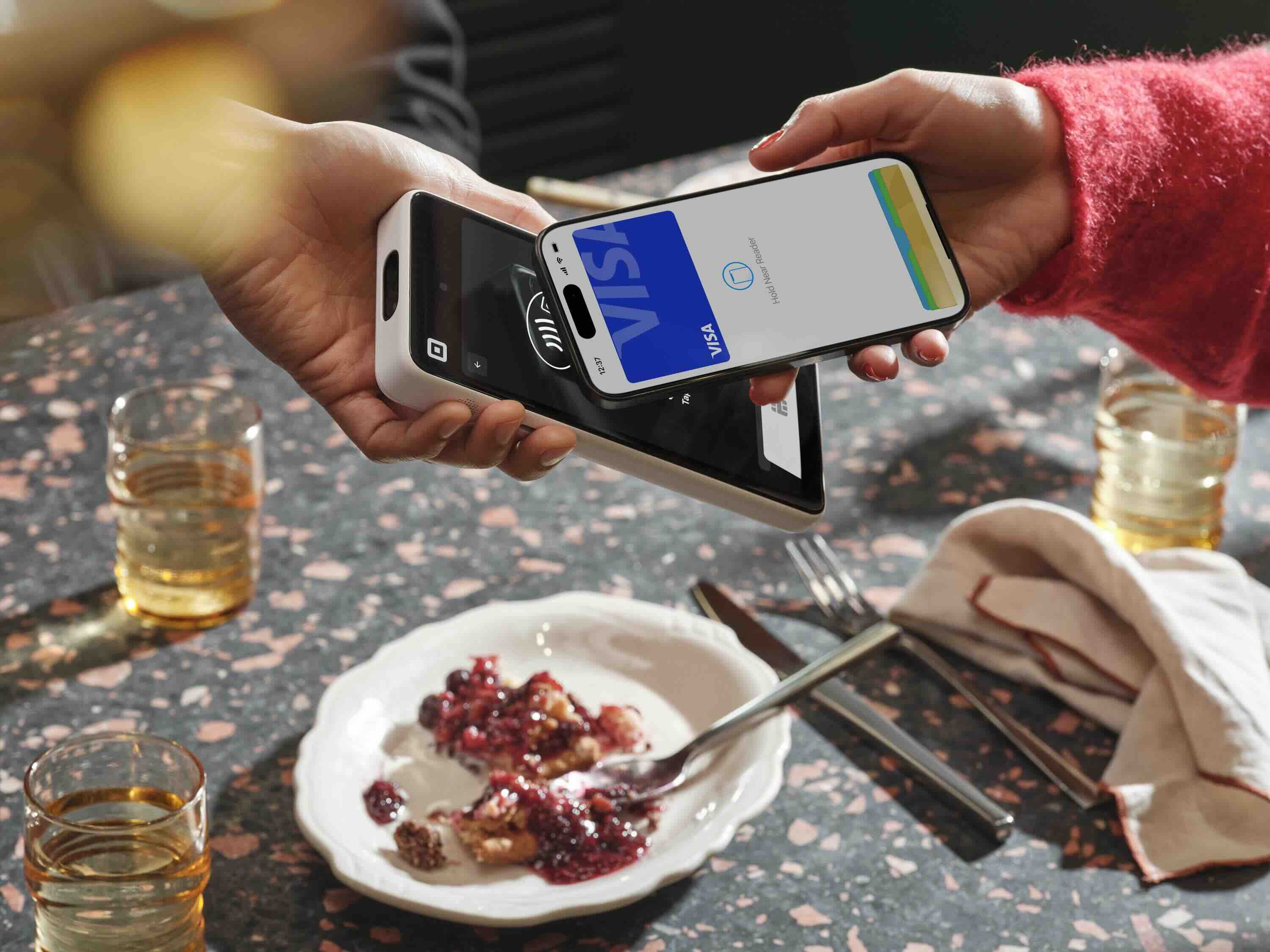
A mobile POS system takes cloud tech a step further by making the POS fully portable. These are handheld or tablet-based devices that let staff take orders and payments tableside, at the counter or even out on the floor. It’s a great way to cut queues, speed up service and give customers more control over how they want to check out – perhaps it’s no surprise then that 84% of UK operators and managers told us in a recent survey that mobile POS drives the most orders for their restaurant.
Mobile POS is especially handy in venues with lots of foot traffic or flexible layouts, such as cafes, bars, food trucks or outdoor events. With Square for Restaurants, for example, you can choose from various mobile hardware options: a compact credit card terminal with built-in receipt printer or a pocket-sized handheld POS to take payments on the go.
Cloud POS for your restaurant
If your current setup is feeling clunky, it might be time to switch to a cloud POS. Here’s why it works for so many restaurants:
- Versatility and agility: Great for traditional restaurants but also flexible for various setups like pop-ups, events, food trucks, retail shops and more
- Advanced functionality: Cloud POS can be as robust as traditional POS systems, with reporting, inventory and analytics available through built-in tools or partner integrations
- Easy integrations: Seamlessly expand into new sales channels like catering, online orders or retail without starting from scratch
- Omnichannel support: Manage everything from online reservations to in-store payments in one place
- Pricing: Typically lower upfront costs, fewer hidden fees and simpler budgeting
- Faster onboarding: Train staff more quickly and hit the ground running
- Streamlined kitchen operations: Sync your POS with your back-of-house tools using a kitchen display system and other popular apps
- Customer connection: Build loyalty programmes, send SMS promos and access customer insights in just a few clicks
- BYO device: Use your own tablet or phone – no need to buy new hardware if you don’t want to

Comparing the best POS for restaurants
Every restaurant is different, so finding the right POS system depends on your size, setup and goals. Here’s a side-by-side look at four popular restaurant POS platforms – including key features, strengths and things to consider.
| POS system | Best for | Pros | Considerations | Pricing |
| Square for Restaurants | All-in-one flexibility across restaurant types | Simple setup, intuitive interface, mobile-ready, flexible hardware options with no contracts | Some advanced tools require a paid plan upgrade | Free plan available, pay as you grow |
| Lightspeed Restaurant | Complex menus and stock-heavy venues | Powerful inventory tools, detailed menu management, data-rich | Steeper learning curve, higher monthly cost | Higher starting price, tiered plans |
| Toast POS | Restaurants needing advanced kitchen display and online ordering tools | Tailored workflows, tableside ordering, handheld payments | Requires Toast hardware | Subscription pricing plus hardware bundles |
| TouchBistro | Dine-in venues that want simplicity | User-friendly iPad interface, offline mode, table management | Fewer third-party integrations, extra features may cost more | Moderate monthly fees, add-ons extra |
1. Square for Restaurants
Best for: All-in-one flexibility across restaurant types with easy setup
Square is a user-friendly, cloud-based POS that works well for all kinds of venues – from food trucks to full-service dining. It covers everything from orders and payments to inventory management and online sales, with no long-term contracts. You can start with a free plan and scale up with paid tiers as your needs grow. Hardware is flexible too: bring your own iPad or choose from Square’s sleek, purpose-built devices. It also offers tools to add delivery, curbside pickup or even new locations. Other built-in features include offline mode, staff management and real-time reporting to help you run things smoothly.
Pros: Simple setup, easy to use, mobile-ready, works out of the box, no lock-in contracts, free plan available
Cons: Some advanced features require upgrading to a paid plan
Good to know: Square also offers a debit card, loans and instant transfers, as well as tools for managing marketing and loyalty – all in one app.
2. Lightspeed Restaurant
Best for: Venues with complex menus or stock-heavy operations
Lightspeed offers detailed inventory tools and menu management features. It’s useful for restaurants that want granular control, such as those that have lots of modifiers, rotating specials, intricate prep workflows or large stock lists. The interface is cloud-based with plenty of data insights, though setup can take a bit longer and pricing starts a little higher.
Pros: Detailed inventory management and analytics
Cons: Steeper learning curve, higher monthly cost
Good to know: Lightspeed is suitable for venues that also sell retail or manage multiple suppliers.
3. Toast POS
Best for: Restaurants needing advanced kitchen display and online ordering tools
Toast is a purpose-built restaurant POS with a focus on front-of-house features like tableside ordering, bill splitting and handheld payments. It offers a range of integrated tools and custom hardware, which may appeal to restaurants looking for a single provider.
Pros: Tailored restaurant workflows, options for guest-facing ordering
Cons: Requires Toast-specific hardware, lower-cost option can come with a contract, offers limited omnichannel sales capabilities
Good to know: Toast also offers built-in tools for kitchen display systems, loyalty and delivery integration.
4. TouchBistro
Best for: Dine-in venues
TouchBistro is designed for sit-down restaurants, with a focus on speed and simplicity. It includes front-of-house features like table layouts, order routing and menu customisation. It runs locally on iPad with cloud backup, which means you can keep taking orders even if the Wi-Fi drops. Hardware is iPad-based and generally easy to manage.
Pros: Familiar interface, offline mode, user-friendly for front-of-house staff
Cons: More limited third-party integrations compared to some cloud POS options, add-ons can raise total cost
Good to know: Can be a practical option for restaurants looking for a tablet-based solution with offline functionality
Make the switch
Sometimes, it’s clear your current POS isn’t keeping up – maybe it’s slowing down service, making updates hard or just not built for how you work today. You’re not alone: a 2025 Square report found that 85% of restaurant leaders are looking to invest in tech to improve their business over the next year. If your current setup is holding you back, it might be time to reassess.
Understanding when to change POS providers comes down to a few signs: rising costs, slow updates, limited integration options or lack of support. If your business is growing and your current setup can’t grow with you, that’s another clue. Switching might feel like a hassle, but if you’re moving to a simple, user-friendly POS system, your team can pick it up fast and get back to doing what they do best.
We’ve looked at other POS software, but discounted them because I don’t have a maths degree, so I wasn’t able to set up all of these ridiculously complex onboardings! Now we never worry about teaching someone how to use the till. If you can use a smartphone, you can use Square.”
Mat Appleton → Co-founder, Saltine
Whether you’re on the hunt for the first POS system for your restaurant or are interested in making a switch, always remember to decide what makes the most sense for your business, your staff and your customers.
FAQ
How much does a POS system cost for a restaurant?
Costs can vary widely. Traditional POS systems can cost thousands upfront, with additional fees for software updates and maintenance. Cloud POS systems tend to have lower upfront costs and simpler pricing models.
Which POS system has no monthly fee?
Square for Restaurants offers a free plan with essential POS features and no monthly software fee. With flexible add-ons available, you can customise your setup to suit your restaurant’s budget and needs, such as managing orders, staff or inventory – all while keeping costs transparent and straightforward.

Square Loans is not regulated by the Financial Conduct Authority (FCA). All loans are issued by Squareup Europe Ltd., registered in England and Wales (no. 08957689). Eligibility is limited to Square customers operating under a company or corporation business structure. Actual fee depends upon payment card processing history, loan amount and other eligibility factors. A minimum payment of 1/18th of the initial loan balance is required every 60 days and full loan repayment is required within 18 months. Offer eligibility is not guaranteed. All loan applications are subject to approval. Terms and conditions apply. Square Cash Advance is not regulated by the Financial Conduct Authority (FCA). All merchant cash advances are issued by Squareup Europe Ltd, registered in England and Wales (no 08957689). You must be a Squareup Europe Ltd customer with a sole trader or partnership business structure. Offer eligibility is not guaranteed. If approved, Square will purchase your future card sales at a discount. All merchant cash advances are subject to approval. Terms and conditions apply. Square Card is issued by Squareup Europe Ltd pursuant to a license by Mastercard. The eMoney associated with your card is issued by Squareup Europe Ltd, safeguarded and authorised by the Financial Conduct Authority under the Electronic Money Regulations 2011 (registered reference no. 900846). Funds generated through Square’s payment processing services are generally available through Square Card immediately after a payment is processed. Fund availability times may vary due to technical issues. Square does not charge fees, but ATM withdrawal fees charged by ATM providers may apply. Square Card is funded on a prepaid basis.


