




Table of contents
An integrated POS (point of sale) solution can streamline businesses’ finances, saving you time and money. Learn more about how it works and how it can benefit your operations.
What is an integrated POS?
An integrated point-of-sale (POS) system is a solution that combines payment processing with other key business tools – such as inventory management, sales reporting, accounting, and customer relationship management (CRM) – in one connected platform.
With each customer transaction, inventory levels, accounting records and sales data are automatically updated, reducing manual tasks, minimising errors and saving valuable time. POS integration can also improve cash flow by streamlining the way payments are recorded and reconciled across systems.
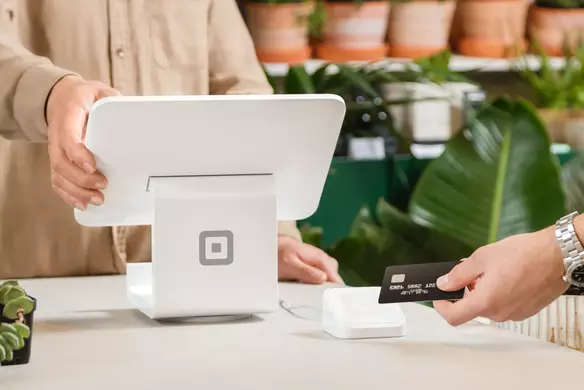
Unlike traditional tills or card readers, integrated POS hardware – like the Square Register – allows business owners to manage their card and contactless payments, online sales and deliveries from a single platform.
How does a POS integration work?
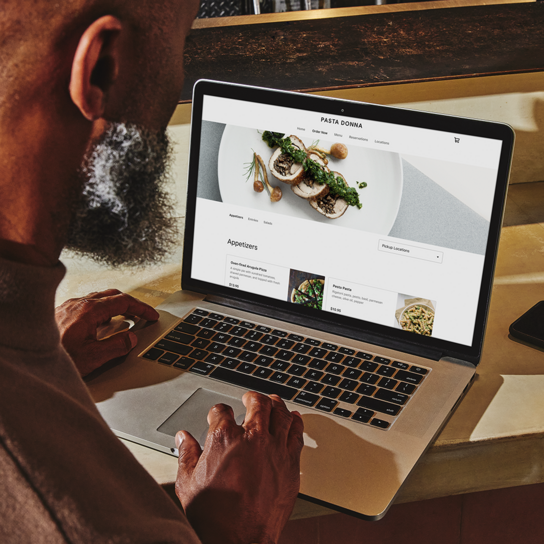
POS integration works by connecting a central point of sale system to other business tools. Instead of relying on separate software for payments, sales, inventory and accounting, business owners can bring all these essential functions into one connected system.
For instance, in a retail store, every time a product is sold, the POS can instantly update inventory levels, adjust financial records and store customer information for future marketing. In a hospitality setting, a restaurant POS integration might sync orders from front-of-house to the kitchen, track ingredient usage for inventory management and update daily sales reports in real time.
Ezra & Gil
Learn about how Ezra & Gil cafe uses Square POS integration to simplify their operations and improve efficiency across their three locations.Functions and features of an integrated POS
An integrated POS system brings together a range of powerful tools to help streamline operations and improve the customer experience. Key functions and features include:
- Inventory management: Track stock levels in real time, receive alerts when items are low and automatically update inventory across multiple sales channels to prevent overselling.
- Customer relationship management (CRM): Securely store customer data, track purchase history and personalise marketing strategies with loyalty programmes, special offers and targeted communication.
- Analytics and reporting: Access detailed sales reports, identify trends and gain insights into customer behaviour and business performance – all from one central dashboard.
- Payment processing: Accept multiple payment types – such as cards, mobile wallets and online payments – quickly and securely, while ensuring transaction data flows directly into your sales and accounting systems through your POS integration.
Who needs an integrated POS?
Integrated POS systems are beneficial for a wide range of businesses, especially those looking to streamline operations and improve efficiency. Here are some common use cases:
- Retail stores: Manage in-store and online sales, track inventory in real time, schedule staff and offer loyalty discounts to boost repeat business.
- Restaurants: Track ingredient usage, customise customer orders and streamline kitchen operations with integrated ticketing and order management – all made easier with restaurant POS integration.
- Health and beauty businesses: Manage staff availability and recurring services, while also tracking product sales and customer preferences for a more personalised experience. In addition, by integrating scheduling software like Square Appointments, customers can easily book services, like beauty treatments or fitness classes.
- Professional services: Handle bookings, invoice clients and accept multiple payment types, all with the support of integrated reporting tools that manage cash flow and client histories.
- Small businesses: Easily accept various payment types wherever you sell – including tap-to-pay and digital wallets – while keeping all sales data organised and updated in one system.
- Omnichannel businesses: Sync data across physical and online stores to maintain consistent inventory, sales reporting and customer information that’s all stored in one place.

Benefits of using an integrated POS
An integrated POS system offers a wide range of advantages beyond just simplifying payments. Connecting key business functions helps businesses of all sizes operate more efficiently and deliver better service. Here’s how:
- Improved efficiency: Manually entering data across multiple systems can be time-consuming and prone to mistakes. An integrated POS system eliminates the need to input the same information in several places by syncing data automatically between sales, inventory and accounting systems. This frees up time for you to focus on growing your business rather than managing administrative tasks.
- Enhanced accuracy: Real-time updates mean that every sale instantly adjusts your inventory and financial records. This reduces the risk of mistakes, helps prevent stockouts or overselling and gives you a clearer view of what customers want, so you can make smarter purchasing and staffing decisions.
- Elevated customer experience: Integrated POS systems help create smoother and more personalised shopping experiences. Whether it’s faster checkouts, customised promotions or loyalty programmes, these systems make it easier to engage your customers and encourage repeat visits.
- Cost savings: By reducing manual processes, minimising errors and consolidating various tools, an integrated POS system can help lower operational costs. It also reduces the need for multiple software subscriptions and extra staff hours spent on admin.
Overall, an integrated POS system offers a smarter, more streamlined way to manage your business, supporting both day-to-day operations and long-term growth.
How to choose an integrated POS
Here are some key factors to consider when selecting the best solution for your business:
Evaluate your business needs
Start by identifying what your business requires from a POS system. That might be inventory tracking, employee scheduling, customer data management or eCommerce integration. A small coffee shop might need different features than a multi-location retail store, so prioritise the tools that will support your needs.
Consider ease of use
An integrated POS system should be intuitive for both you and your staff. A user-friendly interface can reduce training time and minimise errors during busy periods. Look for a solution that offers clear navigation, helpful support resources and mobile functionality, if needed.
Evaluate the system’s scalability
Choose a system that can grow with your business. Whether you plan to expand to new locations, add more products or launch an online store, your POS integration should be flexible enough to adapt to your evolving needs without requiring a full system overhaul.
Consider upfront and future costs
Look beyond the initial price tag. Consider subscription fees, hardware costs, transaction fees and any future charges for upgrades or add-ons. A lower-cost system might seem appealing now, but could end up being more expensive in the long run if it lacks key features or needs frequent replacements. Learn more about how much a POS system costs.
Get started with Square POS integration today and discover how an integrated POS system can help simplify your sales, manage inventory and enhance the customer experience – all from one easy-to-use platform.

POS integration FAQs
What is the difference between an integrated and traditional POS system?
A traditional POS system is connected to a server and typically handles only sales transactions, requiring manual updates to inventory, accounting or customer data. An integrated POS system connects with other business tools – like inventory management, CRM and accounting software – and is cloud-based, so data flows automatically across systems, improving accuracy and saving time.
How much do integrated POS systems cost?
Costs can vary depending on the provider, features and hardware requirements. An integrated POS system usually includes monthly software fees, transaction fees and optional hardware purchases. Some solutions, like Square POS integration, offer free software plans with optional add-ons, making them accessible for businesses of all sizes.
Does Square POS work in different locations?
Yes, Square POS integration supports multi-location businesses. You can manage sales, inventory and staff across all locations from one central dashboard, making it easier to scale and stay organised as you grow.
How secure is an integrated POS?
An integrated POS system uses advanced security features like encryption, tokenisation and secure cloud storage to protect customer and business data. With fewer manual touchpoints, there’s also less risk of errors or data breaches.
Can I integrate Square POS integration with third-party apps?
Yes, Square POS integration works with a wide range of third-party apps, including tools for eCommerce, accounting, marketing and more. This flexibility means it’s possible to build a customised system that fits your unique business needs.


