


Please update your browser.
Download the latest version of a supported browser below to get the most out of this website:
Hospitality A flexible restaurant POS, made for the rush

Run a quicker QSR, from order to pickup
Make the ordering process even faster and alert customers as soon as their order is ready.


Speed up order entry
Enter orders quickly with customisable displays, menu photos and an intuitive interface designed for fast service.

Keep menus up to date
Item availability and counts prevent overselling by automatically updating menu availability based on stock levels.

Cut waiting times with Square Kiosk
Speed up service and free up staff with a customisable Square Kiosk that lets customers submit their own orders in store.

Make guests feel like regulars
Create personalised profiles with patrons’ contact details, purchase history, saved cards and preferences – so you can offer a more personal touch.

Create new experiences
Stay flexible whether your customers want to order tableside, self-serve with QR codes or order online.

Deliver online orders and save
Cut out high commission fees. When customers order from your Square website, you keep more of your earnings – no delivery staff required.1
Refine the full-service dining experience
Create a streamlined experience for your staff and guests – from order fulfilment to seating.


Serve every course at the perfect time
Organise orders, time dishes perfectly and streamline communication with coursing features.

Seat guests faster and keep tables turning
Stay organised with table and seat management – track tables, manage orders and maximise covers.

Customise your floor plan
Design your layout for smoother seating, faster service and better table turns.

Split bills any way
Easily divide bills for any group size – by item, by seat or in equal payments.

Never miss a ticket
With Square KDS, instantly send orders to the kitchen, customise tickets for faster fulfilment and use prep insights to optimise your flow.
A POS that works as fast as your bartenders do
Whether you’re pouring pints or plating up pub classics, Square keeps service moving and your team in sync.


Keep tabs running
Speed up order entry with fewer errors, quicker pours and happier customers.

Close out faster
Offer quick, no-fuss checkouts with a fully customisable multi-channel menu management from one account.

Dim the lights
Change your display to a dark background to decrease brightness in low-light dining, bar or other areas.

Weekend and holiday surcharges
Protect your margins on weekends and holidays with automatic surcharging.

Gain insight from menu reporting
Zero in on your top-performing drinks and snacks with detailed reporting that helps your bar grow.
Stay in control with tools built for modern hospitality
Keep orders connected across channels and track live sales. All from one fast, connected POS.


Take payments any way
Accept all major card brands via contactless or chip + PIN – even when you’re offline.2

Sync your orders
Simplify your flow, cut down errors, and serve faster with orders that stay connected in-store, online and across locations.
Make operational decisions on the fly
Get close-of-day and live sales reports on your POS to help with real-time staffing and operations decisions.

Take orders tableside
Speed up service by taking orders and payments at customers’ tables, in the queue or on the go.

Make smart staffing decisions
Use sales vs. labour insights to fine-tune staffing and control costs.
Plans for any stage
Free
For small teams and new businesses that need the basics
$0/mo.
Includes:
Unlimited countertop POS devices
Unlimited locations
Free phone support M–F, 9:00 am–5:00 pm AEST
Plus
Most popular
For growing businesses with up to five locations and multi-channel orders
$129/mo.
per location + processing fees
Includes:
Unlimited countertop POS devices
+$50/mo. per location for venues using mobile POS
Unlimited Square KDS devices
24/7 phone support
Premium
For established restaurants with five plus locations and counting
Custom Pricing
Includes:
Businesses processing $250,000 or more in yearly payments may be eligible for custom pricing. Get in touch with our experts to learn more.⁴
Manage all sides of your restaurant
Build an online store
Sell online and offer in-store pickup, shipping and on-demand delivery.

Manage your team
Get rostering, time tracking, payroll prep and sales all together.

Move money fast
Transfer funds to your linked external bank account for free the next day or instantly for a fee.5


Bring in new customers
Bring in new customers with digital and physical gift cards.

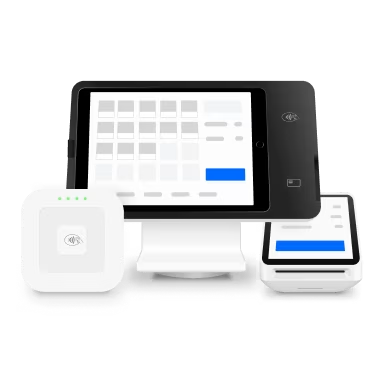
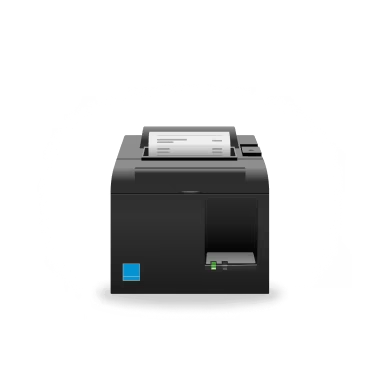
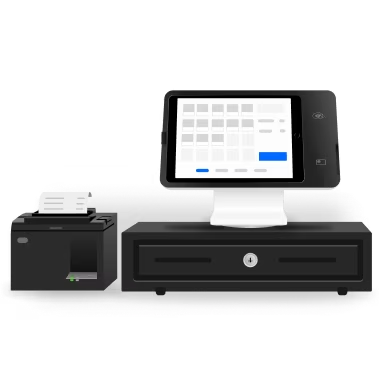
Add hardware that works how you do


Discover tips, read real stories and get inspired


‘We can simply open the Square app on our phones and assess the performance across thirty locations. We know which products are working and not working in real-time. This enables us to scale while maintaining the same level of attention to detail we had when we operated just one store.’

Nicolas Pestalozzi, co-owner
Fishbowl
30+ locations in New South Wales

‘I’ve had $25,000 POS’s, $10,000 POS’s. Square was a very easy option for us’, says Benji. ‘I’ve used it in the past, it’s budget accessible. It’s the Apple of the POS. And for me, it’s also been a part of our journey to open other venues.’

Benji Terkalas, owner
Kostas Takeaway
Multiple locations in Sydney

‘So the process of the table management is pretty straightforward because Square is such a user-friendly POS system. All you have to do is go into the table number, put the order through and the docket will print out at each station, so everyone knows what they’re making to avoid any confusion.’

Jo, operations manager
Seven Seeds
Multiple locations in Melbourne

‘Square has a very user-friendly interface for frontend and backend users. Once we showed the staff how things are done in the POS we never had to come back to it again.’

Yuri Angele, owner and director
Brunetti Oro
Multiple locations in Melbourne

‘There was a very strong alignment between what we wanted our guest experience to be, and the hardware and software that Square provides. There was an aesthetic reason as to why we went with Square, and that was the beauty and minimalism of the design. It seamlessly integrates into our restaurant setting.’

Matt Keeley, co-owner
Lunetta
Canberra, AU

‘What we love about Square is they’re very slim, sleek machines. They’re well-designed and really easy to use, which seamlessly blends into our environment rather than something that stands out and takes attention away from what we’re really doing.’

Kei Tokiwa, co-owner
Amuro
Sydney, AU



FAQs
How does Square work for restaurants?
Square is more than just a cloud-based POS system – it’s a business technology solution built for single- and multi-location full-service restaurants, quick-service restaurants, fast-casual restaurants, bars, breweries and multi-concept restaurants. It’s the point of sale that works with everything you need for day-to-day service, including Square Online Ordering (taking orders on your restaurant’s online ordering page for no monthly fees or commissions; setting up delivery and curbside pickup) and Square Team Management (the tool to track your team’s hours, overtime, and breaks while helping you save on labour costs), plus advanced features available on Plus and Premium plans such as coursing, live sales reporting and 24/7 support. You’ve got the option to add handheld devices to your POS to reduce your customers’ wait times and fulfil orders from anywhere in one place: your Square KDS. It’s easy to get started and even easier to train your staff with the intuitive tools that flow like your restaurant.
The biggest benefit of using a cloud-based POS system, rather than a traditional, on-premise system, is that it allows you to monitor and manage your operations from anywhere with an internet connection. You can manage your sales, inventory, menus and other aspects of your business remotely, giving you greater flexibility and convenience. Cloud-based POS systems also eliminate the need for expensive upfront hardware purchases, like servers, and ongoing maintenance costs associated with traditional POS systems. And with Square, you can always count on continuous enhancements to the restaurant POS so you can operate with the latest features and security enhancements.
What’s involved in switching from my current restaurant POS solution to Square?
Customers migrating from platforms like Ordermate, Epos Now, Impos, Lightspeed or other legacy POS providers often report they find Square quicker, easier and more user-friendly for their staff to learn and operate. Menu updates take seconds rather than hours or days, which keeps the front and back of house in sync. You can rely on Square for transparent pricing and easy-to-understand processing rates.
Switching to Square is simple and fast. Start by creating an account and get access to the 30-day free trial of the Square for Restaurants Plus plan before you need to select which plan is right for you. When you sign up, you can add your menu from a PDF, an online restaurant site, or an online delivery platform partner like Uber Eats, DoorDash or Grubhub. You can easily transfer your existing inventory with bulk intake importing. And if you need help, Square Support is here to help you with everything from migrating gift cards to onsite networking installation.
Hardware is not included with your subscription. You can buy the devices that best fit the needs of your concept by visiting the Square Shop. You may be able to repurpose existing devices, including iPads, industry kitchen printers, receipt printers, cash drawers and routers. Once you’ve set up your hardware, configure your POS in minutes to fit your style of service. Verify your identity, connect a valid bank account and get ready to take your first payment.
Can I upgrade my plan?
You can upgrade from the Square for Restaurants Free plan to the Plus plan by subscribing to it here. You’ll be able to use all existing features, and you’ll only have to set up the added functionality included with your upgrade. After your 30-day free trial, you’ll be given the option to pick your plan. If you don’t choose one, you’ll automatically be downgraded to the Free plan.
To upgrade to the custom Premium plan, contact our sales team.
Can I downgrade my plan?
You always have the option to downgrade your subscription from Square for Restaurants Plus to Free in your Dashboard. When you downgrade, you’ll see messaging in your Dashboard letting you know which features you’ll lose, like certain smart inventory management features, multi-location stock management and barcode label printing. You can see and compare plan features on our pricing page.
You can also pause your subscription at any time from your Dashboard. When you pause a subscription, you will not be billed. You can resume at any time and your account will be ready for you without losing your past data.
How long will it take to get started with Square?
Setup is simple, and you can get started on your own with the Square for Restaurants Free and Plus plans in minutes by creating a menu straight away. But if you need help, we offer one-on-one implementation services for an additional fee and 24/7 customer support as part of our Plus and Premium plans. To discuss a custom Square Premium plan, contact our sales team.
Does Square work without internet access?
Square POS requires both an internet connection and compatible hardware. Access the internet by connecting your device to Wi-Fi, a hotspot or mobile data. If internet access isn’t available, you can enable Square hardware to take offline payments for up to 24 hours.
You can process transactions through offline payments for up to 24 hours in a single offline session. Your offline payments will be declined if you do not reconnect to the internet within 24 hours of the start of your first payment. By enabling offline payments, you are responsible for any expired, declined or disputed payments accepted while offline. Square is unable to provide customer contact information for payments declined while offline. eftpos-only cards, Square Gift Cards and Afterpay transactions do not work with offline payments. Offline payments are not supported on older versions of Square Reader (1st generation – v1 and v2). Learn more on identifying your contactless reader or how to enable and use offline payments.
Sign up and start serving
1 Delivery commission saving is an estimate based on an assumed 30% order commission charged by third-party delivery marketplaces on premium plans.
2You can process transactions through offline payments for up to 24 hours in a single offline session. Your offline payments will be declined if you do not reconnect to the internet within 24 hours of the start of your first payment. By enabling offline payments, you are responsible for any expired, declined or disputed payments accepted while offline. Square is unable to provide customer contact information for payments declined while offline. eftpos-only cards, Square Gift Cards and Afterpay transactions do not work with offline payments. Offline payments are not supported on older versions of Square Reader (1st generation – v1 and v2). Learn more on identifying your contactless reader or how to enable and use offline payments.
3Limitations apply. Surcharging available on Square Point of Sale, Square for Restaurants, Square for Retail and Square Appointments. Weekend and public holiday surcharges must comply with ACCC guidelines and applicable law. See our Payment Terms for more details.
4Custom pricing may be available if you process more than $250K per year. Discounts on optional add-ons. Eligibility required. Contact sales.
5Instant transfers require a linked, eligible bank account and cost a fee per transfer. Funds are subject to your bank’s availability schedule. Up to $5,000 AUD per day. The minimum you can transfer is $5. Terms of Service apply.