

Release notes
Vol 5 | 4 June 2026 | v 7.10
Allergens per seat, drag-to-merge checks, smarter printer routing

What changed: Staff can add allergens, dietary preferences and custom notes to each individual seat on an order. These details appear in the basket and transmit to the Square Kitchen Display System so back-of-house staff see exactly what each guest needs before preparing a dish.
Why it matters: During a busy dinner service, a single table might include a nut allergy at seat one and a vegan preference at seat three — and the kitchen needs to know before plating. Seat-level detail reduces the risk of preparation errors that compromise guest safety.
Access: Front-of-house staff add allergen and dietary details per seat during order entry on Square Point of Sale in Full Service mode. Details transmit to the Square Kitchen Display System for back-of-house visibility.
Display setting to hide sold-out modifier options at checkout
What changed: A display setting sorts sold-out (86'd) modifier options to the bottom of modifier lists on checkout screens. When enabled, only in-stock options appear prominently – sold-out options move to the bottom rather than staying in their configured order. Sellers with large modifier sets (50 or more options, such as ice cream flavours, toppings or drink customisations) see only available choices without scrolling past unavailable ones.
Why it matters: Sellers with dozens of modifier options – ice cream shops with extensive flavour lists, for example – encounter cluttered checkout screens where sold-out items sit mixed in with available ones. Staff scroll past unavailable options on every transaction to find what's in stock. This setting removes that friction by automatically deprioritising sold-out options.
Access: The setting is off by default; sellers turn it on per modifier set.
Drag to move or merge bills on the floor plan
What changed: On the Square for Restaurants floor plan (iOS and Android tablets), team members can press and hold an occupied table and drag it onto another table to move the bill. Dragging onto another occupied table prompts a merge confirmation. A passcode or permission is required when moving another team member's bill.
Why it matters: Moving a bill between tables previously required multiple taps — selecting the table, choosing an action, picking a section, and then picking the destination. During a busy service, that sequence slows staff down. Drag-to-move reduces the interaction to a single gesture, keeping the floor plan current without pulling team members away from guests.
Access: Available on Square for Restaurants on iOS and Android tablets. Team members with the appropriate permission can press and hold any occupied table and drag it to move or merge the bill.
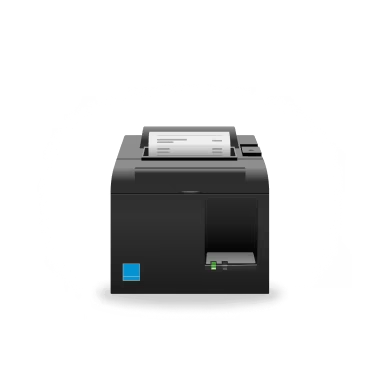
Printer profiles route item categories automatically – including new ones
What changed: Printer profiles include a setting that automatically routes entire item categories to the right printer — or skips them. When a seller adds a new item category in the future, it follows the same routing rules already set on the profile without any manual updates.
Why it matters: Restaurants and retailers with multiple prep stations often add new menu categories as their offerings grow. Previously, each new category required manual assignment to the correct printer profile. With this setting, a seller who adds a 'Seasonal Specials' category doesn't have to remember to update every printer profile — the routing rules apply automatically based on the inclusive or exclusive list already in place.
Access: Rolling out next week. Sellers set each printer profile to either include or exclude item categories and choose whether future categories follow the same rule automatically.