

Table of contents
A point of sale, or point of purchase, is where you ring up customers and accept payments. When customers check out online, walk up to your checkout counter, or pick out an item from your stand or booth, they’re at the point of sale. You can even do this on existing hardware you already use for your business—your computer.
Your point-of-sale system is the hardware and software that enable your business to make those sales.
What is a POS system?
A point-of-sale (POS) system allows you to process customer transactions. It’s a combination of tools that includes both hardware and software – and it does more than accept card payments. The exact features may vary depending on your POS provider, but a good POS system allows you to easily track inventory, generate sales reports and even create marketing campaigns.
Whether you operate a restaurant, a brick-and-mortar business or an online shop, your POS system is a central hub that keeps everything organized. Modern POS systems are cloud-based and can adapt to your business and grow with it. The right setup can help you streamline operations and gain in-depth insights that you can use to elevate the customer experience.

How do POS systems work?
A POS system allows your business to accept payments from customers and keep track of sales. It sounds simple enough, but the setup can look and work differently, depending on whether you sell online, have a physical storefront or both.
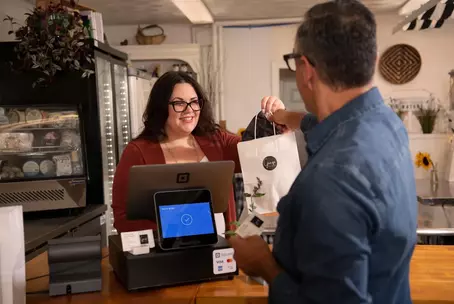
A point-of-sale system used to refer to the cash register at a store. Today, modern POS systems are entirely digital, which means you can check out a customer wherever you are. All you need is a POS app and an internet-enabled device, such as a tablet or phone.
So what does a POS system do? Usually, it works like this:
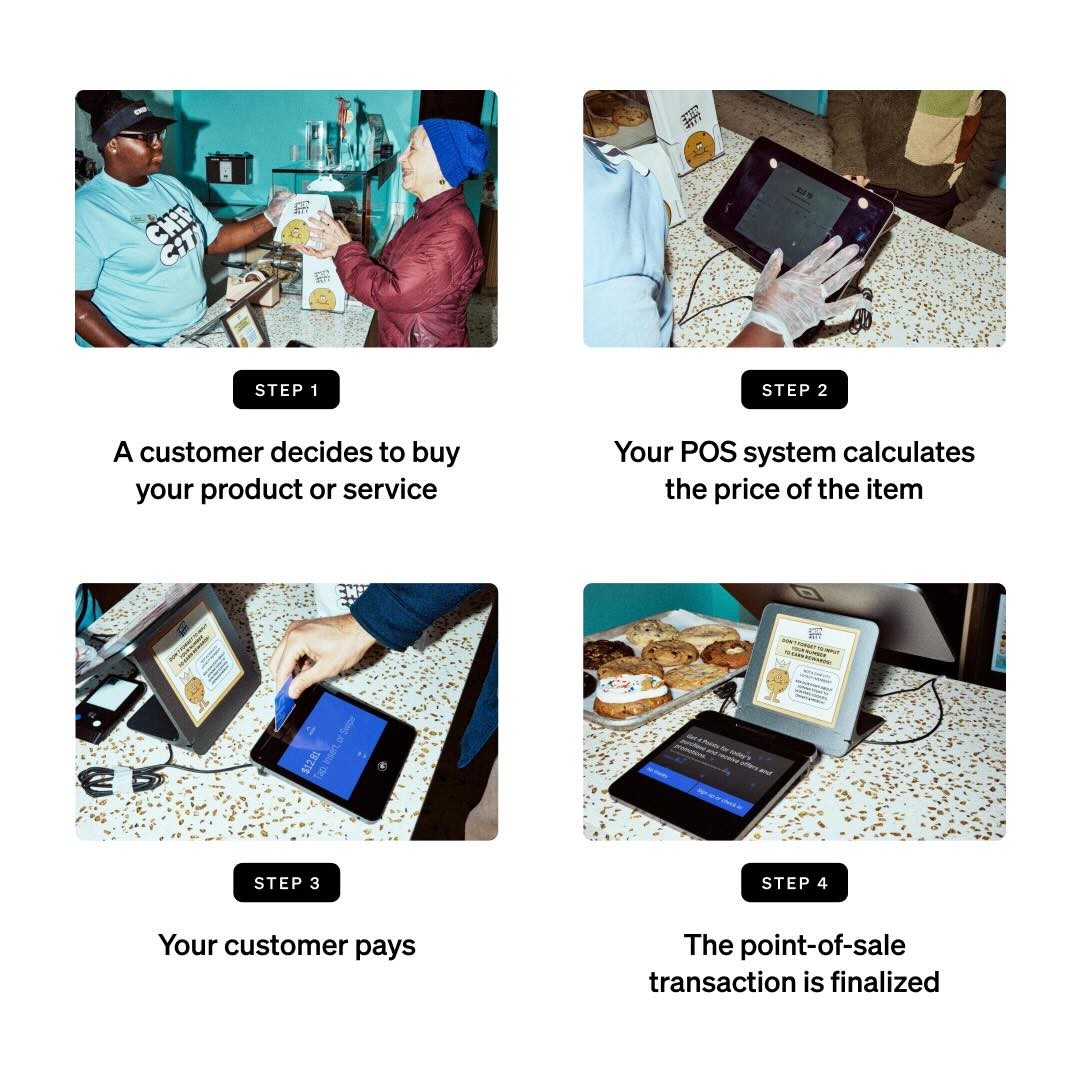
1. A customer decides to buy your product or service. If you have a physical store, they may ask a sales associate to ring them up. That associate could use a barcode scanner to look up the item’s price. Some POS systems, such as Square Point of Sale, also allow you to scan items with the camera on your device. For online stores, this step happens when a customer finishes adding items to their cart and clicks the checkout button.
2. Your POS system calculates the price of the item, including any sales tax. Then the system updates the inventory count to show that the item is sold.
3. Your customer pays. To finish their purchase, your customer will have to tap their credit or debit card on your credit card reader or use loyalty points, a gift card, or cash to make the payment go through. Depending on the type of payment they choose, your customer’s bank then has to authorize the transaction.
4. The point-of-sale transaction is finalized. This is the moment when you officially make a sale. The payment goes through, a digital or printed receipt is created and you ship or hand your customer the items they bought.
What does a POS system include?
A POS system includes hardware, software and payment processing services. POS hardware refers to any physical tool that you use to process sales, from a traditional cash register to a tablet. POS software is the brain of your POS system – it keeps track of all transactions as well as useful business data. Payment processing is a core function that allows funds to move from your customers’ wallets to your business bank account.
Every POS system uses POS software, but not all businesses need POS hardware.
If you have an online store, then all of your sales happen on your website, so you don’t need POS hardware to help you accept payments. But if you have a cafe, you may need a register and a credit card reader. If you operate a food truck, a phone or tablet could be all you need to process orders. Some businesses simply use their POS software on their computer as a virtual terminal to collect payments from customers.
Here’s a rundown of common types of POS hardware and software, which can help you figure out the total cost of your POS system. Keep in mind that what you need depends on your business.
What are the different types of POS hardware?
POS hardware allows you to accept payments. If you’re getting a new POS system, you should make sure it accepts all forms of payment, including cash, credit cards (especially chip cards) and mobile payments. If it makes sense for your business, your POS system should also print receipts, store cash in cash drawers and scan barcodes. You can achieve this through multiple different setups and hardware accessories, even adding a printer and barcode scanner to your computer if you choose.
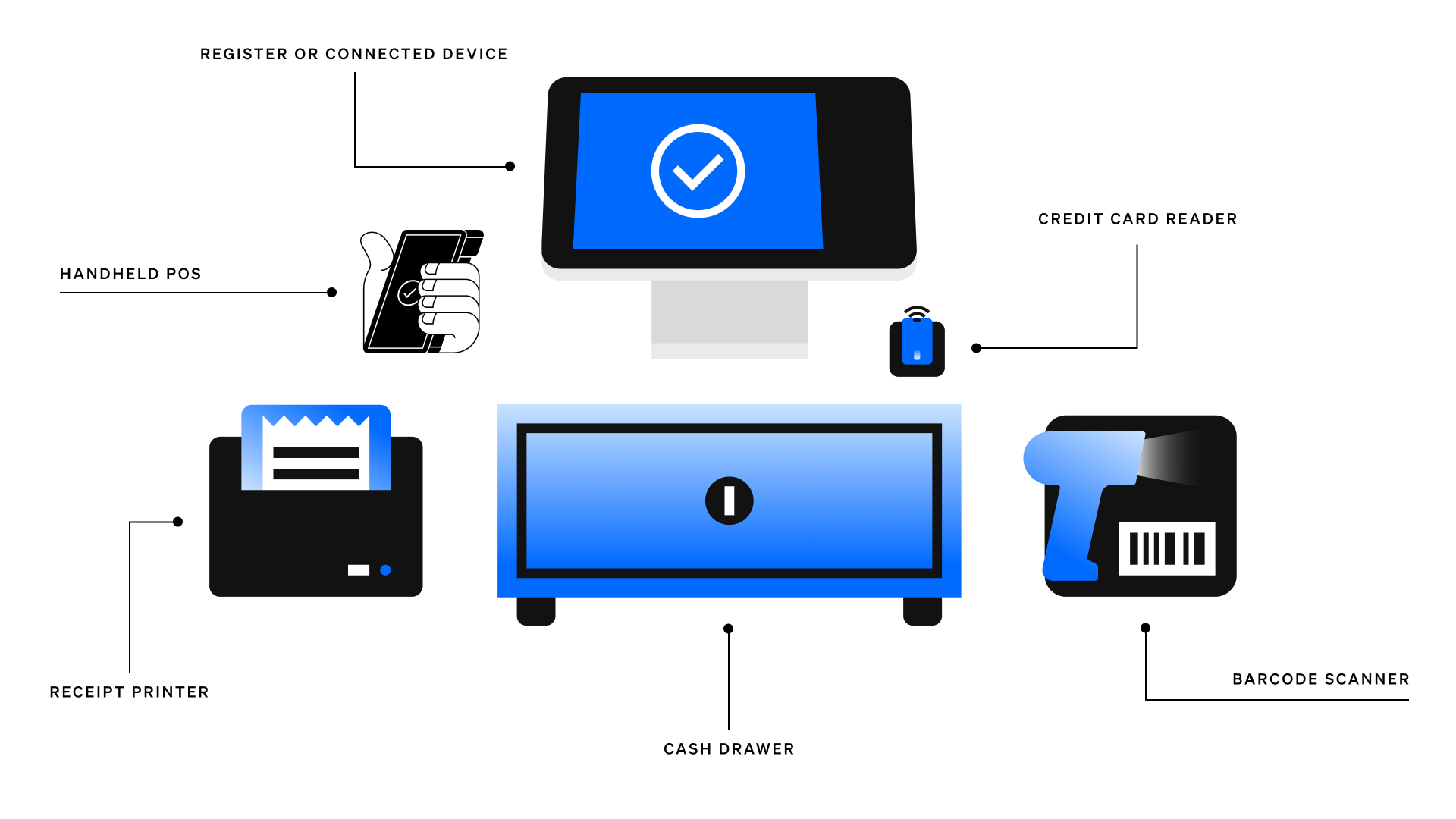
This list of hardware can give you a place to start as you’re evaluating your POS setup options.
- Register: A register helps you calculate and process a customer transaction.
- Connected device, such as an iPad or other tablet: A portable device can be a good alternative to a monitor. Tablets can be propped up with a stand, allowing your team to clock in and out. For businesses with a reception desk where payments are typically accepted, a computer with POS software is a setup to consider.
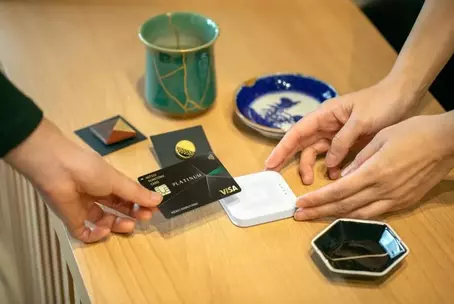
- Credit card reader: A card reader lets your customers pay securely by credit card while in-store, whether that’s through a contactless payment like Apple Pay, a chip card or a magnetic stripe (magstripe) card.
- Cash drawer: Even if you accept contactless payments, you may still need a safe spot to keep cash. POS software that’s connected to a cash drawer can minimize fraud by tracking exactly when the drawer is opened.
- Receipt printer: A paper receipt shows customers exactly what they purchased, when they purchased it and how much they paid.
- Barcode scanner: A barcode scanner reads an item’s product details so you can ring it up. It can also be a quick way to double-check the price, the stock level and other details.
- Handheld POS: A mobile POS is a compact device that seamlessly integrates with your point-of-sale system, enabling staff to take orders, process payments, and manage inventory from anywhere in your business.
What are the different types of POS software?
POS software is like your command centre. At a basic level, it allows you to find items in your library and ring up sales. More robust point-of-sale solutions also feature helpful tools such as sales reporting, customer engagement software, inventory management and more. POS systems also take care of routing funds to your bank account after each sale.
Modern POS systems are cloud-based. This means that all your customer and sales data is stored online instead of on a single device. You can manage your business remotely and sync information across multiple locations as needed. Modern POS solutions are cost-effective, as you can get started with a tablet or even a smartphone. On the other hand, legacy POS systems are usually tied to specific on-site hardware. They’re pricier in terms of both set up and maintenance – and also less flexible.
Some POS solutions, such as Square, include the features below. Other systems may require you to use outside software to get the features you need. Learn more about how Square compares to other POS systems.
Payment processing
Payment processing is one of the core functions of a POS system. Each time a customer buys an item or pays for a service, your POS system processes the transaction.
There are a number of different payment types a POS system might accept:
- Cash
- Secure online payments through your eCommerce site
- Magstripe credit cards, which are cards that you swipe
- Chip cards, which are credit cards with an embedded chip
- Contactless payments, which might include a contactless card that customers tap or a mobile wallet (e.g., Google Pay or Apple Pay)
- Card-not-present transaction, which happens when your customer and their credit card aren’t actually in front of you, so you have to manually enter their credit card information. This also occurs when a customer enters their payment details while checking out online.
Advantages of POS systems
Automating processes
A POS system helps streamline and automate processes, reducing the likelihood of mistakes and allowing you to focus on growing your business instead of doing repetitive work. For example, it can sync sales with your accounting software.
Faster checkout experience
Modern POS systems are all about speed. This creates a smooth, seamless checkout experience for both your staff and customers – and helps you work smarter.
Computer POS
The option and flexibility to take a payment without added hardware, like a register or even a terminal, is one aspect of a POS that might be more important for some businesses than others. With Square Virtual Terminal, you can have a computer POS with all of the benefits of an external POS terminal right on your computer. Accepting card-not-present payments is an alternative to invoicing or waiting for physical checks in the mail.
If you’re a seller using Square Virtual Terminal, your business can accept payments through a computer without the need for additional hardware, making your computer the only hardware needed for accepting payments. Plus, you can send payment links via text, take payments over the phone or manually key in a card number. And if you do decide to add hardware like a printer, card reader or an item scanner, you always can add those on too.
Inventory management
Inventory management software allows you to keep tabs on all your products. Some automated inventory software can connect with your sales data and let you know when an item is running low.
POS reports
POS reports give you a quick look into how much you’re selling and earning. With clear reports, you can sell more and make better business decisions.
Employee management
Team management software lets you know when your employees are working and how they’re performing. Your team can also use it to clock in and out, and some types of software can grant permissions so employees can get access to certain tasks.
Customer relationship management (CRM)
A CRM tool that’s tied to POS software lets you see what your customers bought and when. This knowledge helps you personalize your communications, marketing and customer service.
Receipts
Receipts make processing refunds easier since there’s a digital or paper trail connected to the purchased item. They can also make your business look more polished.
Tipping support
For restaurants and service professionals, tips can be a big part of getting paid. POS solutions that allow customers to add a digital tip during the checkout process make it more likely that they’ll tip.
Ensures consistency
Having a centralized POS system reduces the need to use multiple tools to manage your business. It also keeps things consistent across channels and locations, which allows for a seamless customer experience.
Now that you have a better understanding of POS systems, you’re ready to find the right POS solution for your business, no matter what or where you sell.