

Table of contents
How do you know if a cloud-based point-of-sale (POS) system, also known as web-based POS software, is right for your business? Here’s the low-down on what to expect and how the benefits compare with a traditional server-based POS.
What does “cloud POS” mean?
A cloud-based POS system, or web-based POS, is a POS system that runs online. Instead of using a local computer or server to process payments and store data, it uses secure remote servers. This means that you can accept payments, track sales and manage your business from anywhere.
What is a cloud-based POS system?
A cloud POS (point-of-sale) system lets you process payments through the internet, without requiring clunky and expensive servers, or pricy software that requires an upgrade every few months. With a cloud-based POS system, all payment transactions and updates are processed online, rather than on your local computer. This means that by using cloud-based POS software, your transaction and sales history are also securely stored in the cloud.
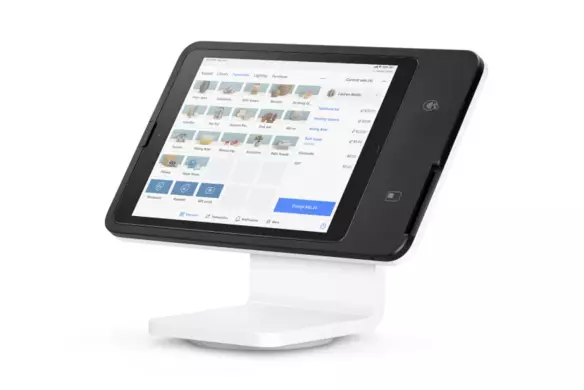
Rather than being tied to a countertop setup like a traditional point-of-sale system that runs on a desktop computer, cloud-based systems can run on any device – including tablets and smartphones. This is ideal for mobile businesses such as food trucks and home repair services. It’s also great for brick-and-mortar businesses looking to speed up lines with the ability to take payments from multiple points in the store.

In addition to making sales anywhere, from any device, you can also access your POS from wherever you are and manage your business remotely.
What’s the difference between a cloud-based POS system vs. a server-based POS system?
Unlike a traditional POS system, which stores data on-site on a server, a cloud-based POS stores data online. By taking credit card payments with a web-based POS system, your business eliminates the need for bulky, expensive server systems and a costly upfront software license. There are generally no annual maintenance or support fees.
And because software updates are as easy as updating your app, you can rest easy knowing you’re taking payments with the most current, secure version of your web-based POS software. Having these solid security measures in place is crucial to keeping your business and your customers’ sensitive credit card information safe.
The chart below outlines some of the benefits of Square’s cloud POS compared with a traditional server-based POS.
| Square (Cloud POS) | Traditional POS | |
|---|---|---|
| Free software? | Yes – Square Point of Sale, our basic POS, is always free | No |
| Always updated? | Yes – with a cloud POS it’s easy to update the app so you’re always running the latest version | No – software is static and you have to buy a new version in order to update |
| Access data from anywhere? | Yes – check your sales data from your desktop or mobile device | No |
| All-in-one solution? | Yes – software, POS hardware, and analytics | No – you need hardware rentals, merchant accounts, etc. |
| Easy-to-read analytics (Learn about POS analytics) | Yes – Square’s graphs and data can help even if you’re not a numbers person | No – reports may be confusing and dense to sort through |
| Omnichannel reporting – can you sell online and in-store? | Yes – Square seamlessly integrates with e-commerce apps like BigCommerce and Ecwid | No |
| Work offline, without Wi-Fi? | Yes | Yes |
| Enter payments on your laptop/desktop? | Yes | Yes |
| Enter payments on a mobile device or tablet? | Yes | Yes |
| Term commitments | Never | Sometimes – traditional solutions may charge for maintenance or service contracts. |
| PCI compliance fees? (Learn more about PCI compliance) | Never | Usually an extra cost |
How does a cloud-based POS system work?
A cloud-based POS system stores all sales and business data on a cloud. You can log into your POS system from any device with an internet connection, from a smartphone to a tablet or desktop. You can also take payments from anywhere.
When a customer makes a purchase, the transaction is processed through secure online servers. The data is updated instantly and always available in real-time, whether you want to look at a customer’s purchase history or check stock levels.
Because everything is hosted online, you don’t need to worry about software updates and backups — they happen automatically in the background.
What are the benefits of using a cloud-based POS system?
A recent BDC study revealed that digitally advanced companies outperform others in several areas, including growth, resiliency, exporting and obtaining financing. Switching to a cloud-based POS is one way to join that group – and it offers several benefits:
-
Real-time sales and performance insights: A cloud-based POS gives you real-time sales data across all channels and locations. You can identify performance trends and make decisions accordingly. For example, if an item is popular with customers, you can offer it in different variations. If you’re extra-busy on Saturdays, you can tweak the team schedule based on sales.
-
Streamlined inventory management: If you sell retail products, a cloud-based POS streamlines inventory management. It automatically syncs inventory with sales data to give you more control over stock levels. You’ll know when to reorder items and when to hold off — and you can also make pricing decisions based on what’s moving and what’s not.
-
Remote access: You can use a cloud-based POS from anywhere, which is useful if you manage multiple locations or work on the road. From customer profiles to staff schedules, you always have access to the most up-to-date information instead of having to physically go to the office to check in.
-
Lower upfront costs: Traditional POS systems tend to involve more complex setups, which are pricier to install. Cloud-based POS providers often offer subscription models with lower upfront costs. Square POS is actually free — there are no setup or monthly fees and you only pay when you take a payment.
-
Automatic updates and backups: With a cloud-based POS, you don’t have to worry about manually doing updates and backups, especially if you aren’t tech-savvy. It’s all done automatically. Need to troubleshoot a problem? Most issues can be addressed without having to book an appointment with an IT technician.
-
Scalability: Whether you want to open a second restaurant or launch a new product line, a good cloud-based POS adapts to your needs as you grow. Square lets you easily add new locations, team members and functionalities to your ecosystem of tools.
-
Easier integrations with other tools: A cloud-based POS easily connects with other business tools, which optimizes workflows, saves time and reduces the risk of mistakes. The Square App Marketplace features hundreds of apps and integrations, from accounting to scheduling software.
-
Enhanced security: Reputable cloud-based POS providers take security seriously and abide by best practices to keep your data protected. Square even takes care of PCI compliance for you. And with a web-based POS, you avoid storing sensitive customer and payment data on your own devices.
Which business should use a cloud-based POS?
Most businesses can benefit from a cloud-based POS, but it’s especially valuable in the following settings.
Retail stores
A cloud-based retail POS is a must in a retail setting. You can track sales, manage inventory and run promotions from a central hub – no spreadsheets required. A sales associate can check product availability without leaving a customer waiting, while a cashier can easily apply the right discount at checkout.
Restaurants and cafes
Whether you run a quick-service restaurant or a fine-dining establishment, a cloud-based POS keeps service running smoothly in a fast-paced environment. For example, Square for Restaurants syncs front-of-house and back-of-house operations to help staff prepare and serve the right dishes at the right time. It also gives you the option to integrate third-party delivery apps or online ordering into your workflows.
Service-based businesses
Service-based businesses like beauty salons and spas can take advantage of the scheduling and customer-focused capabilities of a cloud-based POS built for the beauty industry. According to the Square Future of Beauty 2025 report, more than half of Canadian customers appreciate features like automated appointment scheduling and reminders. A web-based POS helps you focus on customers while making it easier to manage your schedule and daily operations.
Mobile businesses
Do you own a food truck? Are you a regular at farmer’s markets? With a cloud-based system, you can take payments wherever you set up shop. Some POS systems, like Square, even allow you to process sales offline and sync your data as soon as you’re connected to the internet again. This flexibility lets you focus on making sales instead of troubleshooting technical issues.
Multi-location businesses
Managing multiple locations can be complex, but a cloud-based POS makes it way simpler. With everything connected and synced, you can get a bird’s eye view of your business. Managers and team members at each location all have access to the same up-to-date information, which reduces friction and leads to a better customer experience.

Factors to consider when choosing a cloud-based POS system
Not all cloud-based POS systems work the same way. To choose the right solution for your business, here are a few things to keep in mind:
Cost and subscription fees
When choosing a POS provider, don’t just look at the monthly fee. What does setup entail and what are the costs involved? Do you have to pay for additional features or access to support? Will your subscription fee go up based on your sales volume? These factors should guide your decision on what provider is right for you.
Internet reliability
Cloud-based POS systems rely on the internet. But offline capabilities let you make sales no matter what – even if you’re not able to access all the tools and features until you get back online. Whether you operate a mobile business or just want to make sure you can accept payments if your Wi-Fi stops working, the ability to accept payments offline is worth looking into.
Ease of use
Look for a user-friendly POS system that doesn’t require extensive training to use. That way, you can quickly onboard new team members or leverage different functionalities as your business evolves.
Inventory management features
If you sell products, your cloud-based POS should come with robust inventory management features, such as real-time syncing across locations and low-stock alerts. And even if you don’t have inventory right now, investing in tools that can easily support diversified offerings gives you options in the future.
Payment processing options
Did you know that 58% of Canadian diners told Square that they aren’t likely to return to restaurants that don’t offer convenient ordering and payment methods? Consumers care about ease, speed and flexibility when it’s time to check out. Make sure your POS system supports a variety of payment options, from mobile wallets like Apple Pay to QR code ordering.
Integration with other tools
Your POS system should be compatible with the other tools you use on a regular basis, from eCommerce platforms to accounting software. Seamless integration helps you work smarter, and it can make tasks like collecting and remitting the GST/HST sales tax easier to manage.
Customer support
Ideally, you won’t have to contact customer support often with the right POS system. But if you need to troubleshoot an issue or figure out how to use a feature, having quick access to help can keep your business running smoothly. Look for a POS provider that offers multiple support options — chat, phone or email — and coverage during business hours.
Cloud-based POS system FAQs
What is the difference between cloud POS and web POS?
A cloud POS and web POS mean the same thing. Both terms are used interchangeably and refer to an online POS system.
Can I use a cloud POS without the internet?
Providers like Square have an offline mode that lets you take payments if you lose access to the internet. Once you’re back online, your data updates automatically. That said, to make the most of a cloud-based POS, you’ll want to have access to the internet.
Can I manage my business remotely with a cloud POS?
Yes — and that’s one of the main benefits of a cloud POS. Because your data is stored in the cloud instead of being on a local computer or server, you get real-time access to all your business information and tools whenever you log into your POS system.
Is a cloud-based POS secure?
Reputable POS providers use best practices to safeguard sensitive data and prevent fraud. Square uses tokenization and data encryption to protect customers’ card information, and also takes care of PCI compliance for you.
Do I need to train my staff to use a cloud-based POS?
A good cloud-based POS should feel intuitive to use. Square’s user-friendly interface helps team members learn quickly, and there are also tutorial videos to help new users navigate the platform.
Can I use a cloud-based POS with no mobile device?
Yes, you can turn any computer into a cloud-based POS system with features like Virtual Terminal and online invoicing.