

Table of contents
As a restaurant owner, the tools that you choose to run your business can make or break your success. The right restaurant POS (point-of-sale) system can help streamline operations, maximize profits and keep diners coming back. What is a POS system in a restaurant? It does more than accept payments.
From streamlining orders to improving back-of-house (BOH) workflows, restaurant POS systems are designed to meet the unique demands of the hospitality industry. This guide helps you understand how restaurant POS systems work so you can choose the best one for your needs.
What is a POS system in a restaurant?
A restaurant point-of-sale (POS) system is a combination of software and hardware that allows you to process payments, track sales and manage inventory. It also centralizes essential aspects of your business: front-of-house (FOH), kitchen and back-office operations.
Unlike generic POS systems, restaurant-specific solutions offer specialized features tailored to hospitality needs. Leveraging them can help you optimize costs, elevate the customer experience, retain your staff, boost sales and more.
Here are the key features that restaurant POS systems usually include:
Table and order management
Restaurateurs know the pain of being understaffed during peak hours all too well. And even with a full team, service can take a chaotic turn without the right systems in place. Restaurant POS systems offer table and order management features that help speed up service, reduce mistakes and keep guests happy. You can create floor plans, track seating and manage orders without ever reaching for a pen and paper.

Kitchen display systems (KDS)
A kitchen display system (KDS) gives you the ability to display all orders in real time in the kitchen. Whether you run a high-volume quick service restaurant or a fine dining establishment, a KDS helps you get the timing of orders just right. Kitchen staffers prep items without any second-guessing. FOH and BOH workflows are in sync. And servers can focus on the special touches that make in-person dining memorable.
Tip and split-bill functionality
Tipping is a big part of restaurant culture – and a big part of what keeps your team motivated. Modern restaurant POS systems offer built-in tipping functions that allow diners to easily tip at the end of their meal. They also give groups the ability to split the bill however they want, which reduces friction for both servers and guests.
Menu customization
Your restaurant POS system should give you the option to easily update your menu, from adding a daily special to the mix to flagging a dish as sold-out. These changes sync across all devices in real-time, which saves team members precious time and keeps customers updated with accurate information.
Integration with online ordering and delivery platforms
According to data from the Square Future of Restaurants 2025 report, 88% of restaurant owners want to invest in solutions that help them streamline orders placed online, in person and through delivery apps. A restaurant POS system can help you do just that without hassle. That means orders from sources like Uber Eats, DoorDash or your own website flow in through the POS along with in-person tickets.
Loyalty program creation
Square’s Future of Restaurants 2025 report also revealed that loyalty programs are one of the biggest trends for Canadian restaurants. A loyalty program can help you boost sales and drive repeat visits – and POS systems like Square offer you the ability to create your very own restaurant loyalty program with ease.
How does a restaurant POS system work?
A restaurant business has lots of moving parts. A restaurant POS connects all of them into an integrated system. It acts as the digital backbone of your operations, bridging the gap between staff, customers and kitchen operations in real time.
How does a restaurant POS system work in practice? A hostess uses the live floor plan feature to assign tables. A server takes a tableside customer order on a handheld device. The kitchen instantly receives the ticket via the KDS, which features a digital display of all orders. The chef sees the order in the queue, which includes an ingredient modification. This keeps service running at a smooth pace. Dishes arrive hot, on time and without mistakes.
Meanwhile, the system provides real-time inventory tracking. You notice that you’re running low on an ingredient and place an order with your supplier. You also realize that you need to use up other ingredients before the end of the week to avoid food waste. Creating a daily special helps you move inventory while keeping your menu fresh.
When it’s time to pay, your restaurant POS system streamlines the checkout process for both staff and guests – with maximum payment flexibility. Customers can use a variety of payment types, split bills and give tips seamlessly.
Behind the scenes, the POS processes transactions and compiles sales data that you can use to generate reports and make better decisions. For example, you can run a promotion on your top-selling items on days with the most foot traffic. Your restaurant POS can even help with staff management.
In short, a restaurant POS system helps you run a more efficient operation and lay the foundation for long-term success.
Which types of restaurants need a POS system?
If you’re wondering what types of restaurants need a POS system, the answer is, almost all of them. A restaurant POS can support:
-
Full-service restaurants
-
Quick service restaurants (QSRs)
-
Food trucks
-
Cafés and bakeries
-
Fine dining establishments
-
Bars
-
Ghost kitchens / virtual brands
Full-service restaurant
Full-service restaurants have to manage reservations, multiple tables and more elaborate dining experiences. A restaurant POS helps with floor plans, reservation partner integration, payment processing and more.
Quick service restaurant
Quick-service restaurants depend on speed of service to maximize profits. A POS system streamlines orders and payments to keep staff moving quickly.
Food trucks
Food trucks can’t be burdened with clunky hardware or rely on a stable Wi-Fi connection. A POS system with sleek, portable hardware and offline functionality helps food truck owners serve customers on the go.
Cafés and bakeries
Cafés and bakeries often deal with a high volume of low-ticket items. A POS system keeps transactions organized while providing valuable data and offering business owners the ability to create reward programs.
Fine dining
Fine dining establishments are all about customer experience. A restaurant POS helps pace multi-course meals and keeps communication between FOH and BOH running smoothly for seamless service.
Bar
Managing tabs, fast transactions and high inventory turnover is part of the reality of being a bar owner. Restaurant POS system features like inventory management and tipping keep things organized on busy nights.
Ghost kitchen or virtual brand
These delivery-only dining concepts thrive on efficiency. A restaurant POS system that integrates with delivery apps and other tools reduces manual work and helps provide consistent service, especially with multiple menus.
Types of POS systems for restaurants
Not all POS systems for restaurants are created equal. There are different setup options to consider depending on your business size, model and service style.
In-store POS systems
Many restaurants still use traditional in-store POS systems with a cash drawer, receipt printer and touchscreen terminal. A legacy POS system may also include servers to store data on site. This gives you full control over data, but it can be costly in terms of setup and maintenance fees.
Mobile POS systems
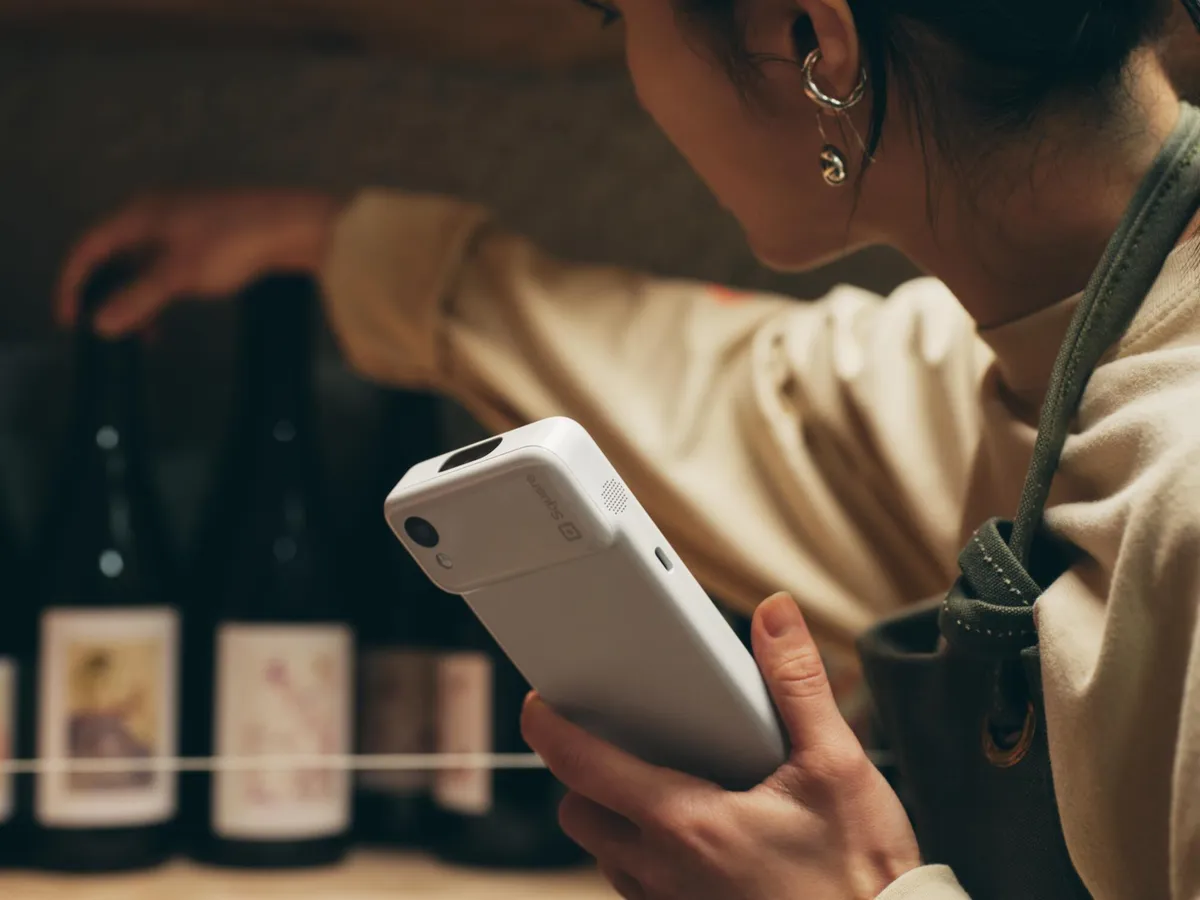
A mobile POS offers a versatile, flexible solution. This handheld or tablet-based system allows you to take orders and accept payments anywhere, which reduces wait times. For example, it’s great on a busy patio, where servers can move quickly to process payments on the spot.
Multichannel POS systems
If you manage a multichannel operation, you need a POS that connects dine-in, takeout, delivery app orders and orders placed through your website into a central hub.
Cloud-based POS systems
A cloud POS system provides secure online data storage. This means that information syncs in real-time, which is useful when you regularly change your menu or operate a multi-location business. Most modern POS systems, like Square, are cloud-based and don’t require servers or hefty setup.
Kiosk POS system
Self-serve kiosks are popular in fast-casual spots. A kiosk POS system helps reduce labour costs while offering customers the ability to browse the menu and personalize their orders at their convenience.

What are the benefits of POS systems for restaurants?
- Fast and accurate order processing: A POS allows you to ditch pen and paper processes once and for all. It speeds up operations and reduces mistakes by sending orders directly to the kitchen.
-
Security and compliance: A POS helps safeguard customer data and takes the guesswork out of staying PCI DSS compliant.
-
Improved customer experience: From faster service to a smoother checkout and loyalty program perks, a restaurant POS can take the customer experience to the next level.
-
Real-time sales and performance insights: A restaurant POS provides in-depth insights to guide business decisions, whether you’re analyzing menu performance data or optimizing labour costs.
-
Inventory control: Smarter inventory management reduces food waste and keeps key ingredients in stock. A POS for restaurants syncs orders with inventory in real time so you can plan ahead and avoid surprises.
-
Efficient staff management: Manage and track schedules, plan shifts based on sales trends and simplify payroll prep within your restaurant POS.
-
Easier tax and tip calculations: A POS automatically applies GST/HST sales tax and calculates tips, helping you stay compliant with CRA requirements and reducing work at the end of the day.
-
Scalability and multi-location management: A restaurant POS system sets the right foundation for business growth. It keeps everything connected and consistent across multiple locations and allows you to easily explore new revenue streams.
What are the disadvantages of restaurant POS systems?
Many restaurant POS systems can feel overwhelming to learn. But modern systems like Square for Restaurants is built with simplicity in mind. Its intuitive interface makes it easy for anyone to use – even if you don’t consider yourself tech-savvy.
Internet outages can also be a challenge with some POS solutions. Square allows you to accept offline payments as long as you enable the feature before losing connection.
How To Choose The Right Restaurant POS System
With so many options available, choosing a POS system for small businesses and restaurants can feel daunting. Here are the key factors to consider to find the right solution for you.
Identify your business needs
Start with the basics: What kind of restaurant do you own, what are your current daily challenges and what are your long-term goals? Consider your service style, sales channels, order volume and team structure.
Kitchen Display System (KDS)
Look for a POS with an efficient, reliable KDS. Keeping order synced can become a real challenge in a fast-paced environment. A good POS helps your team stay on top of orders and prevents errors.
Evaluate features
Compare different POS features. Do you want customers to be able to place takeout orders on your website? Does the ability to personalize branding matter to you? Think about must-haves versus nice-to-haves.
Cloud-based (data backup)
If you manage a multi-location restaurant business, a cloud-based POS is a must. It stores your data online and automatically backs it up. What does this mean in action? Remote access and real-time updates.
Compare pricing models
Some restaurant POS system providers charge a monthly subscription fee, while others take a percentage of each transaction. Review the total cost of ownership to avoid surprises down the line – and watch out for sneaky fees.
Consider additional costs
A POS system might seem affordable upfront, but between hardware, add-on integrations and setup fees, costs can add up quickly. Look for a solution that provides maximum flexibility without tons of added costs. Learn more about the full cost of a POS system.
Ease of use
Your POS should be easy to use by everyone on your team, including new hires and those who are less comfortable with technology. Look for a user-friendly layout and intuitive features.
Scalability
For some restaurateurs, scaling looks like building a patio or expanding into retail offerings. For others, it’s opening a second or third location. Your POS should serve your short-term needs while being able to adapt to your growth.
Third-party integration
Make sure your POS integrates with the tools you already use, from accounting software to delivery or reservation apps. A centralized solution is key to avoid needing to juggle multiple tools.
Support
If you have questions or run into unexpected challenges during service, you want to be able to turn to your restaurant POS provider for help. Look for reliable, round-the-clock support – it can make a big difference.
Restaurant POS system FAQs
What is the difference between a retail POS and a restaurant POS?
A retail POS system is designed for straightforward transactions that often involve barcodes and fixed pricing. A restaurant POS system includes specific features to meet the complex needs of the hospitality industry, from table management to kitchen workflow coordination.
Do I need a POS system for my restaurant?
If you’re still going back and forth between several tools or using a pen and paper, the answer is yes. A POS system for restaurants helps you streamline everything so you can gain back precious time, reduce errors and gain insights into your business.
Is a POS the same as a cashier?
No, a POS and cashier aren’t the same thing. A cashier is the person in charge of taking the order and processing the payment. A POS is the system used to take the order and process the payment (but it also does other things, like managing inventory, table and seating management, sales reporting, and more).