

Release notes
Vol 6 | 18 June 2026 | v 7.12
Font size for receipts, persistent order alerts, automated tax savings, and more
- Adjustable font size for printed receipts
- Audible speaker cue for declined payments on Point of Sale
- Hide fulfilment tabs and show per-employee sales totals in Order Manager
- Negative-priced modifiers deduct from the item total automatically.
- Persistent alerts for new online orders on Point of Sale
- Print an additional receipt at checkout on Terminal
- Set price overrides across multiple locations at once
- Sync item grids across locations from Square Point of Sale on iOS
- Variation preselection set independently of item details screen
Adjustable font size for printed receipts
What changed: Printed customer receipts offer three font sizes — small, medium, or large — configurable on a per-station basis. The setting applies to all receipt printing paths from that station, so every printed receipt honours the selected size.
Why it matters: Default-size receipt text can be difficult to read in bright outdoor light, busy counter environments, or for customers with low vision. Sellers choose the size that works best for each station's conditions without affecting other printers in the location.
Access: In Square Point of Sale on iOS or Android, go to Settings > Hardware > Printers, select the station, and choose a receipt font size. The default is medium.
Audible speaker cue for declined payments on Point of Sale
What changed: Square Point of Sale plays a tone through the device speaker when a card payment is declined. The existing reader buzzer remains in place — the speaker cue adds a louder signal that carries further in noisy or multi-station environments. Sellers can turn the speaker cue on or off and preview the sound from device settings.
Why it matters: In busy environments — a lunch rush, a busy pub, a multi-till counter — staff sometimes miss a declined payment and the customer walks away. A speaker cue that's audible across the room helps staff catch a failed transaction in the moment rather than discovering the loss after service.
Access: The speaker cue is available on Square Point of Sale version 7.12 and later for iOS and Android. It's off by default. Sellers opt in from Settings. The feature is ramping to food and beverage sellers first, then expanding to all verticals. Settings are stored on the device itself — if a seller uses multiple devices, each one requires its own setup.
Hide fulfilment tabs and show per-employee sales totals in Order Manager
What changed: Order Manager includes two display options. First, sellers can hide fulfilment method tabs that don't apply to their business — for example, removing the Shipments tab if the location doesn't ship orders. Second, a per-employee sales total displays a running in-store sales figure for the logged-in team member.
Why it matters: Sellers with unused fulfilment tabs see a cleaner Order Manager screen with only the methods they actually use, and tipped staff can track their daily sales without asking a manager to run a report.
Access: Both options are available on iOS and Android.
Negative-priced modifiers deduct from the item total automatically.
What changed: Modifier options accept negative prices. When a seller assigns a negative price to a modifier — such as "-€1 for no cheese" — Square deducts that amount from the item total at checkout. Previously, modifier prices could only add to the item total, requiring manual adjustments for removals or swaps that should lower the price.
Why it matters: Restaurants and food service businesses often price items with default ingredients included. When a customer removes an ingredient or swaps to a lower-cost option — like replacing beef with tofu in a burrito bowl — the price should reflect that change. Negative-priced modifiers handle the maths automatically, keeping pricing accurate without workarounds at the till.
Access: Rolling out next week. Sellers can set up negative-priced modifiers in Square Dashboard or Square Point of Sale under modifier options. Third-party sales channels may not support negative-priced modifiers — sellers using integrations with delivery apps or other platforms should confirm compatibility before relying on this feature in those channels.
Persistent alerts for new online orders on Point of Sale
What changed: Square Point of Sale offers an optional full-screen alert with a looping chime that fires when a new online or third-party marketplace order arrives. The alert displays over the current screen and repeats the chime at a configurable duration — 3 seconds, 10 seconds, 30 seconds, 60 seconds, or until dismissed — with a default of 10 seconds. Sellers choose from multiple alert sounds (chime, classic, or bell) or turn sound off entirely. Each device can have its own settings for alert on/off state, chime duration, and sound.
Why it matters: During peak service, short notifications disappear before staff notice them. Orders from Square Online, DoorDash, Uber Eats, and other marketplace platforms sit unacknowledged, leading to late fulfilment and refund requests. A full-screen alert with a repeating chime holds attention until a team member taps to acknowledge.
Access: The persistent alert is off by default. Sellers opt in per device. Available on Square Point of Sale on iOS and Android. Initial availability targets Food & Beverage sellers in Quick Service mode.
Print an additional receipt at checkout on Terminal
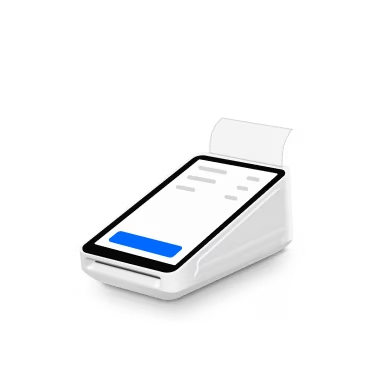
What changed: Square Terminal (T2) adds a "Print additional receipt at checkout" setting that prints one additional identical itemised sales receipt at the end of eligible standard checkout flows. The setting is local to each device and does not sync to other Terminals or Dashboard.
Why it matters: Sellers using Square Terminal sometimes need a second paper receipt for a customer copy, a business record, or a tip line without reopening a completed transaction. This setting removes that extra step by printing the second receipt automatically at the end of checkout.
Access: Turn on "Print additional receipt at checkout" under Settings > Checkout > Signature and receipt on Square Terminal (T2). Each device must be configured individually.
Set price overrides across multiple locations at once
What changed: Sellers with multiple locations can create price overrides for the same item across several locations in a single action, rather than setting them one at a time. Price overrides are grouped by item, making location-specific pricing easier to review and manage.
Why it matters: A seller with 10 locations who needs different pricing at each one previously had to repeat the override process for every single location. Bulk price overrides cut that repetitive work down to one step, and the grouped display makes it clear at a glance which locations have custom pricing.
Access: Available to sellers with multiple locations.
Sync item grids across locations from Square Point of Sale on iOS
What changed: Sellers using Standard Mode on iOS can sync item grids from one location to others directly from Square Point of Sale. Items that aren't assigned to a destination location won't sync to that location.
Why it matters: Multi-location sellers who open a new spot or add new items no longer need to rebuild their item grid from scratch at each location. One grid, built once, applies everywhere it's needed — keeping the layout consistent across the business.
Access: Rolling out next week on Square Point of Sale for iOS in Standard Mode.
Variation preselection set independently of item details screen
What changed: Two item-level settings operate independently of each other. "Automatically select first variation" pre-selects the first variation (such as size) when a team member taps an item. "Skip customisation when possible" bypasses the item details screen when all required selections are satisfied. Previously, these behaviours were tied together as one implicit setting. They can be set independently per item across Standard, F&B, and Retail modes on Square Point of Sale.
Why it matters: A bar running open tabs at high volume needs the first variation pre-selected so staff can add items in fewer taps. A retail location selling clothing needs staff to pause and pick the correct size. These are different workflows that previously required the same setting. Sellers choose the combination that matches how each item is sold.
Access: The two settings appear as separate options on each item.