

Table of contents
As a salon owner, you understand the importance of client satisfaction. But did you know that choosing the right salon point-of-sale (POS) system can have a huge impact on your success? Whether you run a hair salon, nail salon, barbershop or day spa, a specialized salon POS system can make your day-to-day smoother and help you grow your business more strategically.
A modern salon POS does more than process payments. It streamlines several priorities in one place: client profile management, automated appointment scheduling, inventory management and commission tracking. It can even support your marketing efforts.
And between economic uncertainty and shifting customer expectations in Canada, having an all-in-one solution is no longer a nice-to-have – it’s a must. So, how do you choose the right salon POS platform for your needs? This guide breaks down what you need to know.
What is a salon POS system?
A salon point of sale (POS) system is a combination of hardware and software that helps beauty professionals manage their operations more effectively, from payments to self-serve bookings and customer relationships.
Unlike retail-focused POS systems, salon POS systems are designed with the unique needs of salon owners in mind. They address common pain points without the need for multiple tools with features like scheduling, real-time calendar syncing and sales reporting.
Why is it important to choose the right POS for your salon?
Choosing the right POS for your salon allows you to focus on delivering exceptional service and growing your business instead of feeling burdened by admin work. When you own a brow studio or skincare clinic, you require more than a checkout tool – a salon POS ties key processes and data together in a central hub. The result? You gain back time, enhance customer experience and build savvier marketing strategies.
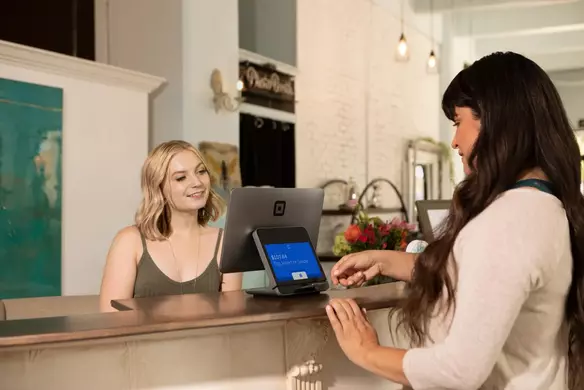
Benefits of a salon POS system
Effective appointment scheduling
Ditch the pen and paper once and for all. A salon POS makes it easy to manage bookings while giving clients the flexibility to self-schedule. According to the Square 2025 Future of Beauty report, over half of consumers enjoy engaging with technologies like automated reminders, mobile apps, automated payments and self-booking – and this is especially true for Gen Z and millennials.
Detailed client profiles
It’s been four weeks since your customer’s gel polish appointment. Thanks to your salon POS, you know this – and you target your customer with a gentle reminder and a promotion when they purchase a mani-pedi combo. A good salon POS system lets you stay on top of customer history and preferences to optimize your marketing efforts.
Automated staff commissions
A salon POS platform takes the guesswork out of paying your team. For example, with Square Shifts, you can set up commission tracking and assign unique commission rates to each of your employees, whether you work with tiers or flat rates. If a lash artist completes a full set appointment, their name is linked to the transaction – and your POS calculates their payout automatically.
Inventory management adapted to your needs
If you own a spa business, you don’t need to manage inventory like a grocery store. But you need to know how much serum estheticians use during facials so you can reorder. You also need to manage the sale of take-home skincare kits at the front desk. A POS system for beauty salons lets you manage both service-related and retail inventory seamlessly.
Business impact of choosing the right salon POS
Streamlines daily operations
Managing bookings, payments and inventory can be tedious and time-consuming, whether you own a solo makeup studio or run a busy hair salon with a full team of stylists. A salon POS streamlines operations and reduces the risk of errors. You can view the day’s appointments and know that your calendar is up to date despite last-minute cancellations. You can process a payment and look at a customer’s preferences all from the same screen.
Improves customer experience
In the world of beauty, customers appreciate a welcoming, personalized experience. With a salon POS system, you can track their history and preferences to tailor each visit, from preferred products to ideal massage pressure. Personalization is also about what you do after a visit. A POS for salons lets you offer flexible ways to pay, automated follow-ups and easy links to book the next appointment. All these small touches add up and build loyalty.
Helps manage staff schedules and commissions
Maybe you work with part-time laser hair removal technicians or barbers who rent booths from you. A salon POS lets you customize compensation structure accordingly. You can assign shifts, track hours, set different commission structures and calculate payroll and payouts. And since 82% of Canadian beauty business leaders told Square that training or coaching their employees is vital to their success, streamlining admin frees you up to focus on your team.
Tracks retail inventory in real-time
You don’t want to discover that you’re out of numbing cream right before a tattoo removal session or have to say no to a customer who wants to purchase moisturizer because you forgot to replenish your stock. A salon POS tracks service-related and retail inventory in real-time so you know exactly what to reorder and when.
Supports business growth
A good salon POS system includes marketing tools that increase customer retention and expand your reach. Targeted email and SMS campaigns nurture relationships with existing customers. Tools like Square Loyalty help you reward regulars with special perks – like a free blowout after five visits.
You can also play with subscription offerings like monthly facial memberships to encourage consistent bookings and predictable revenue. Built-in analytics help you understand what’s working – and what’s not – so you can make decisions based on data instead of hunches (or at least validate your hunches).
Reduces manual work
A salon POS system reduces the need for manual work, which gives you more time for activities that move the needle. For example, with Square Appointments, you can customize a free booking website that runs on autopilot. You can let customers book with multiple staff members, set up cancellation policies and no-show protection and avoid double bookings, all without extra back and forth.
Provides owners with more flexibility
A modern salon POS enables mobile and cloud access for maximum flexibility. If you operate multiple locations or want to manage your business remotely, all your data syncs in real-time.
“Once we added Square Appointments, it was like night and day. We went from pen and paper to digital bookings. Artists had access to their schedule, they could check it remotely and look ahead at their week,” says Jamie Randolph, owner of tattoo and piercing studio Steel N Ink. “Especially with multiple locations, and as we were growing, I couldn’t see all those paper appointment books at the same time. Now here I am, with a click of a button, I can see every store, every schedule.”
Key features to consider when choosing a POS system for your salon
Not every POS platform is built with beauty businesses in mind. The right salon POS system should simplify your work and help you provide better service through specialized tools. Here are key features to look for:
- Flexible payment processing: Your POS should allow you to accept a wide variety of payment types with speed and ease, from Interac Debit and credit cards to mobile wallets like Apple Pay and Google Pay. Clients expect a smooth checkout experience, especially if you sell high-end services – and they may also appreciate a buy now, pay later (BNPL) option for big-ticket purchases.
- Appointment scheduling and calendar integration: Built-in scheduling is essential when you operate a salon. A solid salon POS syncs all bookings in one calendar while allowing customers to book 24/7 from your website or Instagram page. A salon POS like Square Appointments does just that thanks to social media integrations, and it also sends automated confirmations and reminders to reduce the risk of no-shows.
- Inventory management for retail and supplies: From wax strips to lash cleansers and beard oils, you probably manage both retail and service supplies. And if you haven’t dabbled in retail offerings yet, you might want to keep that door open for the future. According to data from the Square Future of Beauty 2025 report, 43% of Canadian consumers have purchased products like shampoo or cleanser from a salon in the past year. Look for a salon POS that tracks and manages both types of inventory with features like low-stock alerts.
- Detailed client profiles and history: Having a returning customer repeat their preferences every time they visit erodes your relationship. On the flipside, small touches like remembering their exact colour formulas and skin concerns elevate the experience. A strong salon POS keeps a detailed log of client profiles and history. That way, you can also automate promos and booking reminders when you know it’s time for a customer’s next visit.
- Staff management tools: Hiring and retaining talented employees can be challenging in the beauty industry. Whether you work with full-time employees or contractors, your POS should support team scheduling and help you streamline payroll and commission payouts, along with staff-friendly features like automated timecards, shift swapping and tip or commission management. Not only do automated staff management tools make your life easier as a business owner, but they help keep your employees happy so they consistently deliver strong service.
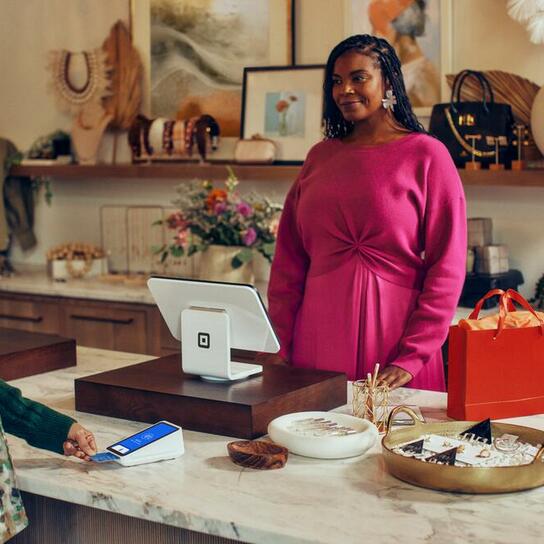
- Integrated payments and contactless checkout: Seventy-two percent of debit card and 69% of credit card in-person payments in Canada are made with tap-to-pay transactions, according to a recent survey from The Bank of Canada. With tools like Square Reader or Square Terminal, you can accept debit or credit payments in seconds right at the chair or checkout counter. And for customers who prefer to pay online, you can integrate payments into the booking process.
- Marketing tools to drive growth: You shouldn’t need separate platforms to promote your business. Tools like Square Loyalty and Square Marketing help you effectively communicate with existing customers and attract new ones. Get creative with birthday discounts, personalized rewards or seasonal promos, or send out custom, automated marketing campaigns to clients in minutes.
- Cloud access and mobile functionality: Being chained to the front desk isn’t necessary with a modern salon POS solution. Look for cloud access and mobile functionality so you can work anytime, from anywhere and always have access to the most up-to-date information, whether you’re checking inventory from home or looking at sales reports from a trade show.
- Support for multiple locations: If you manage more than one salon or hope to open more locations in the future, your POS should keep up with your growth. Square for Beauty centralizes operations and adapts to your needs at different stages of your journey – even across cities or provinces.
- Sales and performance reporting: A good salon POS system should give you access to in-depth sales and performance reports. You want industry-specific actionable insights, like which hairdressers are performing the best or what time of the day you’re busiest with self-tanning appointments. Look for a centralized hub, like Square Dashboard, which makes all your numbers easy to access and understand.
- Gift card and package management: Your salon POS should let you create and sell service packages, as bundling services is a no-brainer in the beauty industry. It should also give you the opportunity to offer both physical and digital gift cards, which help you boost revenue and attract new customers, especially during the holidays.
- Customizable service menus and pricing: A strong salon POS is flexible enough to adapt to your unique business and brand. It should allow you to quickly tailor or update your service list and pricing, including recommendations for add-ons.
How to set up the Square salon POS system
Square brings all the most important features of a beauty salon POS into one intuitive solution. Appointment scheduling that practically runs itself? Check. Marketing tools to capture the attention of beauty customers and keep them coming back? Check. Staff management solutions including commission tracking? Check.
If you’re ready to get started with Square for Beauty, follow these steps:
- Sign up for a free Square Appointments account.
- Verify your identity and link your bank account to receive payments.
- Add your business location(s). You can create unique business profiles with specific hours, add individual bank accounts to differentiate transfers, and more.
- Set up online booking. There are two ways to do so: Create a simple, standalone booking page with Square Appointments, which can also be added to an existing website, or build a full-service site with Square Online. Both options are free, customizable and included with your Square Appointments subscription.
- Create and manage services and appointments. An appointment is a scheduled time when a staff member will complete a service. Learn more about creating and managing services.
- Download the Square POS app to take payments on your device. Not sure where to start in terms of hardware? Learn more about the mobile and stationary hardware that Square offers to help run your business however you need.
“Everyone comments on how quick and modern [Square] is. All of our customers are impressed when they pay,” says Cait Bousfield, co-owner of Winnipeg’s Good Fortune Barbershop. “I spent two days setting up our website. It was so easy to do. We are selling way more merchandise than I expected, it was really easy and painless to set up the website using Square, and I’m not good at this stuff! I thought I would have to hire someone.”

How to choose the right POS system for your salon FAQs
Is cloud-based POS better for salons?
Yes, a cloud-based POS is better for salons, as it allows you to manage your business remotely or manage multiple locations. All your data is synced in real-time and across locations instead of being stored on a local device.
Can a salon POS system handle GST/HST automatically?
A salon POS system can – and should – handle GST/HST calculations automatically. This helps you comply with Canada Revenue Agency (CRA) requirements and simplifies the process of filing tax returns.
How much does a salon POS system typically cost?
It depends on the provider and pricing model. You could end up paying from $0 to over $300 a month for a cloud-based POS system and from $69 to over $1,200 for hardware, according to Forbes. There are also credit card processing fees.
Square POS pricing is transparent and competitive. You pay 2.5% for all in-person credit card payments, 0.75% + 7¢ for Interac Debit, 2.8% + 30¢ for online purchases and 3.3% + 15¢ for manually entered card details.
Can a salon POS manage both services and retail sales?
A modern salon POS system should handle both seamlessly. Whether you’re booking a piercing appointment or selling a retinol serum, your POS should make it easy to sell both options in one place while managing product inventory and tracking service history.
Are salon POS systems in Canada compliant with bilingual (English/French) requirements?
No, not all salon POS systems in Canada are bilingual. Look for a salon POS that offers bilingual support and allows you to customize receipts, booking pages and customer communications in both English and French.