



Actualiza tu navegador.
Descarga la última versión de un navegador compatible debajo para obtener el mayor beneficio de este sitio web:
Restaurants
A QR code menu that makes ordering easier
Let customers view your menu, place orders, and pay directly from their phones. Give guests a convenient way to order when they're ready and help your staff focus on service.

How a QR code menu helps your restaurant
Update menu items with ease
Make changes to prices or mark sold-out dishes as unavailable without reprinting paper menus.
Simplify table service
Let customers order and pay when they're ready, giving your staff more flexibility to focus on guests.
Offer more ways to customize orders
Give customers the option to select modifiers and add-ons during checkout.

Keep your menu accurate and up to date
Edit items, prices, and descriptions from your Square Dashboard and publish updates to your digital menu.
Mark items as sold out so customers can see what's currently available.
Add photos and dietary tags to help diners explore your menu and make informed decisions.

Streamline ordering and payments
Enable supported self-serve ordering options so customers can send orders to your kitchen.
Offer supported digital payment methods, including Apple Pay, Google Pay, and Cash App Pay, where available.
Let guests pay and leave tips from their own devices, where supported.

Connect your entire restaurant
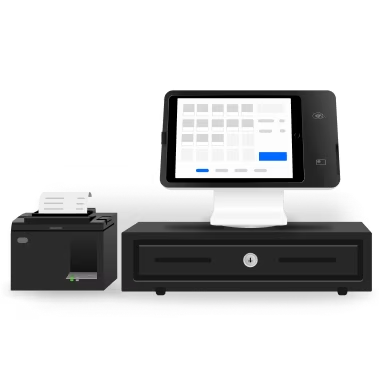
Connect supported QR code orders with your Square Point of Sale.
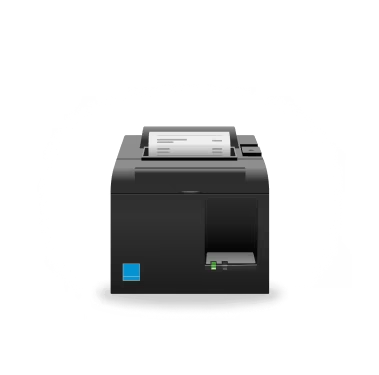
Configure order tickets to route to a compatible kitchen display system or receipt printer.
Use compatible Square tools to view sales, monitor popular items, and manage inventory.

More than a menu — connected tools for your restaurant
Square offers connected tools to help you manage orders, staff, and customers.
Point of sale: Process payments, manage your floor plan, and organize front-of-house operations.
Loyalty programs: Create a rewards program to recognize and engage repeat diners.
Staff management: Schedule shifts, track time, and manage your team from one place.
Additional subscriptions or fees may apply to certain Square products and features.
Built for businesses like yours


"QR code ordering worked as planned right from day one. The Square team helped us optimize the real-world situations to make it effective and showed us how we could fully use the services when we were ready."
Scott Smith, Director of Brewery Services
Anheuser-Busch Biergarten
Obtén un plan para administrar todo tu negocio
Square Gratis
Acceso revolucionario a los elementos esenciales para tu negocio.
$0/mes
por sucursal
Square Plus
Totalmente equipado para todos los aspectos de tu negocio.
$49/mes
por sucursal
Square Pro
Obtén precios personalizados
Si procesas más de $250,000 al año, habla con nuestro equipo para ver si eres elegible para precios personalizados y comisiones de procesamiento. También puedes preguntar sobre descuentos de hardware, soporte de incorporación e implementación, especialistas técnicos y administración de cuentas.
Tips to fuel the next steps on your restaurant journey
Preguntas frecuentes
What is a QR code menu?
A QR code menu is a digital version of your restaurant's menu that customers access by scanning a QR code with their smartphone camera. It allows diners to view items, check prices, and read descriptions directly on their devices. With supported Square self-serve ordering features, customers can also place orders and pay from their phones.
How much does a QR code menu cost?
Square Free has no monthly subscription fee. Payment processing fees apply to transactions. Availability of QR code menu features and self-serve ordering may depend on your Square plan and configuration, and additional fees may apply. Visit Square's pricing page for current rates and plan details.
Can customers order and pay from the QR code menu?
Square offers supported digital menu and self-serve ordering options. When self-serve ordering is available and enabled, customers can select items, choose available modifiers, and pay from their phones using supported payment methods. Available payment options may vary by device and configuration.
How do I update my restaurant QR code menu?
You can manage your menu from your Square Dashboard. Edit items, prices, and availability, then publish updates to your connected digital menu. When your existing QR codes continue to point to the same active menu, you generally won't need to reprint them after making changes.
Do I need to reprint my QR codes when the menu changes?
Generally, no. If your QR codes link to an active digital menu, you can update menu items, prices, and photos without replacing the printed codes. Customers scanning those codes can access your updated menu once the changes have been published.
What devices can scan a QR code menu?
Most supported smartphones can scan QR codes using their built-in camera or a compatible QR code scanner. Customers can point their camera at the code and open the menu link on their device. Device and browser compatibility may vary.
Does the menu integrate with my POS?
With compatible Square tools and the appropriate setup, supported QR code orders can connect with your Square Point of Sale. You can also configure supported order tickets to route to compatible kitchen display systems or receipt printers. Additional hardware or subscriptions may be required.
Can I use QR codes for table tents and flyers?
Yes. You can print QR codes for placement on table tents, coasters, window decals, or flyers. Depending on your supported Square configuration, you may also be able to associate QR codes with specific tables or ordering stations to help organize orders.
Explore Square's digital menu and ordering tools to find the right setup for your restaurant
Learn about new features and hear stories from other businesses.
Es un placer conocerte
Creemos que los negocios son tan únicos como las personas que los administran. Cuéntanos más sobre ti para obtener contenido individualizado sobre los temas que más te interesen.
¹ Payment processing fees apply to eligible transactions. Rates vary by payment method, plan, and transaction type. Additional fees may apply for optional products or services.
² Feature availability depends on the selected Square plan, supported hardware, and product configuration. Certain features may require additional subscriptions or setup.
³ Custom pricing may be available if you process more than $250K per year. Discounts on optional add-ons. Eligibility required. Contact sales.