Set up cash rounding
To report issues: Email cash-rounding@squareup.com
About cash rounding
With the United States no longer minting pennies and reducing circulation, Square automatically rounds cash transactions to the nearest five cents (nickel) for sellers participating in the open beta. This helps ensure you and your staff can provide exact change for your cash transactions.
Before you begin
Ensure your point of sale is running app version 6.84 or newer. You can find your app version at the bottom of the ≡ More screen.
Cash rounding is currently unavailable to sellers with locations in Connecticut in compliance with state law. Sellers with locations in Connecticut don’t have access to cash rounding across any Square locations.
Only transactions that are being paid in cash will be rounded. You’ll see this when you attempt to accept a payment via cash on your point of sale.
Card and digital payments are not affected, customers pay the exact amount.

How cash rounding works
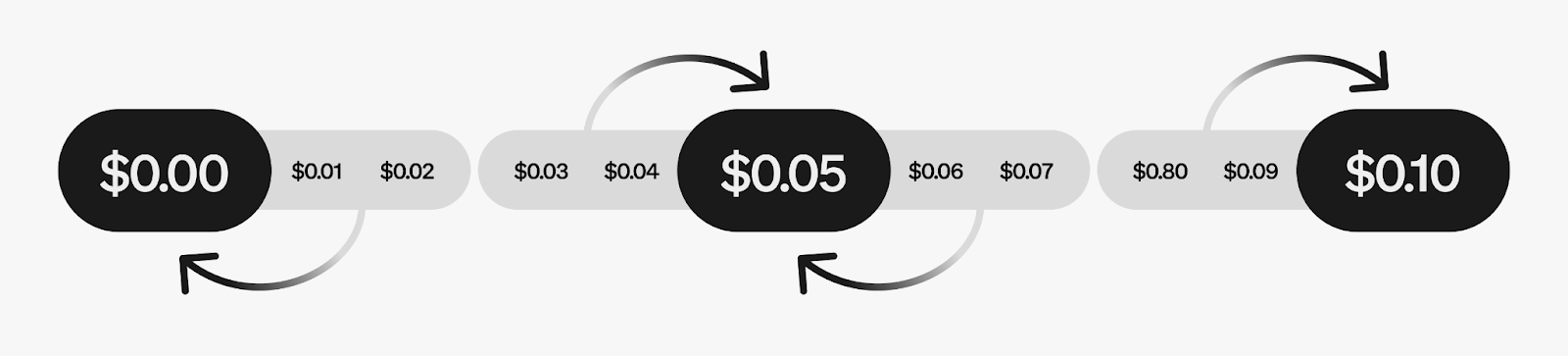
When a customer pays with cash, Square rounds the final total to the nearest $0.05 (nickel). Reference cash rounding examples below:
Total amount |
Rounding applied |
Cash amount |
|---|---|---|
$1.01 or $1.02 |
-$0.01 or -$0.02 |
$1.00 |
$1.03 or $1.04 |
+$0.02 or +$0.01 |
$1.05 |
$1.05 |
$0.00 |
$1.05 |
$1.06 or $1.07 |
-$0.01 or -$0.02 |
$1.05 |
$1.08 or $1.09 |
+$0.02 or +$0.01 |
$1.10 |
If a customer's total is $7.58 and they pay with cash, Square rounds it to $7.60. If they pay with a $10 bill, they receive $2.40 in change.
Set up cash rounding
Sign in to Square Dashboard and go to Settings > Early feature access.
Under Cash rounding, click Install.
You may need to restart your device for changes to take effect.
Once activated:
All cash transactions will be rounded to the nearest $0.05.
The rounding adjustment will appear on receipts.
Your reports will show the rounding adjustment as a separate line item.
Understand how rounding appears in reports
Transactions report
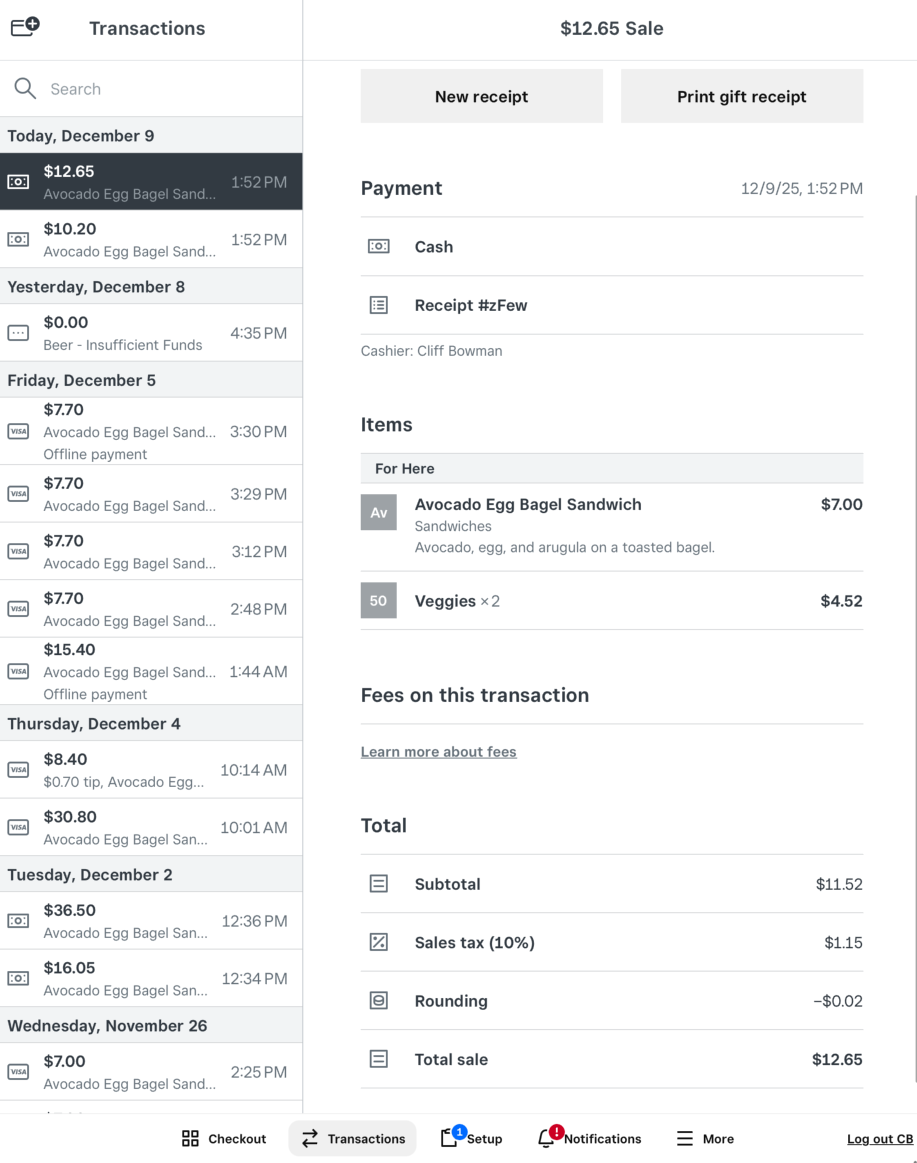
The rounding adjustment appears as a new line item:
Amounts rounded down show with a minus sign, such as -$0.02
-
Amounts rounded up will show the full value, such as $0.02
Sales summary
To see the total rounded amount:
Sign in to Square Dashboard and go to Reports > Sales > Sales summary.
Here you’ll see a row called “Cash rounding”. If required, you can export or print this report for reference.

Receipts
Both digital and printed receipts display:
The original subtotal and tax
A rounding adjustment line item showing the amount added or subtracted
The final rounded total
Split payments and round cash
When a customer splits a payment between cash and card, the cash portion is rounded to the nearest $0.05. The card portion is charged the exact amount. However, the order of payment (cash first vs. card first) may affect the final amounts.
Example 1 - Cash payment first:
Total bill: $10.36
Cash payment (50%): $5.18 → rounds to $5.20 (+$0.02)
Card payment (50%): $5.16 (reduced by $0.02 to account for cash rounding)
Total paid: $10.36
Example 2 - Card payment first:
Total bill: $10.36
Card payment (50%): $5.18 (exact amount, no rounding)
Cash payment (50%): $5.18 → rounds to $5.20 (+$0.02)
Total paid: $10.38 (customer pays $0.02 more due to cash rounding)
Understand tax reporting
Since some transactions will round up and others will round down, the rounded transaction amount collected may differ from the original transaction amount. Square apps will calculate taxes on the original transaction amount before rounding is applied. You are responsible for determining the impact of the cash rounding adjustment to your tax collection, reporting and remittance obligations.
You can see your total cash rounded amount in your Sales summary report on Square Dashboard.
Provide beta feedback
Please email cash-rounding@squareup.com to share ongoing feedback on how this feature works for you. Questions to consider when providing feedback:
How are you using cash rounding adjustments for your business?
How can we improve the feature or make it easier for you and your team to use?
Are there any issues or confusion with how rounding appears in reports or receipts?